

·
14 min read

On this page
AI agents are technically stateless by default; by this, it means every time a user sends a message, the underlying language model has no memory of what was actually said prior. Without a memory configuration, your chatbot forgets the user's name between messages, loses track of the problem they're trying to solve, and will end up asking the same clarifying questions repeatedly.
Dify agent memory solves this. It determines how your AI agents retain context across conversations, letting them reference past interactions and store user preferences, without losing track of what's already been discussed.
In this article, we will walk you through Dify's memory system from the ground up. You'll learn what memory types are available, how to configure them step-by-step, and how to test if everything works via the API.
TL;DR: Dify Agent Memory Configuration
AI agents are stateless by default, and memory configuration gives them context across conversations
Dify offers two main memory types: Conversational (short-term) via TokenBufferMemory, and Long-term via Knowledge Base + vector databases
Enable memory by toggling it on in your Agent node, then set a Window Size (50–100 is a good starting point)
Always pass
conversation_idin API calls to maintain continuity across messagesUse Conversation Variables when you need structured, persistent data storage
For a simpler setup, the
plugin handles memory externally without manual wiring
What Is AI Agent Memory in Dify?
Agent memory in Dify is a layer responsible for managing conversation context independently from raw LLM context windows. When you enable memory on an Agent node, Dify uses TokenBufferMemory to buffer recent conversation messages up to a configurable limit, then automatically add this history to each LLM call.
This differs from simply passing chat history to an LLM. Dify's memory system handles token counting, message truncation, and context formatting. You configure the window size, and Dify manages the rest. The backend was built to enforce hard limits (2000 tokens, 500 messages maximum) regardless of your settings, preventing runaway costs while maintaining conversational fluency.
Why Does Memory Configuration Matter?
LLMs are stateless by default. Each API call starts fresh with no knowledge of previous interactions. Without memory configuration, a customer support bot would forget the user's issue mid-conversation, and a personal assistant can't remember preferences mentioned five messages ago.
The impact is measurable. When users reference previous context ("as I mentioned earlier," "the file I uploaded," "my budget from before"), agents without properly configured memory fail to resolve these references. Users must repeat themselves, making the conversational flow stressful and reducing task completion rates.
The tradeoff: larger memory windows provide more context but increase token consumption linearly. A 100-message window on GPT-5.3 can cost 10x as much per response as a 10-message window. Configuration is about finding that balance where enough context for coherent conversations meets sustainable costs.
What Are Dify's Memory Types?
Dify offers a dual-system approach, providing both short-term, session-based memory for immediate context and long-term, persistent memory for knowledge and preferences. We will look at both of these essential memory types.
Conversational Memory (Short-Term)
Dify's built-in memory operates at the session level using TokenBufferMemoy as mentioned earlier. Enable the Memory toggle on Agent or LLM nodes, set Window Size, and Dify automatically includes recent messages in each prompt.
This type of memory comes in handy in Multi-turn Q&A, customer support conversations, and any workflow where context from recent messages really matters.
They are not left with limitations, as the memory resets when conversations end. They have no persistence across sessions. No semantic filtering, all recent messages are included regardless of relevance.
Long-Term Memory (Persistent)
For memory that persists across sessions or requires semantic retrieval, Dify uses Knowledge Bases backed by vector databases. Store conversation history or extracted facts as documents, then retrieve relevant context using the Knowledge Retrieval node.
Dify supports 13+ vector databases through environment configuration:
Below are database best suited for each use case
Database | Best For |
Weaviate | Default in Docker, easy setup |
Qdrant | Production performance, hybrid search |
Milvus | Large-scale deployments |
PGVector | Existing PostgreSQL infrastructure |
This kind of memory is useful for Preference retention across sessions, semantic memory search, and RAG-based context retrieval. Going further, we will see how we can configure this memory.
How Do You Configure Memory in Dify?
Memory configuration in Dify happens at two levels: basic toggles for quick setup, and advanced patterns using Conversation Variables for better control.
Basic Configuration
Now that you understand how Dify's memory system works under the hood, let's configure it. The setup takes just a few steps inside the Dify interface.
Step 1: Set Up Your Model Provider
Before configuring memory, you need a model provider connected. Navigate to Settings → Model Provider and configure your API credentials. For this article, we will be using OpenRouter, Gemini 2.5 flash:
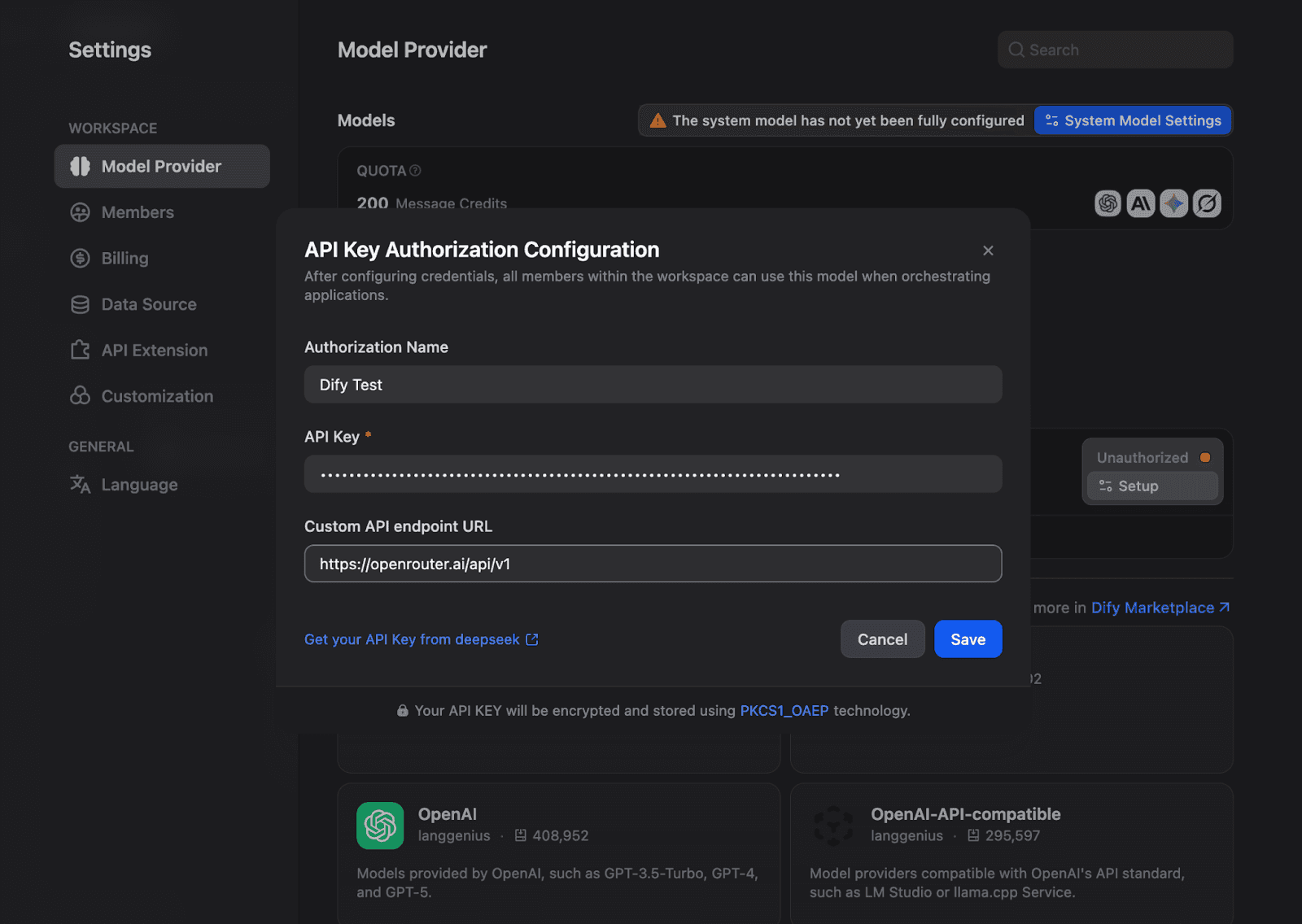
Once configured, your model appears as available in the API Keys section.

Step 2: Create a Chatflow and Add an Agent Node
From the Studio, create a new Chatflow or just use what’s already provided. You can replace the LLM in the image below with an Agent node:
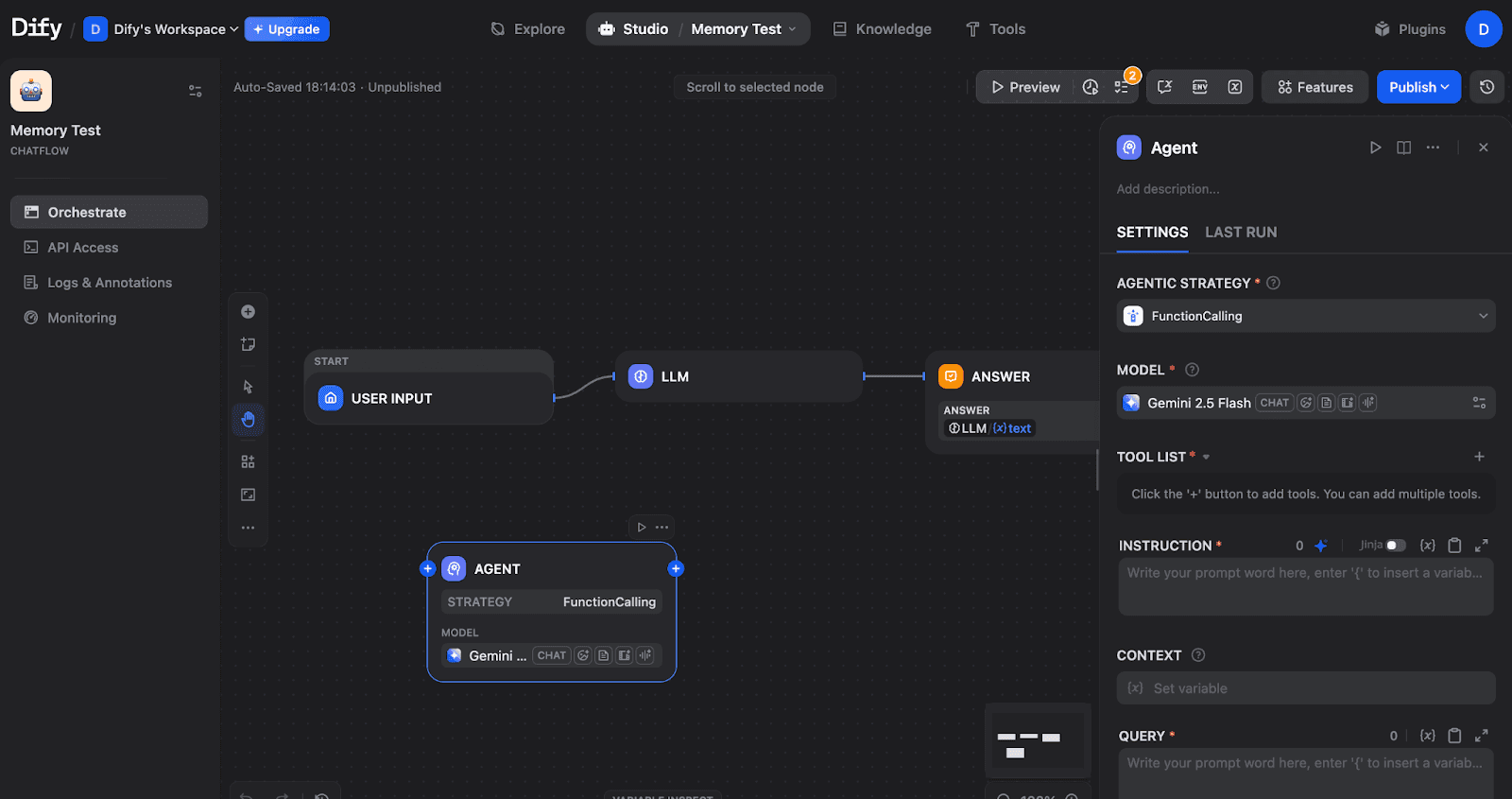
A Chatflow with START → LLM → ANSWER nodes, plus an Agent node. The Agent node requires configuration before use.
Step 3: Configure the Agent Strategy
Click on the Agent node and select an Agentic Strategy. Choose either Function Calling (for models like GPT-4, Claude, Gemini) or ReAct (for explicit reasoning traces). In this article, we used Function calling.
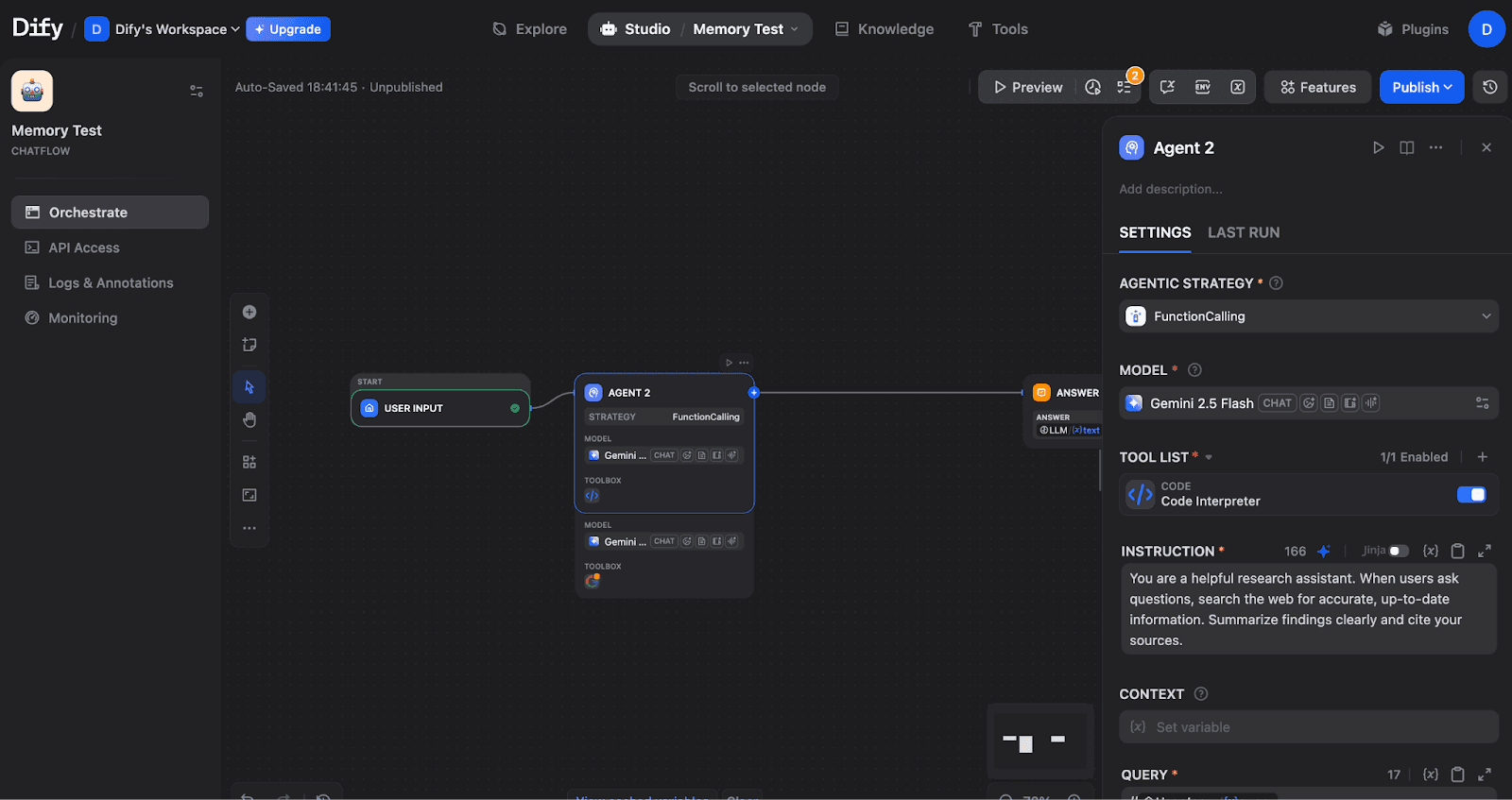
Agent node configured with FunctionCalling strategy, Gemini 2.5 Flash model, Code Interpreter tool, and custom instructions.
Step 4: Enable Memory and Set Window Size
To do this, you will need to scroll down in the Agent settings to find the Memory section under Execution Controls.
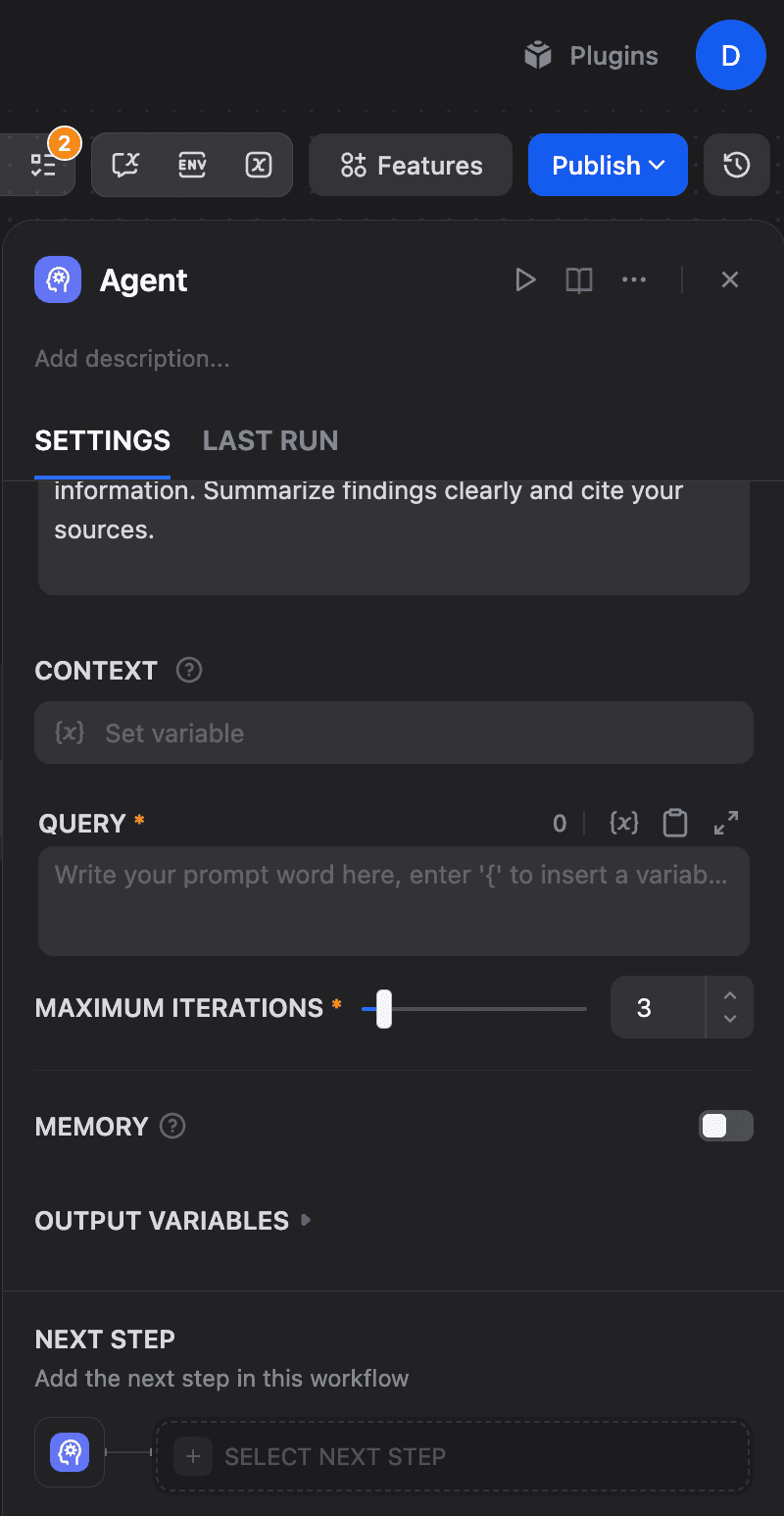
The Memory toggle (currently OFF) controls whether the Agent retains conversation context.
Toggle Memory ON, toggle Window size on, and adjust the Window Size slider:
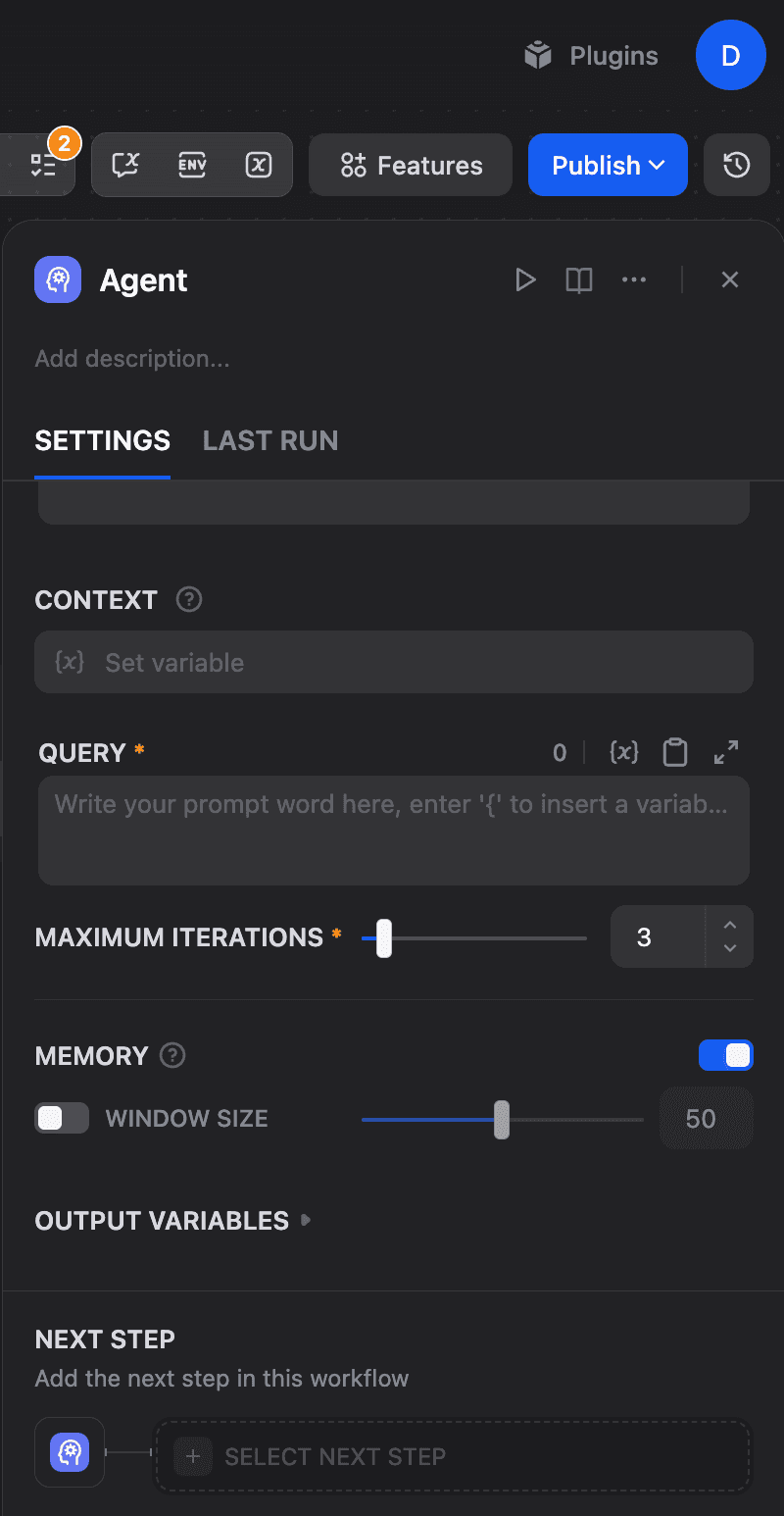
Memory enabled with Window Size set to 50. This determines how many previous conversation turns the Agent can access.
The window size controls how many previous conversation turns the agent can access. The backend enforces hard limits: a maximum of 2000 tokens and up to 500 messages, regardless of your settings. Larger windows provide more context but increase token costs.
Step 5: Connect Query and Output
Configure the Query field to receive user input. Click the field and select the user input variable:
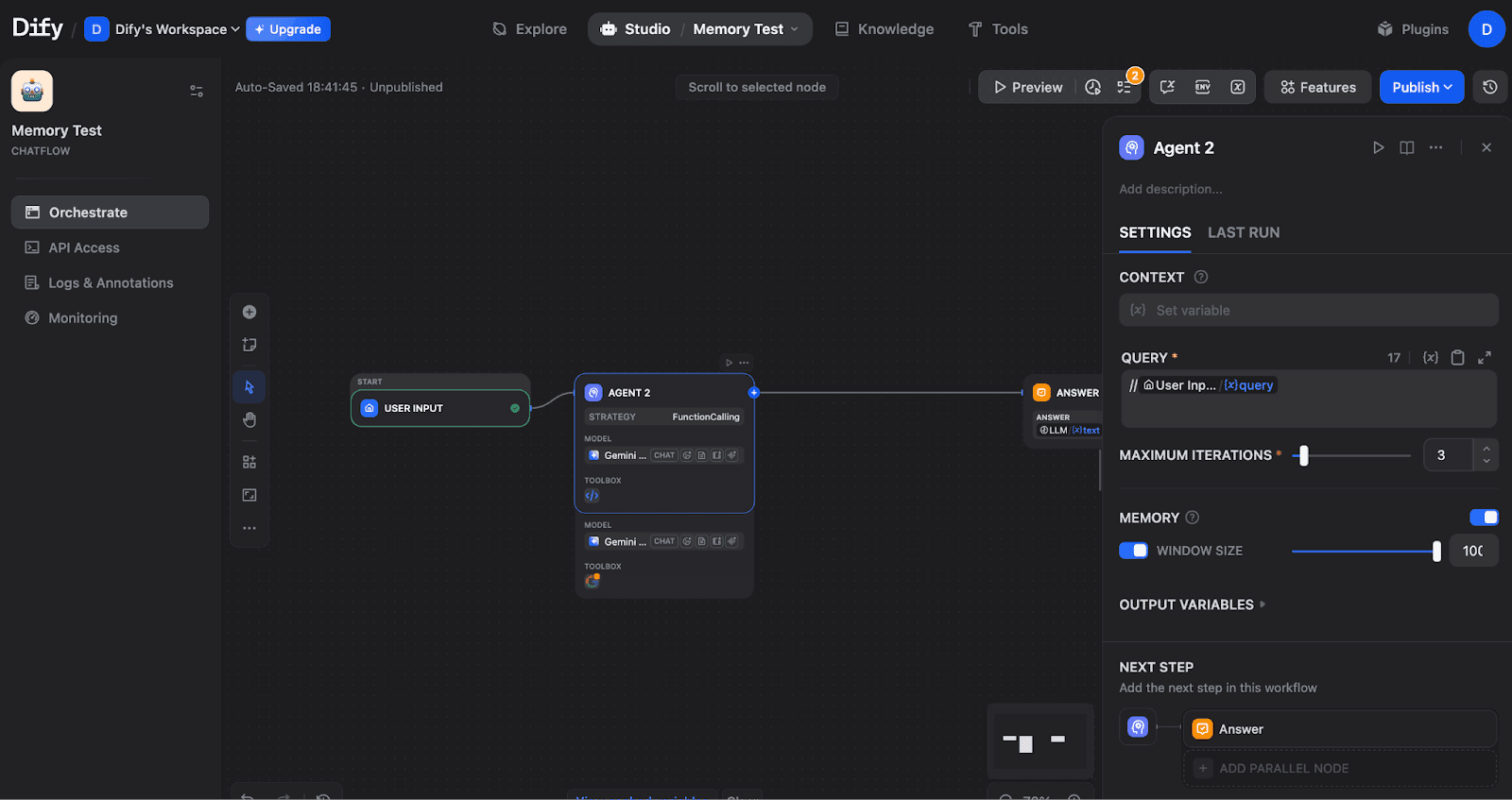
Agent fully configured with Query connected to User Input, Memory ON with Window Size 100, and Answer as the next step.
Step 6: Complete the Flow
Ensure your flow connects properly: START → AGENT → ANSWER
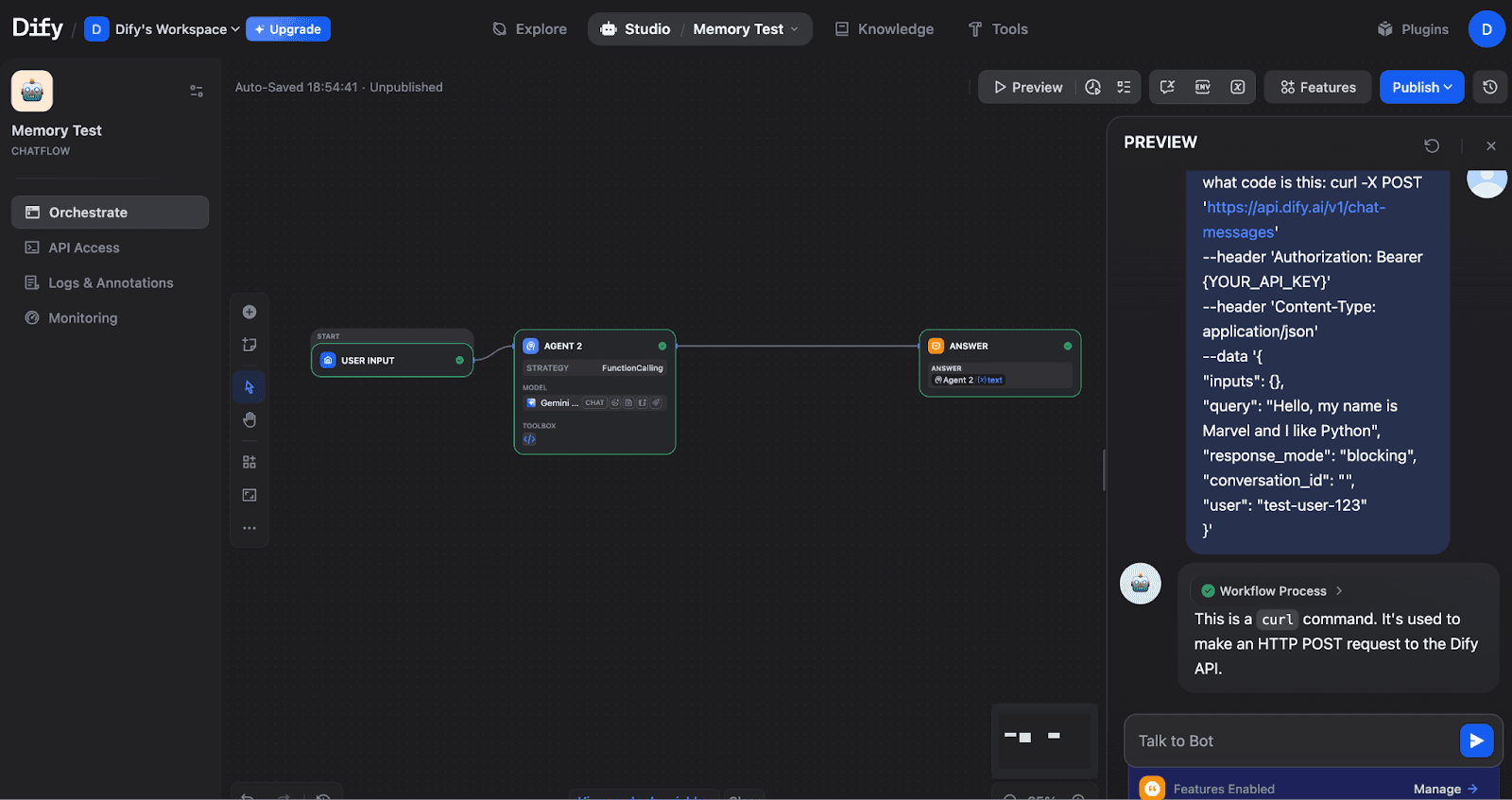
Complete Chatflow: User Input feeds into Agent 2, which outputs to the Answer node. The Agent shows the FunctionCalling strategy with the Gemini model.
Advanced Configuration: Conversation Variables
For structured data that persists across conversation turns, use Conversation Variables. To set this up, click the Variables icon (or find it in the top toolbar) to open the Conversation Variables panel:
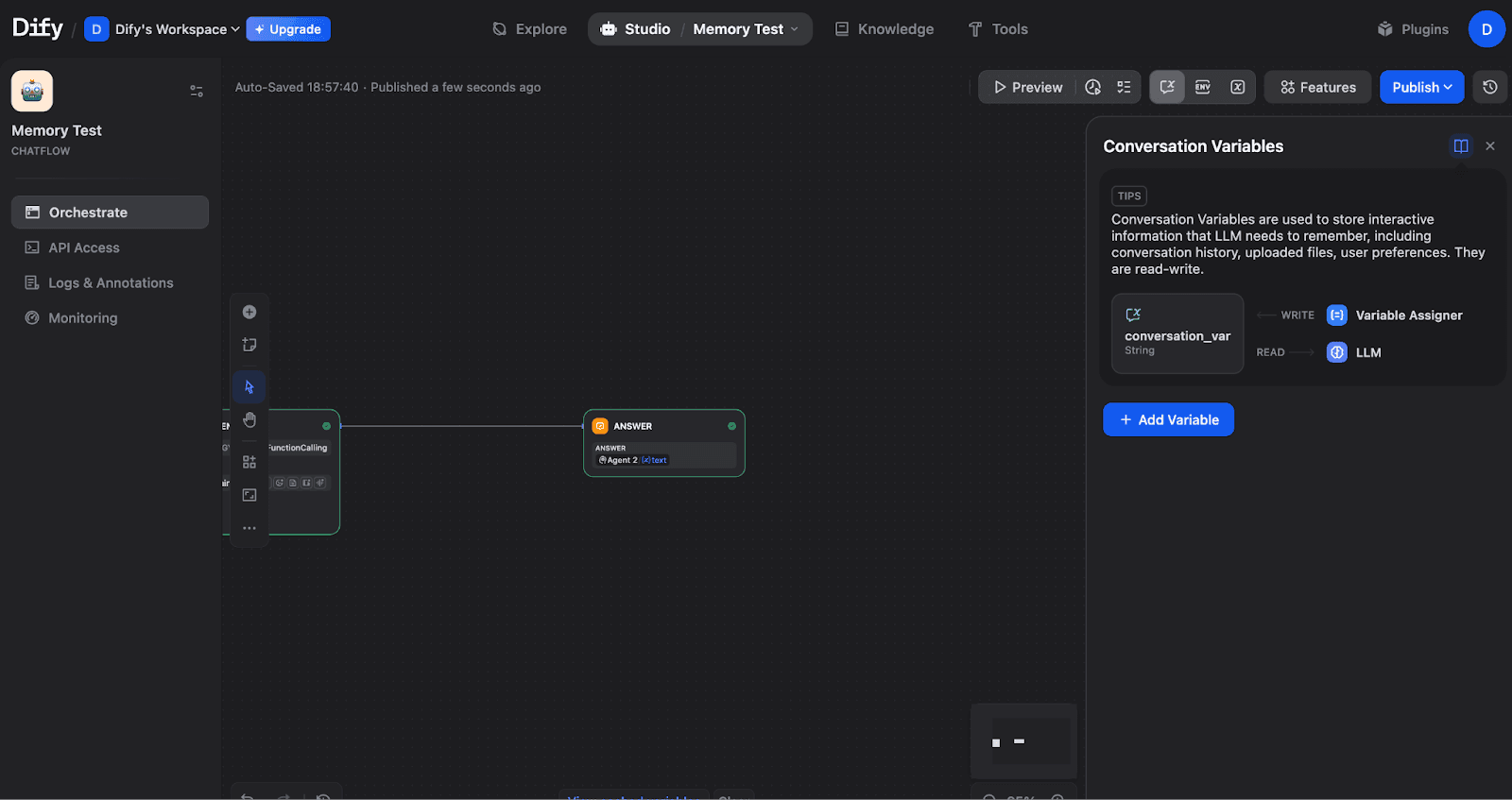
The Conversation Variables panel shows how variables connect to your workflow. Variables are written via the Variable Assigner and read by LLM nodes.
Creating an Array[Object] Variable for Memory Storage
Click "+ Add Variable" to create a new Conversation Variable. For memory systems, use Array[object] type:
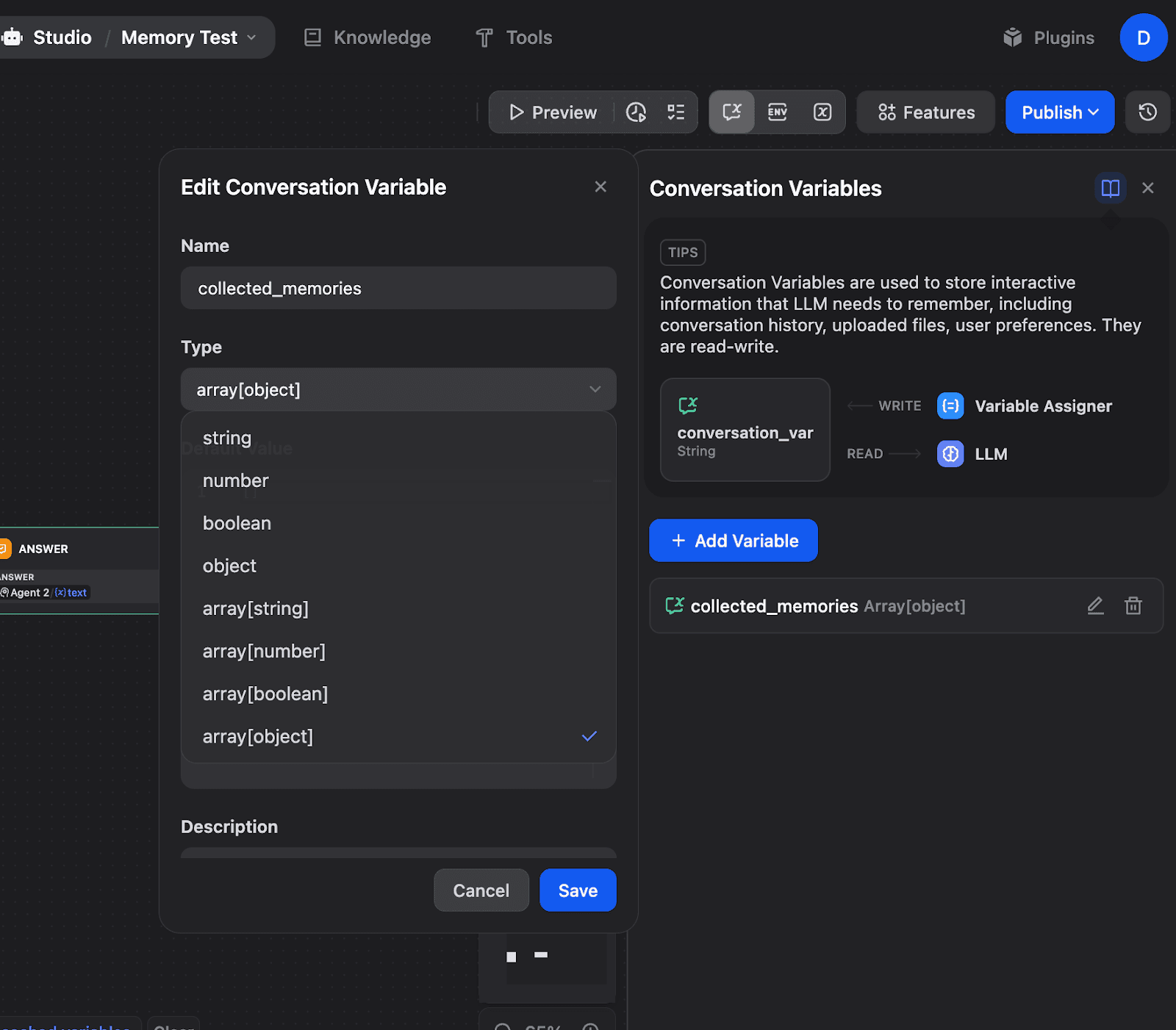
Creating a collected_memories variable with an Array[object] type. This allows storing structured memory objects that accumulate over time.
Supported data types include:
string: Text values like language preferences
number: Numeric values like counters
boolean: True/false flags
object: Structured data with nested properties
array[string/number/boolean/object]: Collections for storing multiple items
And we are done with that.
API Access for Programmatic Control
For external integrations, Dify exposes a full API. Navigate to API Access in the left sidebar:
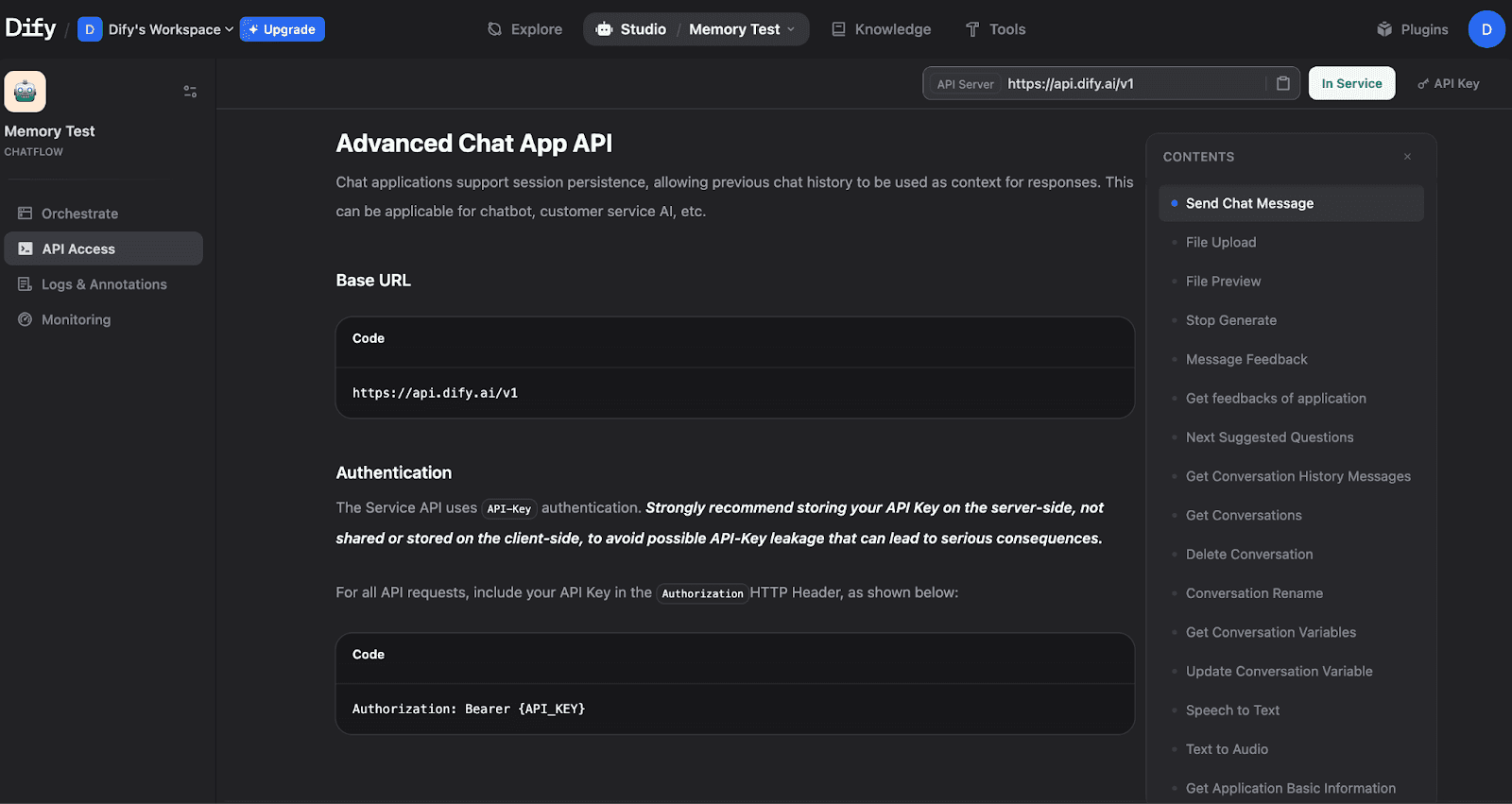
The API Access page shows the Base URL, authentication method, and available endpoints, including Send Chat Message, Get Conversation History, and Get Conversation Variables.
Getting Your API Key
Click to create and view your API Secret Key:
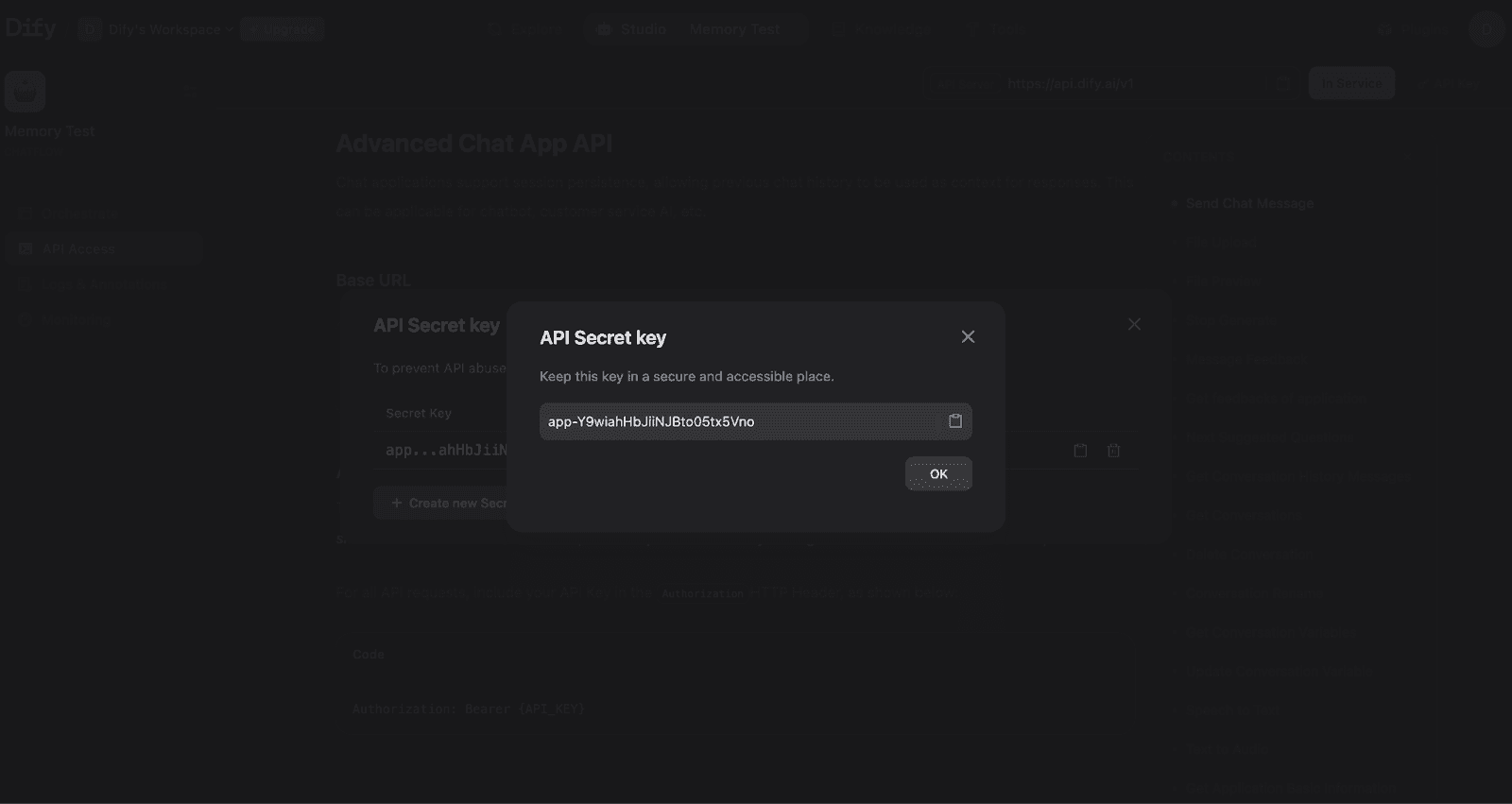
Your API Secret Key for authenticating requests. Store this securely and never expose it in client-side code.
Testing Memory via API
With your Chatflow published and API key ready, you can test memory functionality from your terminal.
Test 1: Start a Conversation
Response:
The response includes a conversation_id - this is the key to maintaining memory across messages.
Test 2: Verify Memory Works
Use the same conversation_id to continue the conversation and test if the Agent remembers context:
Response:
The Agent correctly remembered the name "Marvel" from the previous message, proving that memory configuration is working correctly.
Test 3: Retrieve Conversation History
You can also retrieve the full conversation history via API:
Response:
The response returns an array of messages ordered chronologically. Each message includes the query (user input), answer (agent response), timestamps, and metadata like retriever_resources for RAG applications and agent_thoughts for reasoning traces.
Variable Assigner for Custom Memory
Use Variable Assigner nodes to write to Conversation Variables. Set operation to Append for arrays that accumulate memories across turns. For a complete OpenAI-style memory pattern, see: Dify's Official Tutorial.
Key Takeaways
Memory Toggle: Enable in the Agent node's Execution Controls section.
Window Size: Controls context depth (backend limits: 2000 tokens, 500 messages max).
Conversation Variables: Use for structured data storage with types like
Array[object].conversation_id: The critical parameter for maintaining memory across API calls.
Variable Assigner: Writes data to Conversation Variables using operations like append, overwrite, and clear.
Memory configuration transforms stateless LLM calls into contextual conversations. You can start with the basic Memory toggle for simple use cases, then add Conversation Variables when you need structured, persistent data storage.
How Does Mem0 Simplify Memory Configuration?
Dify's native memory requires manual setup, as we have seen above. For OpenAI-style persistent memory, you need multiple LLM nodes handling detection, extraction, and storage, plus Python code for type conversion. This isn't really a problem until configuration grows more complex.
Mem0 is an AI memory solution that reduces the entire memory setup to a simple plugin installation and API key. Instead of building memory infrastructure in your Chatflow, Mem0 handles storage, retrieval, and semantic search externally.
The Mem0 plugin on Dify Marketplace provides tools for adding and searching memories that you drop into workflows as nodes. Configuration uses a simple dictionary:
The Advantage is that Dify's native memory keeps everything self-contained within your Chatflow, while Mem0 adds an external dependency but takes care of the configuration complexity.
What Are Real-World Memory Configuration Patterns?
Customer support and personal assistant application comes in mind first atleast for me, when I think of real-world memory configurations.
Customer Support Agents
Customer support bots need to maintain a conversation while managing token costs across potentially long troubleshooting sessions. The recommended configuration uses a moderate Window Size (50-100 messages) on the Agent node to capture recent context without accumulating the entire conversation history.
For knowledge base integration, configure the Knowledge Retrieval node with Hybrid Search mode, setting TopK to 5-10 and Score Threshold to 0.5. This balances precision with recall when matching user queries against help documentation. Dify's official customer service bot tutorial emphasizes checking segmentation coherence in your knowledge base; incoherent chunks produce poor retrieval results regardless of memory settings.
Personal Assistant Applications
Personal assistants require preference retention across sessions while respecting user privacy. Use Conversation Variables with an Array[object] type to store extracted preferences, facts, and user context. This provides more control than the built-in Memory toggle, which only buffers recent messages.
For preference storage, configure a Variable Assigner node with Append mode connected to an LLM node that extracts facts from user messages. Dify's blog recommends keeping memories "concise and informative", storing "Likes Python" rather than "The person mentioned they like Python." This reduces token consumption when memories are injected into prompts.
Wrapping up
Memory configuration is one of those things that separates a decent chatbot from one that actually feels intelligent. Without it, your agent keeps asking "What's your name?" every few messages. With the right setup, it remembers context, references past conversations naturally, and handles multi-turn workflows without losing track.
The key takeaways are straightforward: start with the Memory toggle and a reasonable Window Size (50-100 for most use cases), use Conversation Variables when you need structured data that persists across turns, and always pass the conversation_id in your API calls to maintain continuity. If you're building something more complex, like a persistent memory across sessions, Mem0's plugin approach cuts out a lot of the manual wiring.
FAQs
What is the difference between Dify's built-in memory and Mem0?
Dify's built-in memory (TokenBufferMemory) is session-scoped. It buffers recent messages within a single conversation and resets when the session ends. Mem0 is an external AI memory layer that persists context across sessions, handles semantic search, and requires no manual wiring inside your Chatflow. For simple multi-turn conversations, Dify's native memory is sufficient. For preference retention and long-term personalization, Mem0 is the better fit.
What happens if I don't pass a conversation_id in Dify API calls?
Without a conversation_id, Dify treats each API call as a brand new conversation. The agent has zero context from previous messages, even if memory is enabled on the node. Always capture the conversation_id data from your first API response and pass it in every subsequent request to maintain conversational continuity.
More on Integrations

OpenClaw vs. Hermes Agent Memory in 2026: Which Should You Choose?
OpenClaw and Hermes take opposite bets on agent memory - live-injected vs. frozen snapshots, file-based vs. structured tools. Here's how each works, where each breaks, and how Mem0 fits both.
12 min read
How Memory works in Hermes Agent (and how to improve it)
How Hermes Agent stores 3,575 characters of memory in two frozen markdown files, and where the design breaks.
11 min read
Hermes AI Agent: How to Add Memory to Your Workflow
Set up Mem0 as a memory provider for Hermes Agent in one command. Covers Platform and OSS modes, the 3 tools it adds, and how prefetch-caching keeps it at zero added latency.
8 min read




Start building with memory
Free tier, no card