


Three things are wrong with how agents get access today.
The key does too much. Integrations hand over one key for the whole workspace. The agent that drafts Notion pages can also archive them and read every database the key can see.
Internal APIs have no per-agent lock. They trust the network or a shared service token. Any coding agent inside can call any endpoint, and the log shows the service, not the agent.
Access is frozen at setup. When an agent's job changes, it needs a new key. When a key is exposed, you have to rotate it in every agent that holds it.
Gateway is one place to control that:
One key, many connectors. MCP servers and your own APIs sit behind the same key.
Fine-grained tool access. Grant
notion_create_pages, not the whole Notion connector. Connect is not grant.Start, then change. Narrow on day one. Widen, tighten, or revoke later. Same key, no re-paste, no upstream rotation.
Available today. Get your first key
Connect
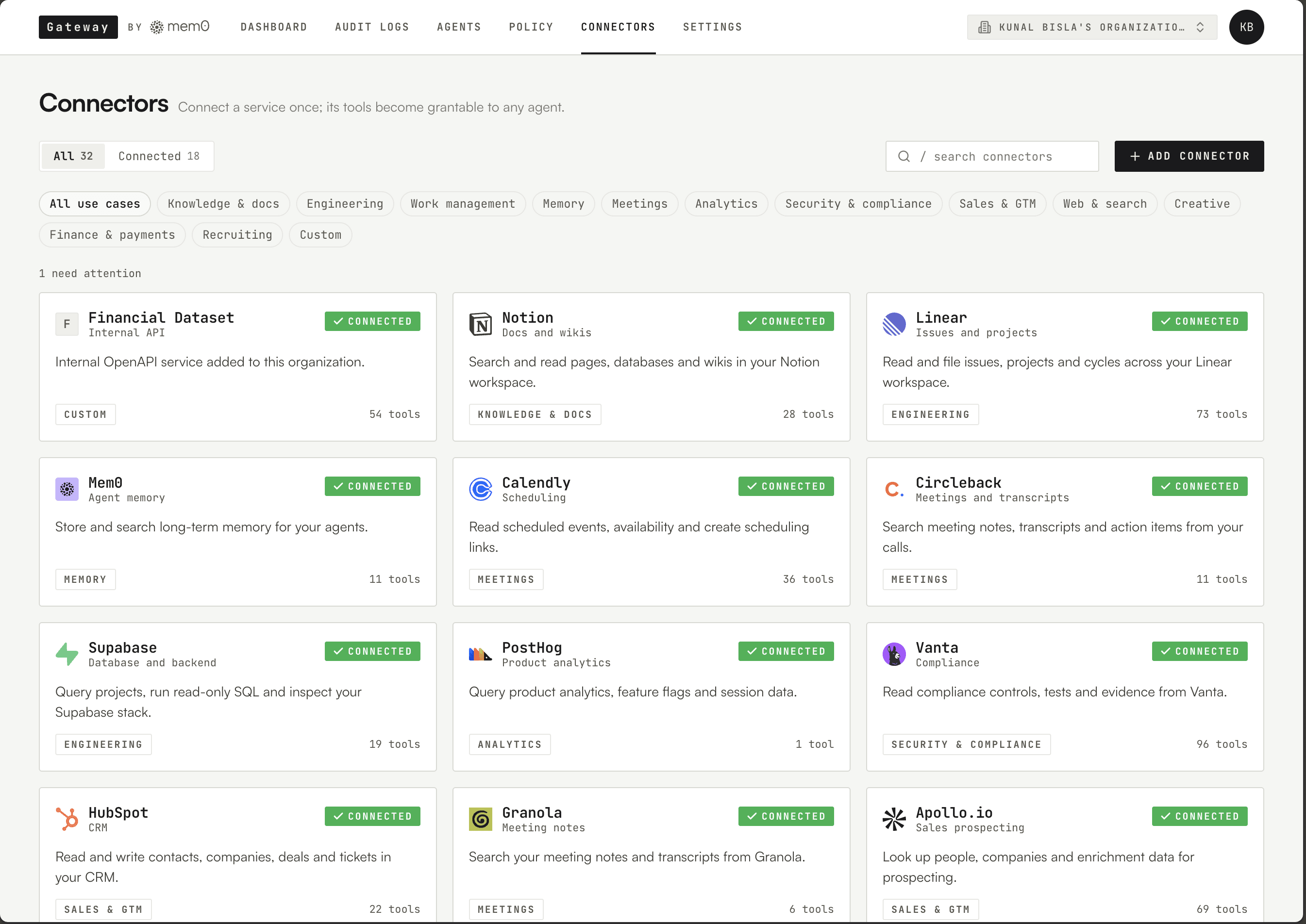
An admin connects an MCP server through OAuth, or uploads an OpenAPI spec for an internal API. Gateway stores the credential once, encrypted, and uses it server-side. Both kinds land in the same catalog.
Connecting grants nothing. No agent can call a tool until someone grants it.
Grant
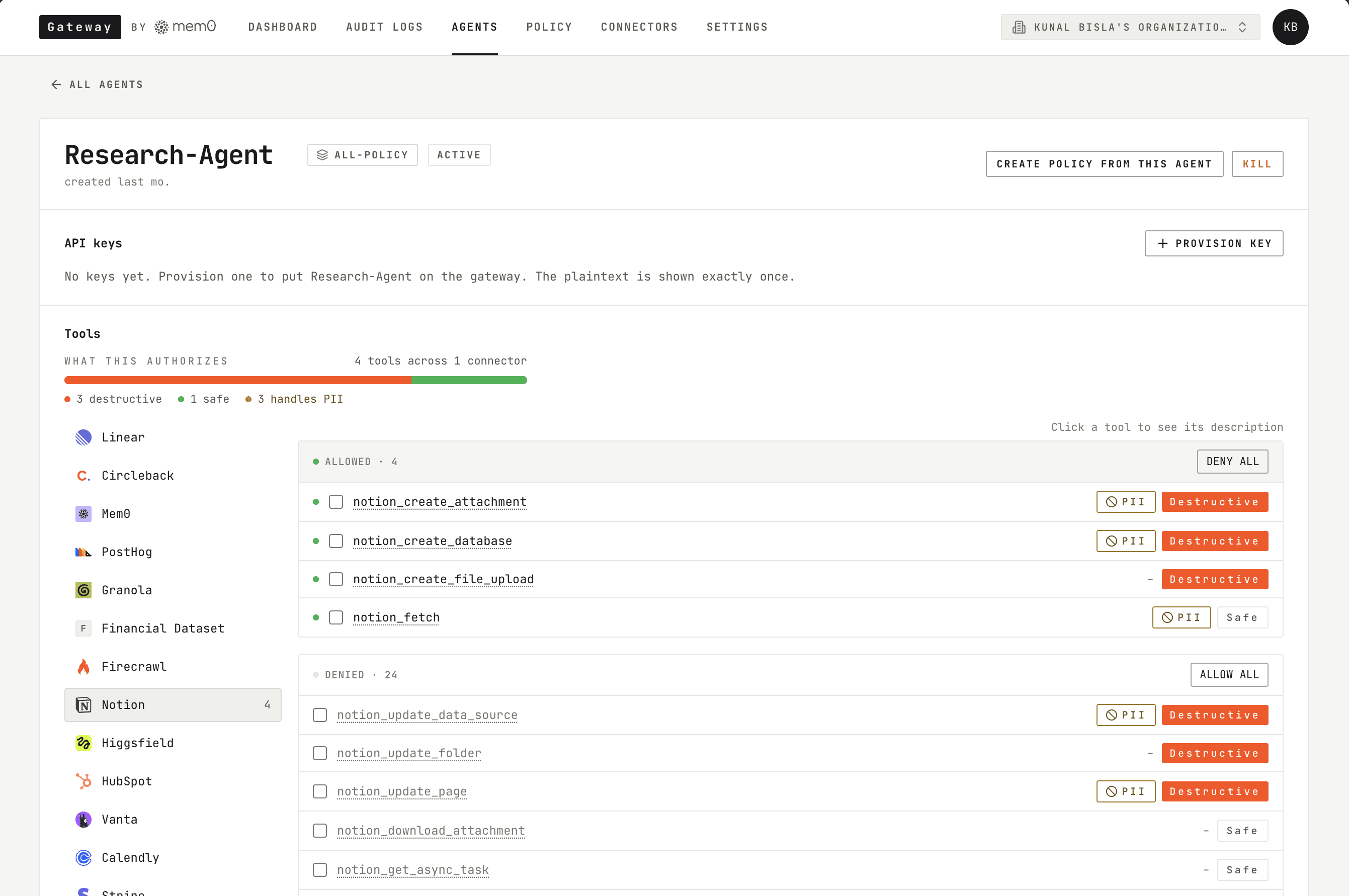
Create an agent. Grant the tools its job needs, one by one. Gateway issues one mg_ key with an expiry, rate limit, and spend cap.
A research agent gets two tools: linear__list_issues and linear__get_issue. If it calls linear__delete_comment, Gateway refuses:
The denied call and its reason appear in the Dashboard. Another agent can be granted delete through the same connector.
The connector's own permissions set the ceiling. The grant narrows it per agent. A call has to fit both.
Save a set of grants as a policy. New agents start from it.
The agent never receives the upstream credential. The key identifies the agent. The grant defines what it can call.
Change
The research agent now needs to post its findings. An admin adds the comment tool to its grant. The agent can use it on its next call. No new key, no re-paste, no redeploy.
The agent can also ask. It calls find_tools(task) and gets back the granted tools that fit. When nothing fits, it calls find_tools(task, type="requestable") to see what the org has connected but not granted, then request_access(tool_names, reason). An admin sees the reason in the console and approves or denies. The request and its reason stay in the log.
This is what makes a short grant list practical. Start with what the agent needs today. Approve new tools when it asks. Remove tools when the work no longer needs them.
Watch and Revoke
Every call, allowed or denied, lands in the Dashboard with the agent, connector, tool, outcome, and reason. Records are append-only. Request and response bodies are stored separately and deleted after a retention period you set. The call records stay.
The upstream's own log still shows the account used for the connection. The per-agent record lives in Gateway.
When an agent needs to stop, kill it. Its next call is refused. Other agents keep running. No upstream rotation.
Every call passes the same checks: key valid, agent alive, rate limit, spend, scope. Upstream credentials stay encrypted on the server.
A bigger catalog, not a bigger prompt
The agent never loads its tool list. It sees three tools: discover, find_tools, and invoke. It searches for what fits the task, gets back the granted tools that match, and calls one by name. Connect 500 tools and the agent still starts with three definitions in context. It pays for the handful it finds, not the catalog. If your agent harness loads every definition upfront, this cuts the context spent on tools per call. Claude Code and Codex already search client-side, so the saving there is smaller.
Finding a tool does not grant it. The same checks run on the call.
Get started
Connect. Connect an MCP server or upload an OpenAPI spec.
Grant. Create an agent, grant its tools, copy its key.
Run. Point the agent's MCP client at Gateway's
/mcpendpoint with the key as the bearer token. Its first call shows up in the Dashboard.
Existing upstream credentials keep working until you revoke them. Retire them once their agents have moved to Gateway.
Built at mem0, used on mem0's own production agents.
Start with one agent and the tools its job needs. Tighten, watch, and kill from one place.
GET TLDR from:

Summarize
Website/Footer

Summarize
Website/Footer

Summarize
Website/Footer

Summarize
Website/Footer


