

·
8 min read
On this page
Hermes Agent just added 6 memory providers. Mem0 is one of them. Setup takes one command. A circuit breaker if anything fails. The memory system handles storage, retrieval, and context across sessions. So your agent actually remembers. Here's how it works.
Quick Takeaways
Mem0 is one of Hermes Agent's 8 official memory providers, not a third-party plugin.
Setup takes one command and an API key; no manual config file editing required for the default path.
Runs in three modes: managed Platform (cloud), a self-hosted dashboard you run yourself, or fully in-process OSS mode with no separate server at all.
All calls run in background threads with prefetch-caching, so it adds zero latency to the conversation.
A circuit breaker keeps the agent running even during a Mem0 outage.
What Is Hermes Agent?
Hermes is a self-improving AI agent CLI by @NousResearch. Built for long-horizon tasks that can take minutes to hours.
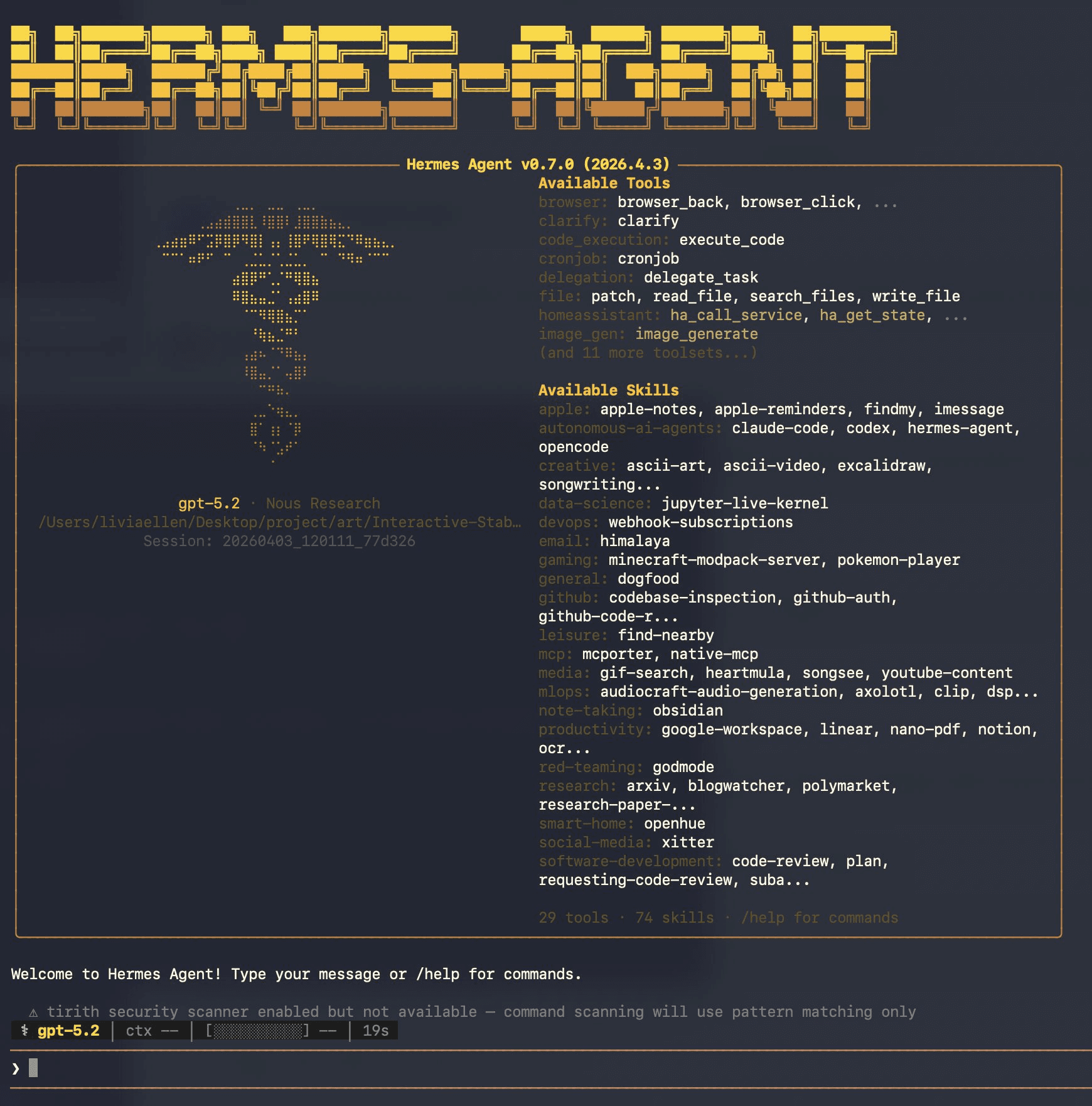
Hermes Agent (source: screenshot from personal usage)
It already had a local memory system (MEMORY.md and USER.md files). Now it has added a pluggable external provider slot. Six providers are supported. Mem0 is one of them.
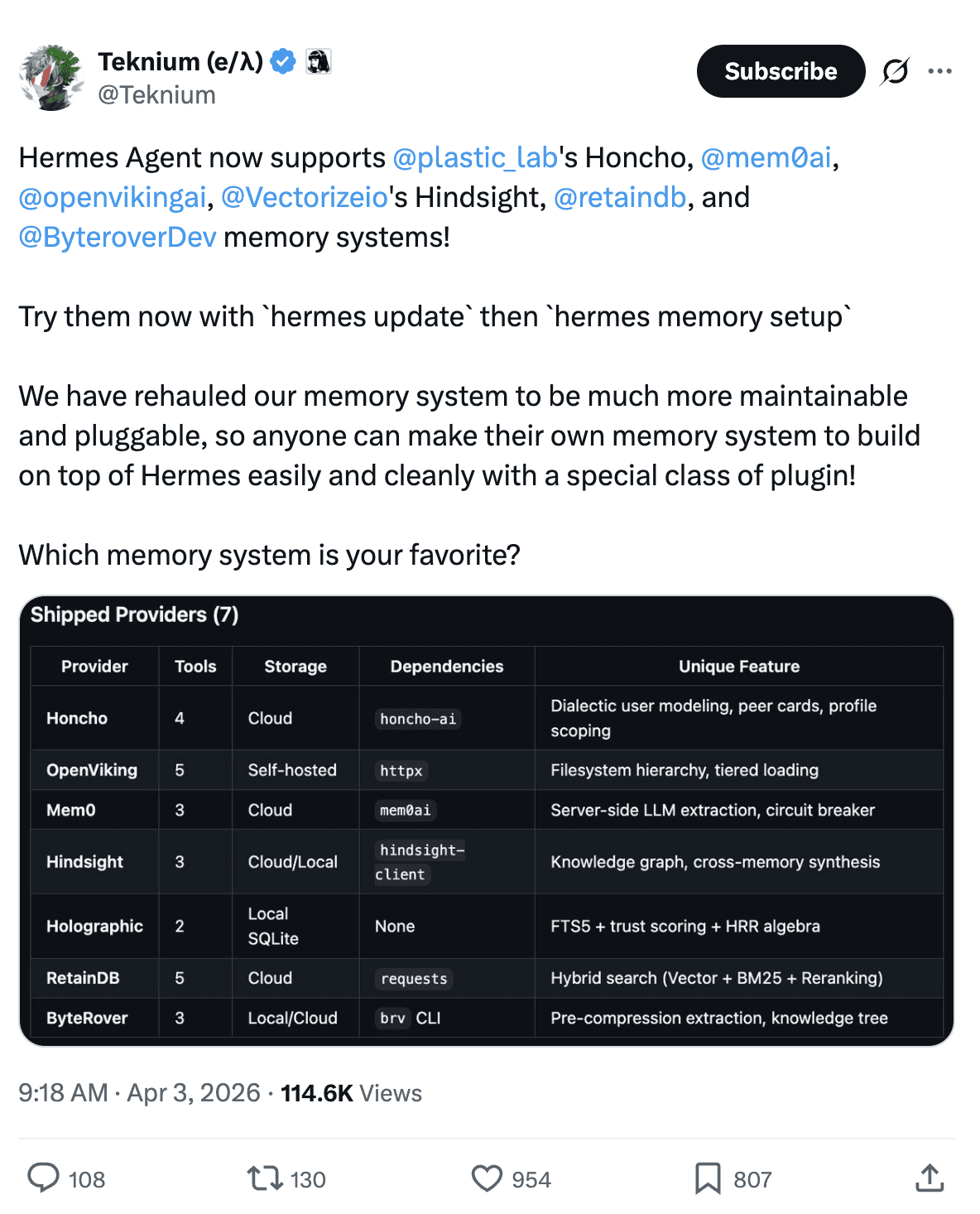
If you're deciding between agent frameworks rather than providers, see our OpenClaw vs. Hermes Agent memory comparison.
How does memory work?
Hermes runs memory at 3 points in every conversation turn:
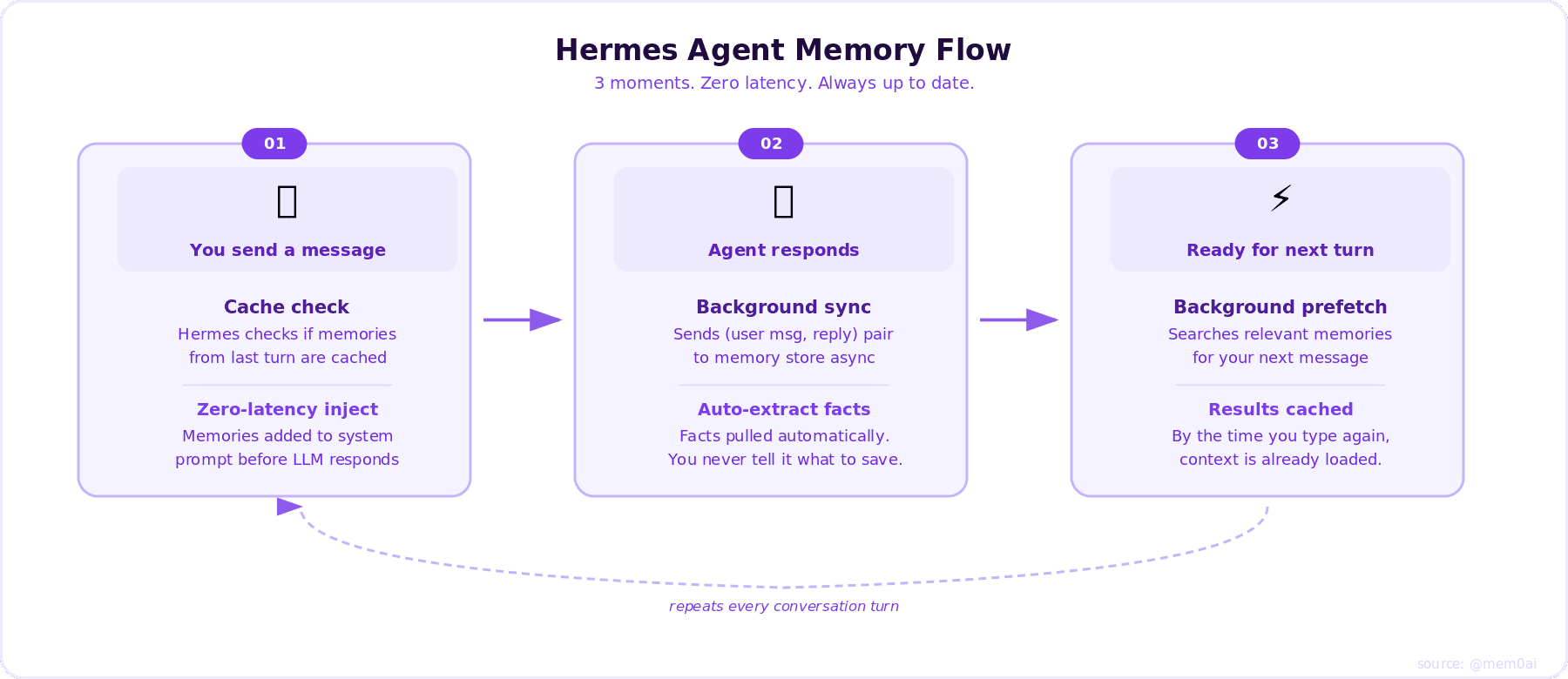
Hermes Agent Memory Flow
Before you respond: Cached Mem0 results from the previous turn are injected into the system prompt. Zero latency, no API call.
After the agent responds: Hermes sends the (user message, reply) pair to Mem0 in a background thread. Mem0 auto-extracts facts. You never tell it what to remember.
Between turns: Hermes pre-fetches relevant memories in the background so they're ready before your next message.
For a deeper look at how this pipeline behaves in practice, see How Memory Works in Hermes Agent (and How to Improve It).
How Memory Appears in the System Prompt
At the start of every session, memory entries are loaded from disk and rendered into the system prompt as a frozen block:
The format includes:
A header showing which store (MEMORY or USER PROFILE)
Usage percentage and character counts so the agent knows capacity
Individual entries separated by § (section sign) delimiters
Entries can be multiline
If you're also running Claude in the loop, how Hermes and Claude handle context compression in real production agents is worth reading alongside this.
Memory Targets
Hermes writes memories to two targets:
Memory stores what the agent needs to operate well: environment facts, project conventions, tool quirks, completed work entries, and techniques that worked. Think of it as the agent's working notes about the environment it lives in.
User stores who you are: name, role, timezone, communication preferences, pet peeves, workflow habits, and technical skill level. The agent uses this to adapt how it talks to you and what it assumes you know.
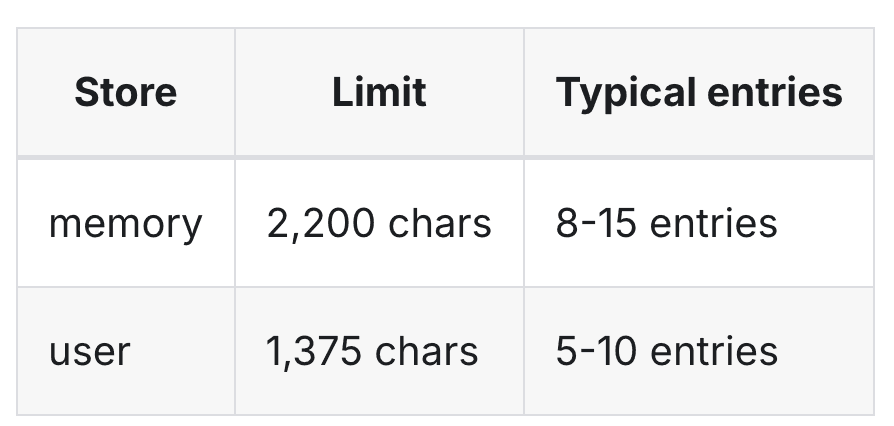
Memory Capacity in Hermes Agent
The agent saves to both automatically. You never have to ask. It decides based on what's durable and reusable.
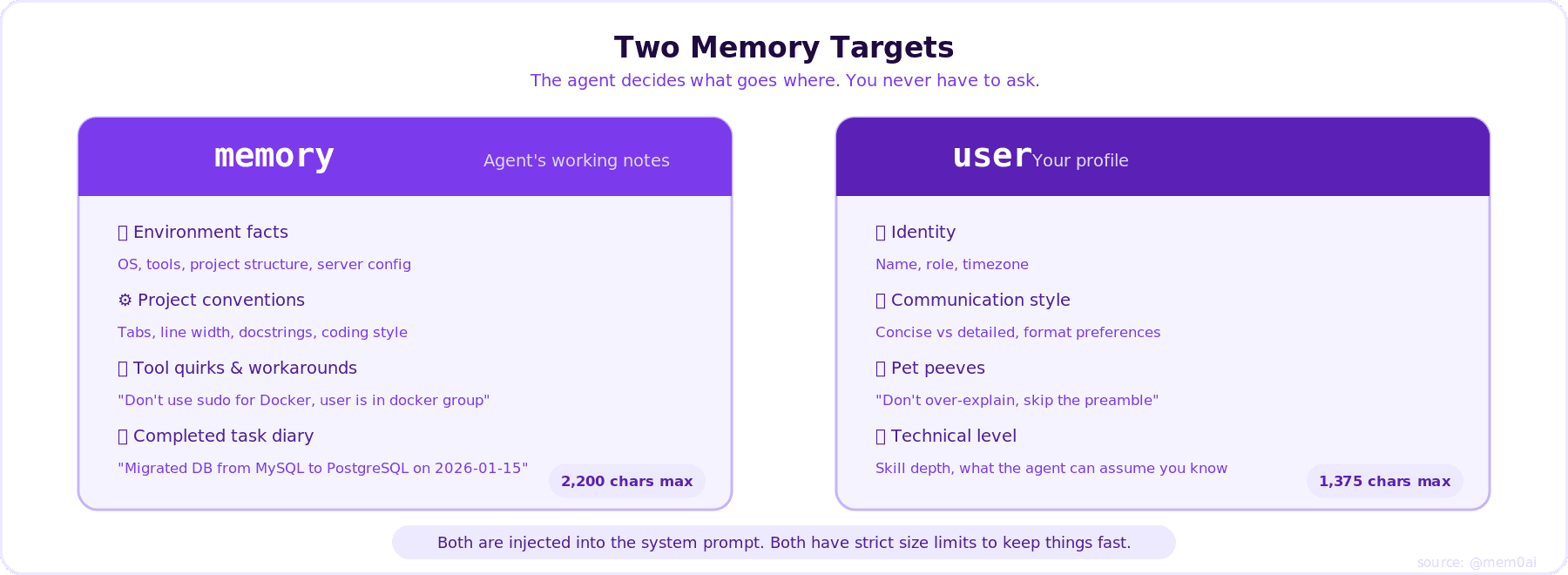
Memory Targets
Small enough to stay fast, large enough to matter.
Memory Tool Actions
The agent uses the memory tool with these actions:
add - Add a new memory entry
replace - Replace an existing entry with updated content (uses substring matching via old_text)
remove - Remove an entry that's no longer relevant (uses substring matching via old_text)
There is no read action; memory content is automatically injected into the system prompt at session start. The agent sees its memories as part of its conversation context.
Setup
Run this in the terminal
2. Select mem0
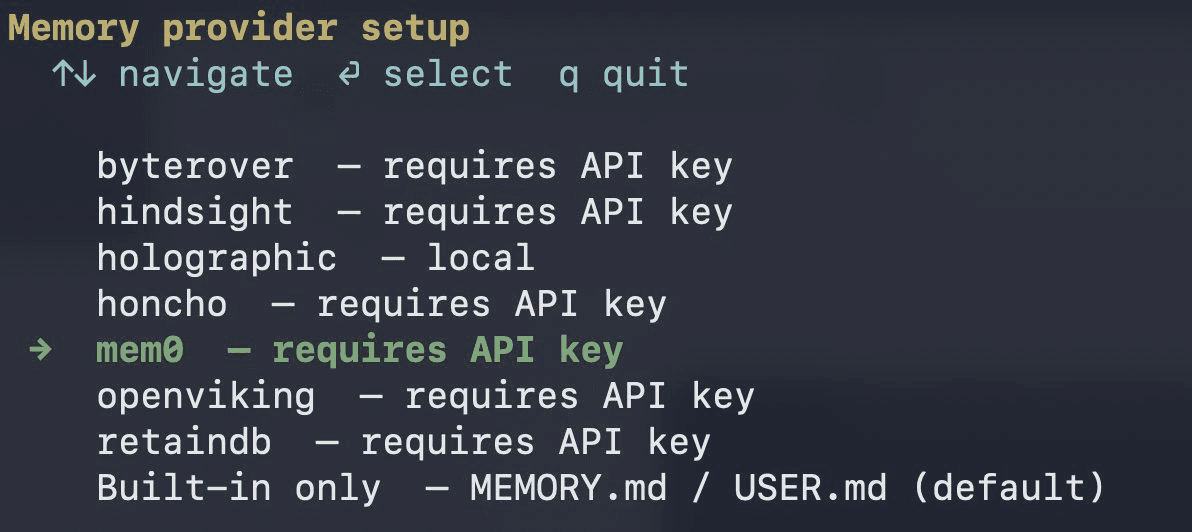
Hermes Memory Provider
3. Paste your API key and your configuration
You can get your API key at app.mem0.ai
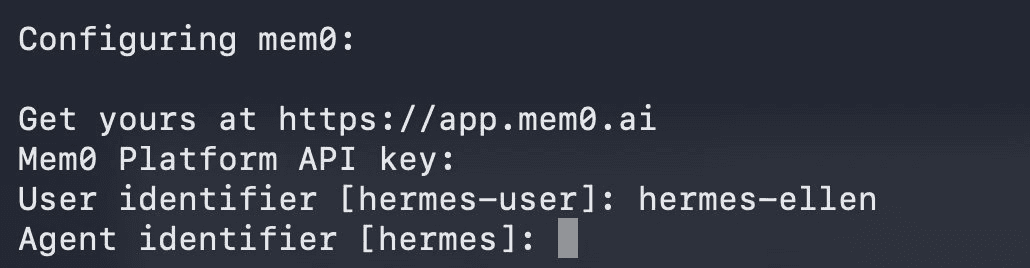
Configuring mem0
4. Enable reranking for recall
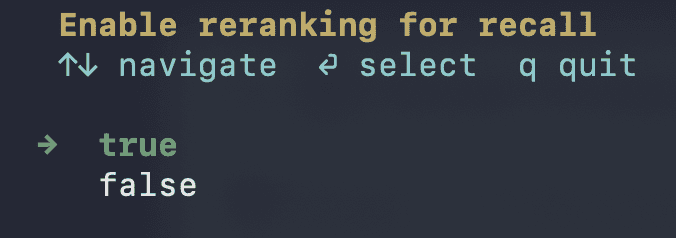
Reranking for recall
You are done. Memory is configured
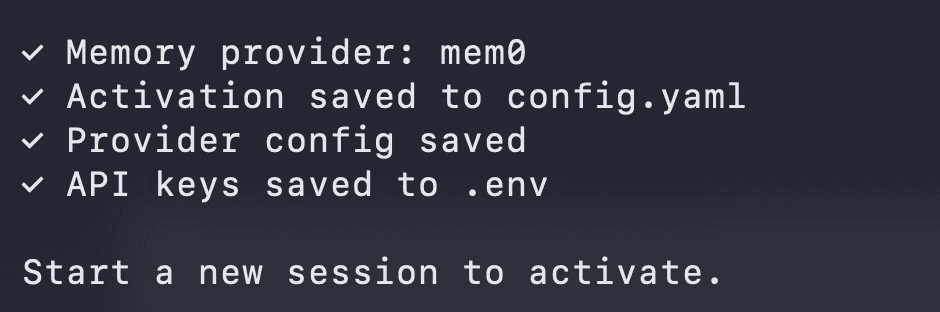
Success Message
You can check your memory configuration by running
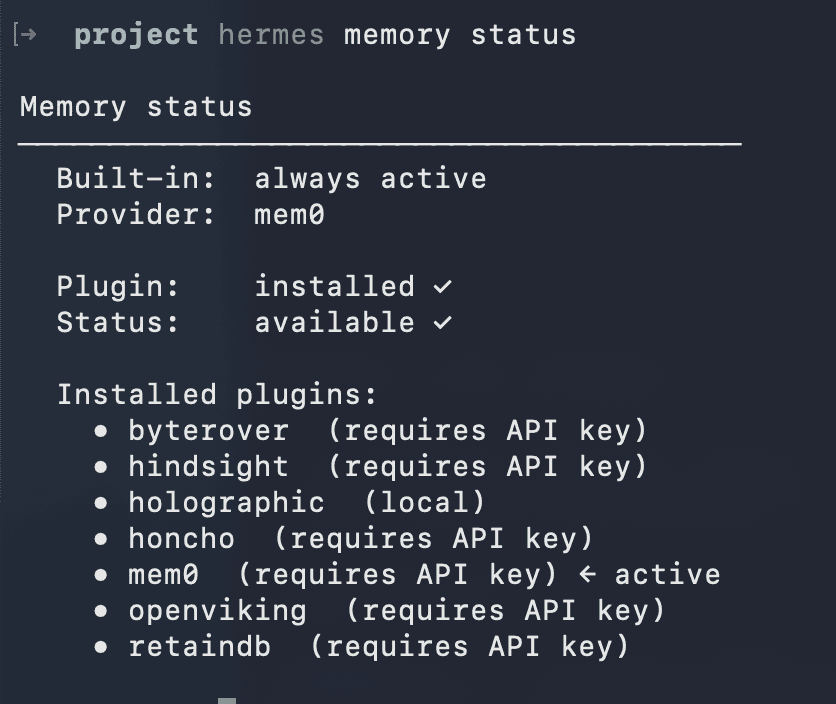
Memory Status
Hermes Agent Mem0 Setup: Self-Hosted and OSS Modes
Platform mode (above) is the fastest path, but it's not the only one. Mem0 supports three connection modes for Hermes, and which one fits depends on how much you want to run yourself.
Self-hosted dashboard mode runs a Mem0 server you host yourself, typically via Docker, giving you the dashboard and managed-style experience of Platform mode without sending data to Mem0's cloud. Point Hermes at your own server instead of the hosted API endpoint during setup.
OSS mode runs Mem0 fully in-process, no separate server at all, using your own choice of LLM and vector store for extraction and retrieval. This is the fully self-hosted option: no Mem0 API key, no external Mem0 service, nothing leaves your machine. Configure your LLM and vector store provider directly in Mem0's config when selecting this mode during Hermes memory setup.
Switch modes at any time by re-running Hermes memory setup mem0 --mode <platform|selfhosted|oss>, or by editing the provider's config file directly.
Tools the LLM Gets
When Mem0 is active, the agent gains three tools it can call automatically:
mem0_search, semantic search through stored memories, with optional reranking (available in Platform mode, off by default).
mem0_add, store a new fact verbatim.
mem0_update, update an existing memory by ID.
mem0_delete, delete a memory by ID.
The LLM calls these on its own. No prompting needed.
Reliability
Circuit breaker: 5 consecutive failures pause Mem0 for 2 minutes, then retry. Agent keeps working throughout.
Non-blocking: All API calls run in background threads. Nothing slows your conversation.
Why It Works
Most memory systems search at query time, adding latency on every turn. Hermes flips this: search happens between turns, results are cached before you type. Mem0 handles extraction server-side so Hermes never has to decide what's worth remembering.
One command. Persistent memory. No latency cost.
Why Mem0 (of Hermes' 8 Providers)
Hermes ships eight official memory providers, so picking one is a real decision, not a formality. Here's an honest positioning, not just a setup guide for the one you already landed on.
Mem0 is generally the fastest path to working memory: one command, a free tier to start on, and three deployment modes (Platform, self-hosted dashboard, or fully in-process OSS) covering everything from a five-minute cloud setup to a fully local, zero-external-service deployment. That range of options is broader than most of the other seven providers offer.
On raw accuracy, other providers in the list publish their own benchmark claims, and it's worth reading those claims carefully rather than taking any single vendor's number at face value, including Mem0's. Benchmark methodology varies enough between providers that a headline percentage from one vendor's blog post isn't always directly comparable to another's, even when both cite the same nominal benchmark.
If you specifically need entity-resolution and knowledge-graph-style retrieval, Hindsight is worth evaluating directly. If you want zero external dependencies at all, Holographic is the only provider with none. For most setups where you want working memory today without evaluating all eight options first, Mem0's combination of setup speed, mode flexibility, and free tier is a reasonable default; add Mem0 to Hermes Agent and adjust later if a specific capability gap shows up.
Frequently Asked Questions
Q. Is Mem0 an official Hermes Agent memory provider?
Yes. Mem0 is one of eight memory providers that ship natively with Hermes Agent's pluggable provider system.
Q. Which mode should I use, Platform, self-hosted, or OSS?
Platform mode is managed Mem0 Cloud and is ready as soon as you add an API key. Self-hosted dashboard mode runs a Mem0 server you host yourself, typically via Docker, for a similar experience without sending data to Mem0's cloud. OSS mode runs fully in-process with your own LLM and vector store, so no data leaves your machine and no separate Mem0 service runs at all.
Q. Does setting up Mem0 slow down my Hermes agent?
No. All Mem0 API calls run in background threads, and results are prefetched before your next message, so there is no added latency in the conversation.
Q. What happens if Mem0 is temporarily unavailable?
A circuit breaker pauses Mem0 calls for 2 minutes after 5 consecutive failures. The agent keeps working throughout, without memory during that window.
Q. How is Mem0 different from Hermes' built-in MEMORY.md?
Mem0 removes the 2,200-character cap, adds semantic (meaning-based) search instead of substring matching, and syncs memory across machines; built-in memory is single-machine and fixed-size.
References
In Context #5
This blog is part of In Context, a mem0 blog series covering AI Agent memory and context engineering.
mem0 is an intelligent, open-source memory layer designed for LLMs and AI agents to provide long-term, personalized, and context-aware interactions across sessions.
Get your free API Key here: app.mem0.ai
Or self-host mem0 from our open-source GitHub repository
More on Integrations

OpenClaw vs. Hermes Agent Memory in 2026: Which Should You Choose?
OpenClaw and Hermes take opposite bets on agent memory - live-injected vs. frozen snapshots, file-based vs. structured tools. Here's how each works, where each breaks, and how Mem0 fits both.
12 min read
How Memory works in Hermes Agent (and how to improve it)
How Hermes Agent stores 3,575 characters of memory in two frozen markdown files, and where the design breaks.
11 min read

How to Build a Production AI Agent with LangGraph and Mem0
Step by step guide to build production-ready LangGraph agents with Mem0, including full Python example of long-term memory integration.
12 min read




Start building with memory
Free tier, no card