


As an application grows, new data is added, which sometimes supersedes existing data and sometimes makes old data stale. As a developer, I need both data sets to find the underlying patterns, but duplicate entries and stale information can lead to incorrect outputs.
Hyrox season is in full swing, and say you have given your best to prepare for it. You logged every workout consistently, but when you ask your app's AI agent, it still retrieves outdated information.
But why does AI agent memory go stale? Ideally, deleting a memory because it looks stale makes sense, but not until you lose history. Keeping a stale memory also makes sense, but only until it fills up your model’s context and the model averages over the truth or confidently picks the wrong half.
So, Mem0 came up with Dream, an advanced feature that keeps a user’s memory clean and insightful over time by distilling recurring patterns, retiring outdated facts, and folding away duplicates, automatically and in the background.
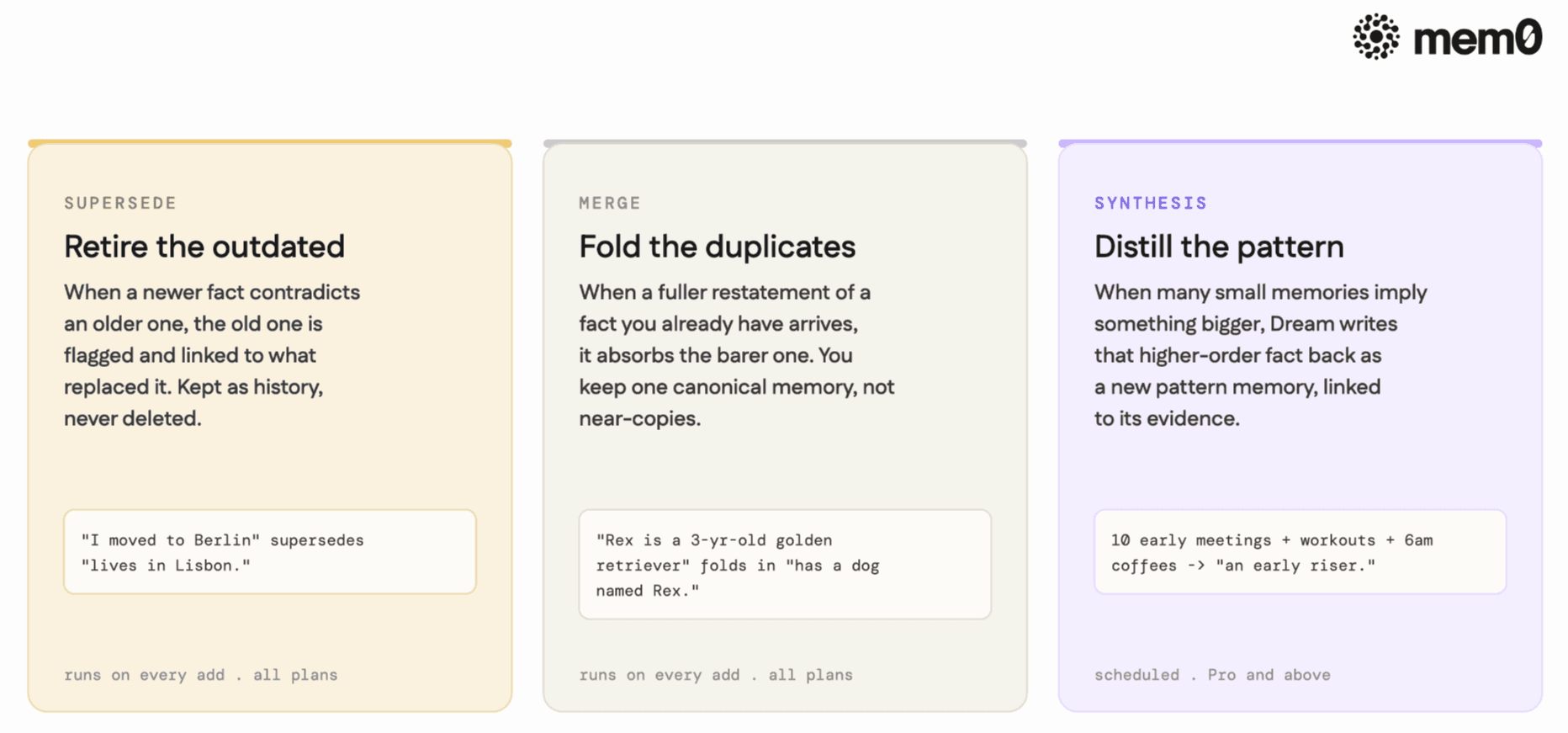
Dream continuously reviews each user's memories in the background and does three distinct things: it supersedes outdated facts, merges duplicates, and synthesizes higher-order patterns. Nothing it does is destructive; every change is retained and reviewable, so what you read back stays current without you writing a cleanup layer.
The setup
To test this feature in real life, I tried it with a synthetic Hyrox dataset mimicking an athlete who checks in after every session of their practice. Dream does not carry the metrics or the heart rate; it holds the semantic layer, which consists of PRs, current goals, and qualitative patterns from the athlete's inputs.
Prerequisites
Before setting up this project, you need:
A Mem0 Platform account at app.mem0.ai.
Create a new project on the dashboard and create a new API Key (starts with
m0-)Turn on Synthesis under the Dream tab (left side corner) before you log data to Mem0.
Export your API Key as
envvariable, using:export MEM0_API_KEY="m0-your-api-key"
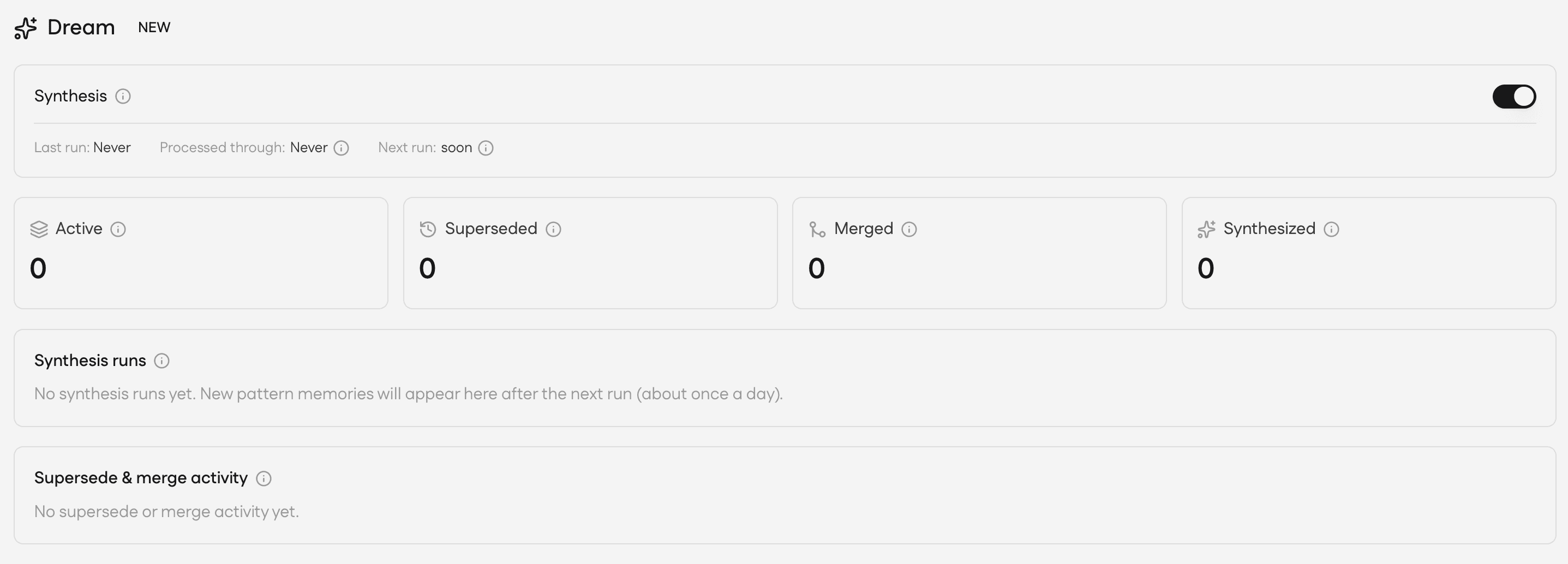
Step 1: Add data
Let’s add some entries to Mem0 as follows:
I added about 22 memories in one batch and around 5 entries in 2nd batch which contained data that would supersede or merge with the existing data.
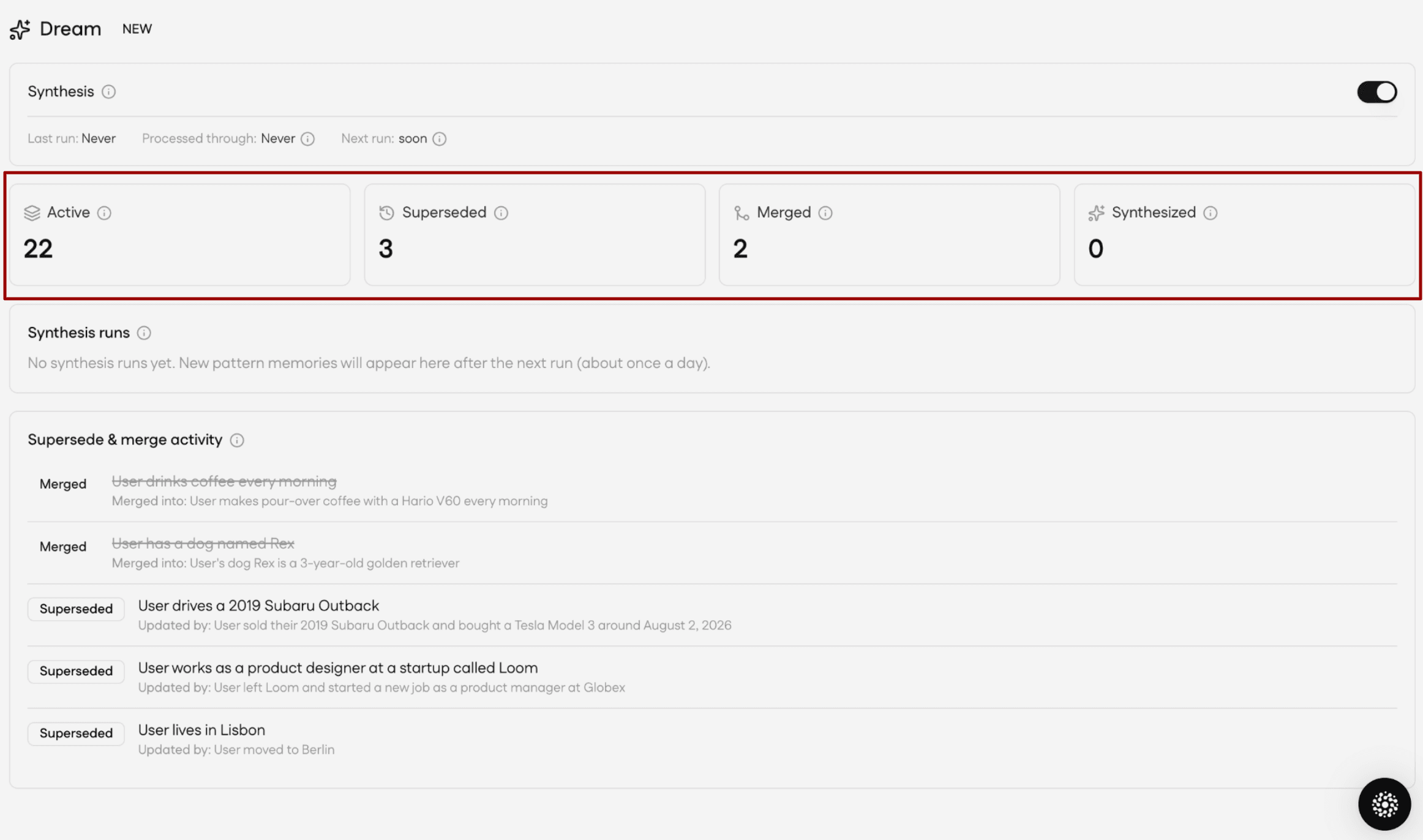
Now our data entries have been made. Let’s see how Mem0 supersedes and merges similar data.
Step 2: Supersede and Merge
Supersede and Merge run as the memories are added, so they show up almost right away.
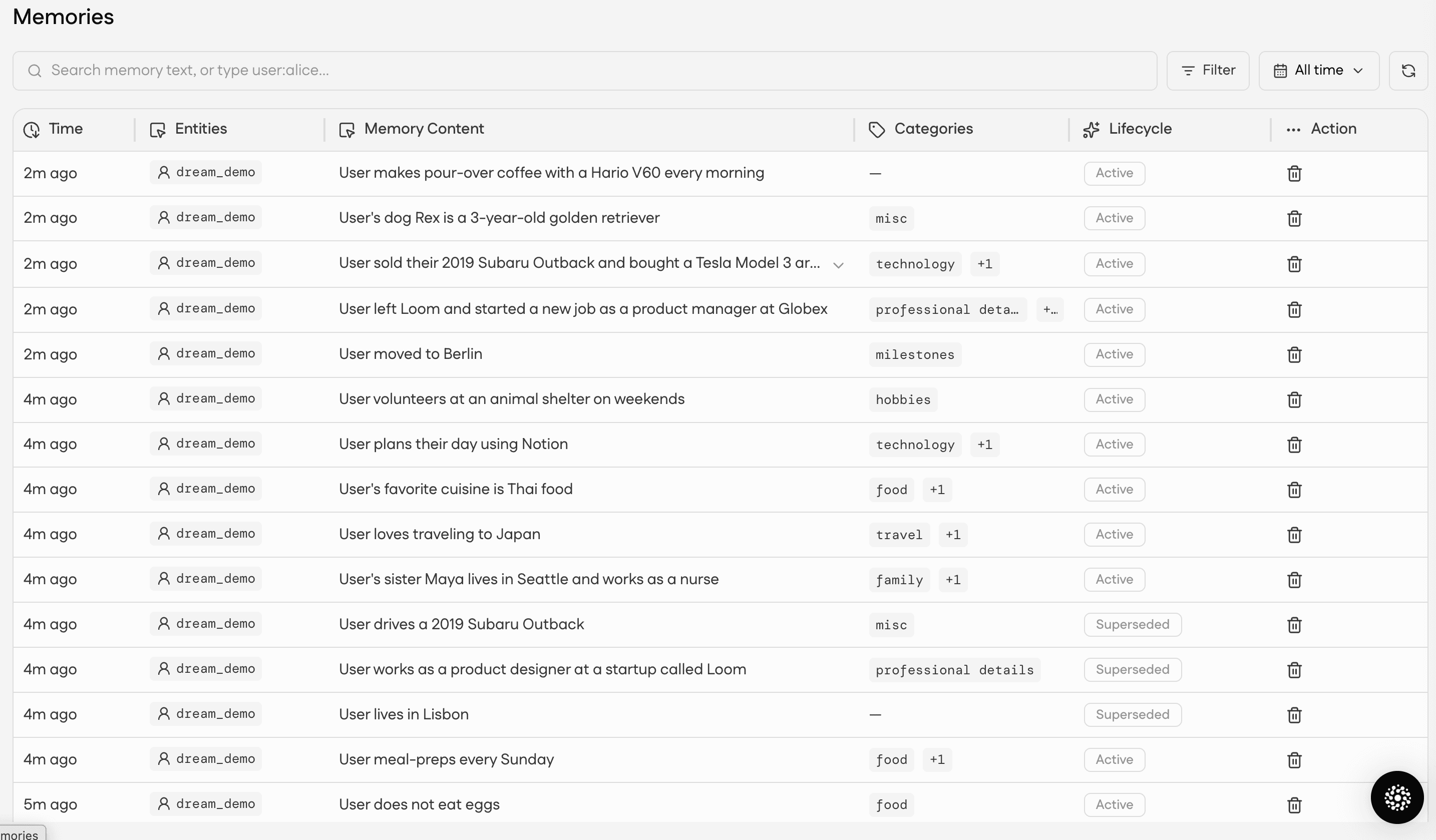
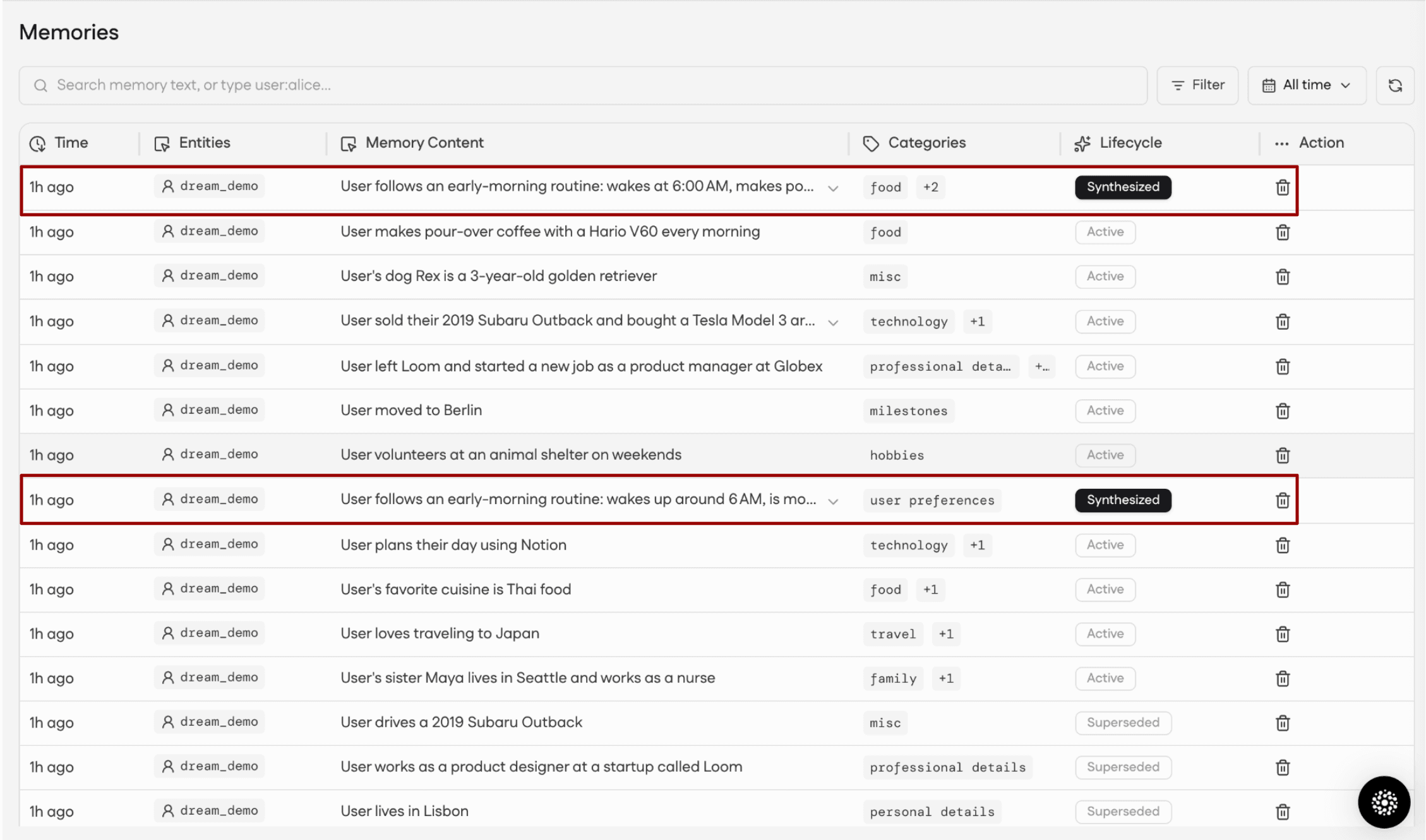
Synthesis is different: it runs on a schedule in the background (about once a day on Enterprise, weekly on Pro), not on every add. So, this is what your dashboard would look like:
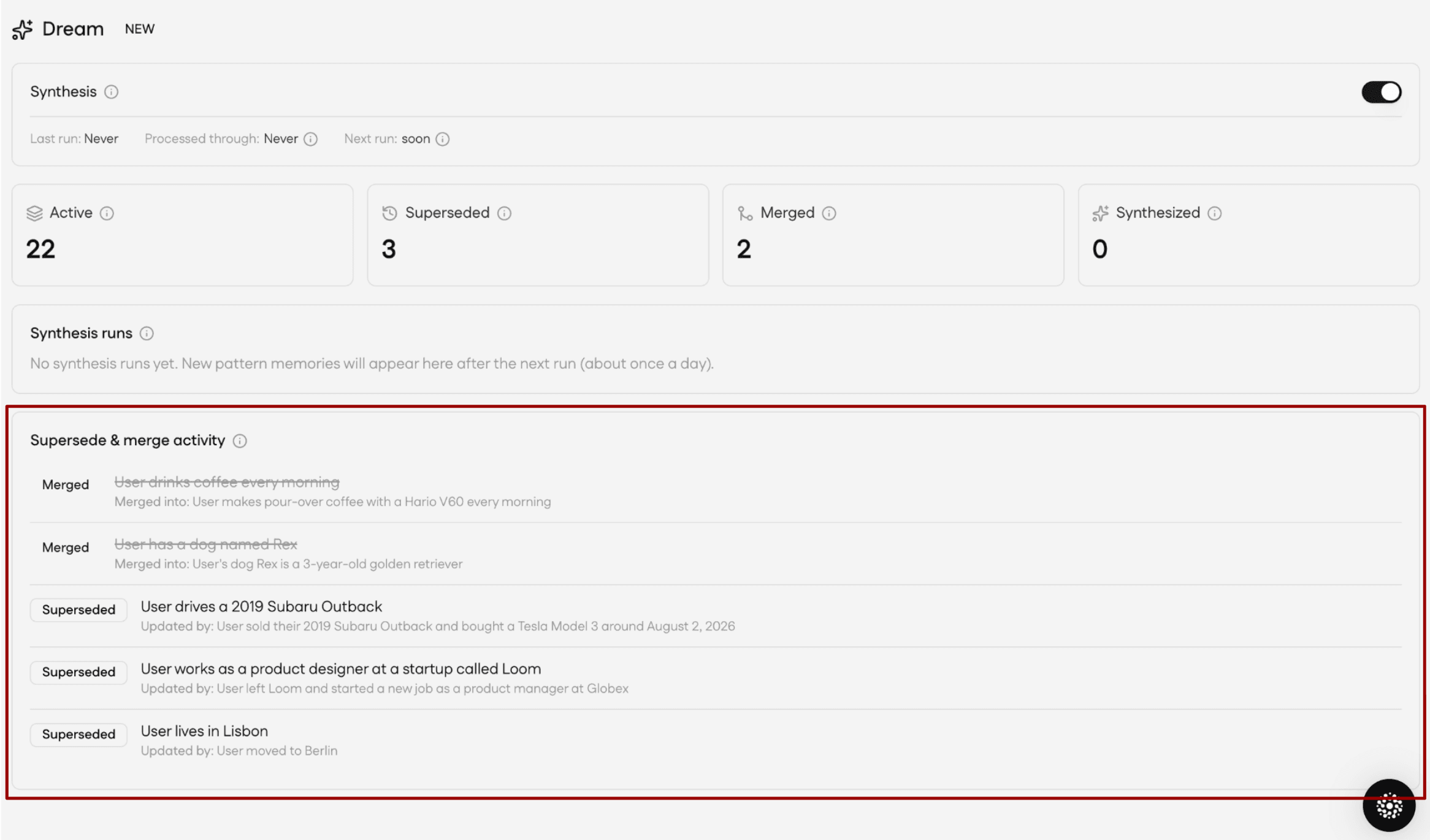
Step 3: Synthesis runs in the background
Once the Synthesis run is complete (might take some time, ~a few hours to a day), the dashboard will show all the synthesized patterns and superseded & merged data from the moment you added the data.
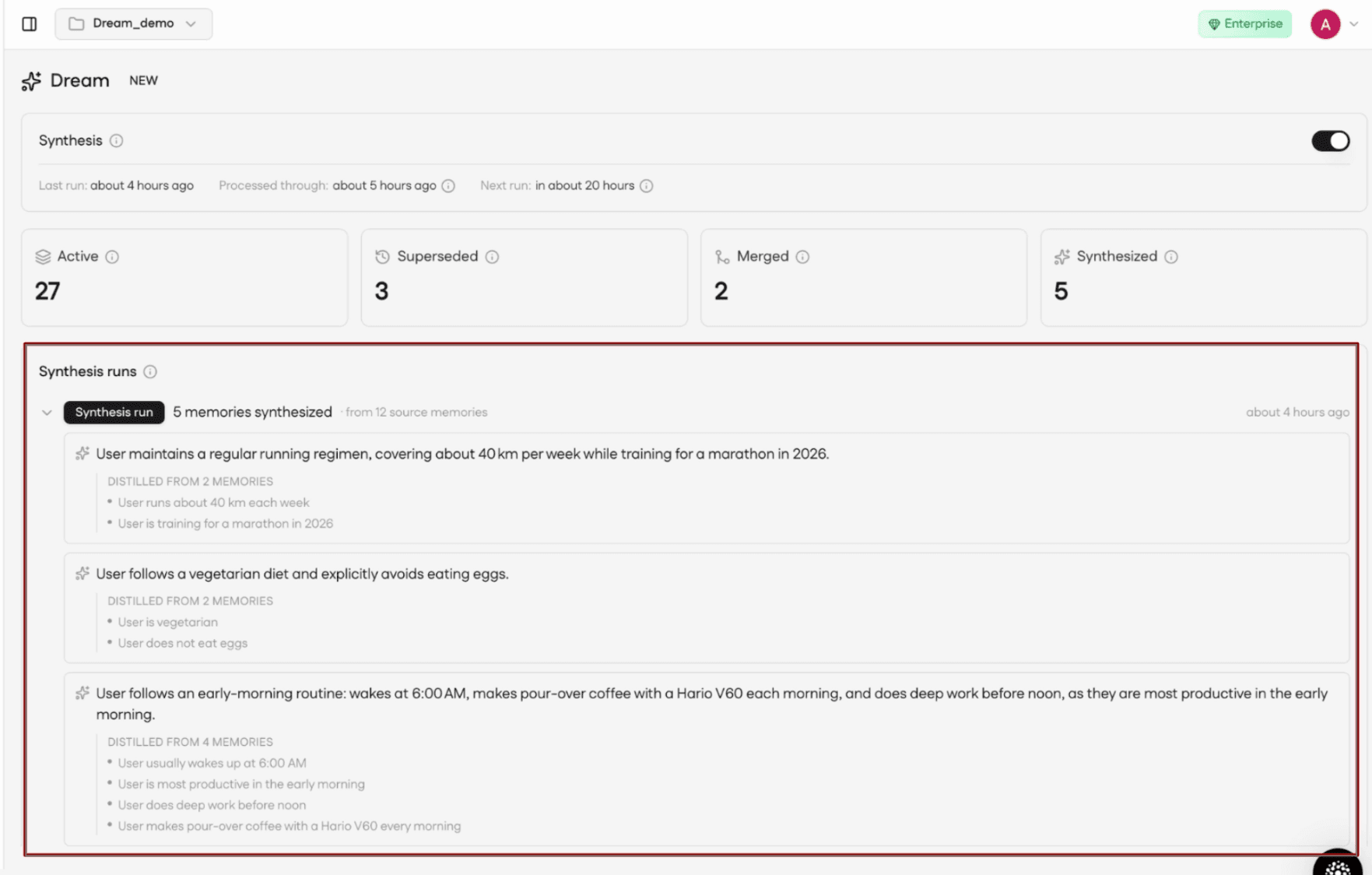
Step 4: Relational graphs
Mem0 does not just keep your memories as a flat list. It also pulls out the entities inside them and maps how those entities connect, so you can explore memory by relationship instead of scrolling.
Based on the data, I searched for "Garmin" and the graph shows every memory related to the watch.
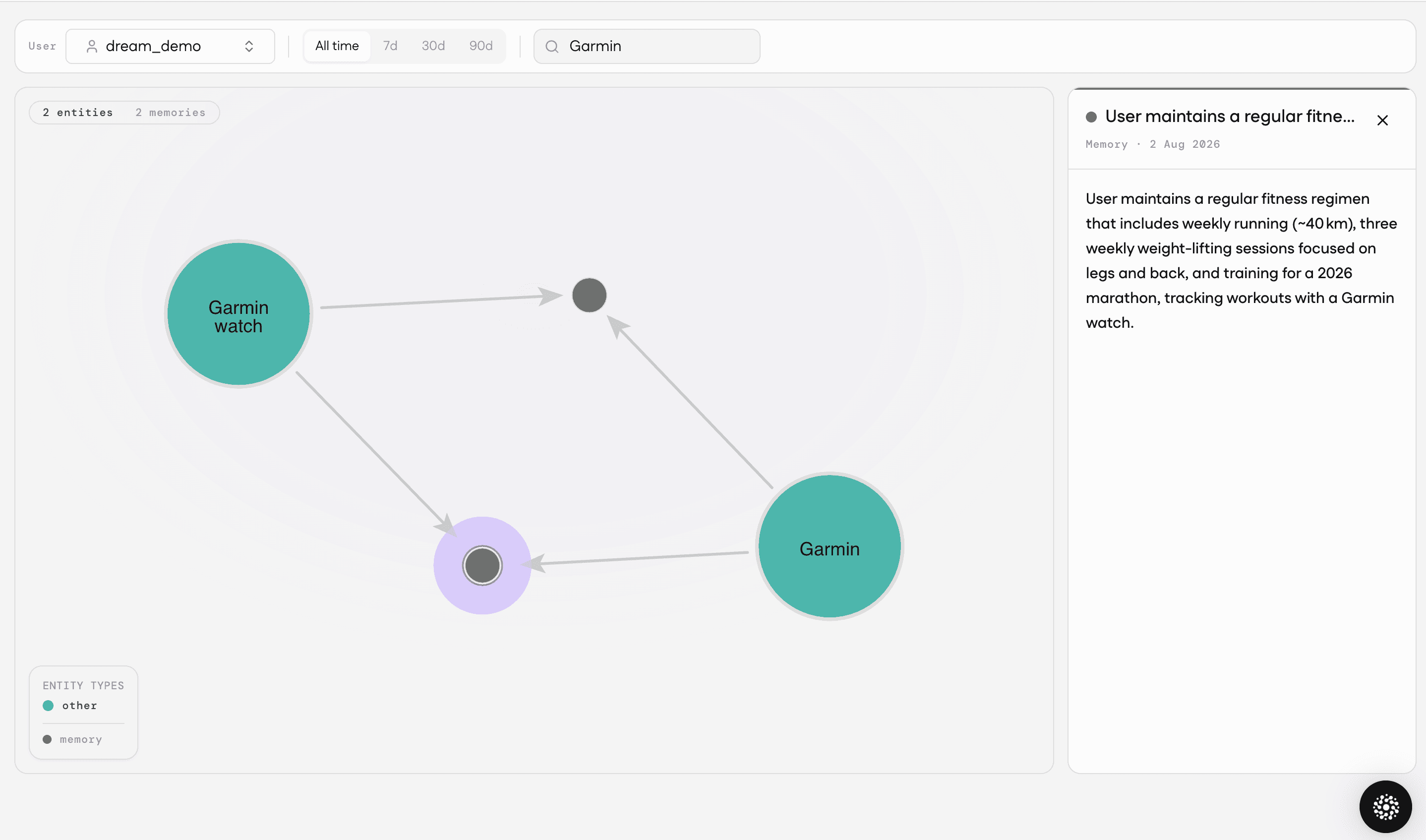
Here, the Garmin and Garmin watch entities link to the two memories that reference it. You can start from any entity the user cares about and trace outward to everything Mem0 knows about it.
Step 5: Read current vs full memory
Dream doesn’t change the shape of your add , search , or get operations. It just changes which memories a read returns and gives back a flag (latest_only).
If you want only the current truth, then pass latest_only=True which narrows down the result to memories that are “True” currently. This excludes anything that has been superseded or merged because passing them to the model just adds conflicting or redundant context.
Results
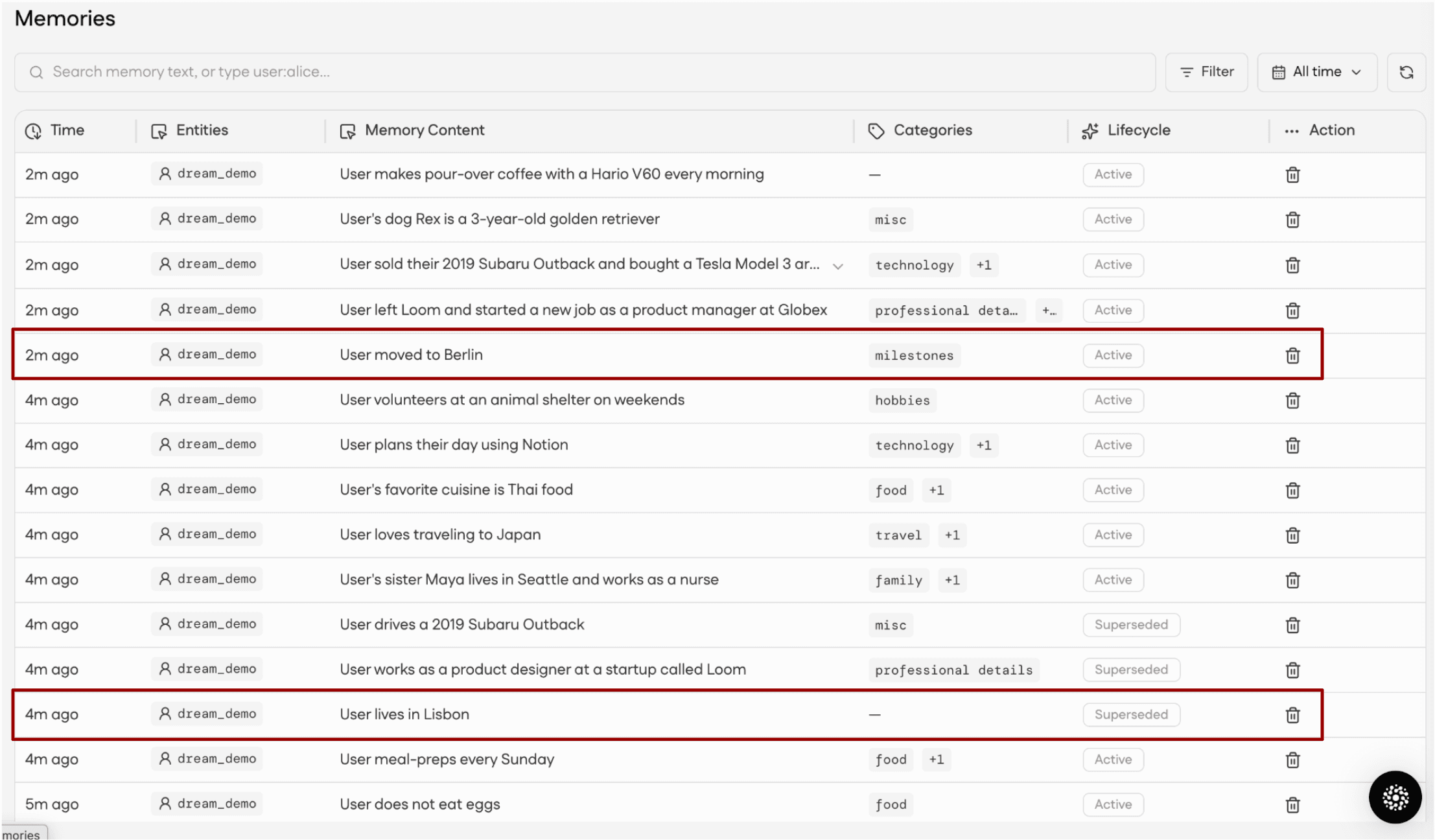
In the Mem0 dashboard, every memory carries a lifecycle label, so the full history is always available. Let’s understand how merge, supersede, and synthesis helped our hyrox athlete:
Merge: It cuts down multiple signals into one. The athlete flagged grip failing on the carries across several sessions, each phrased a little differently each time. Merge folded those into one canonical memory, so the coach read a single clear limiter instead of near-similar duplicates.
Supersede: It moved 4 facts like the sub-90 goal became sub-75, the rehabbing knee was cleared, the wall ball PR dropped from 5:10 to 3:58, and easy pace fell from 5:30 to 5:00 per km. Dream stopped the coach from programming around a healed injury and a beat; instead, new sessions targeted the athlete as they are now.
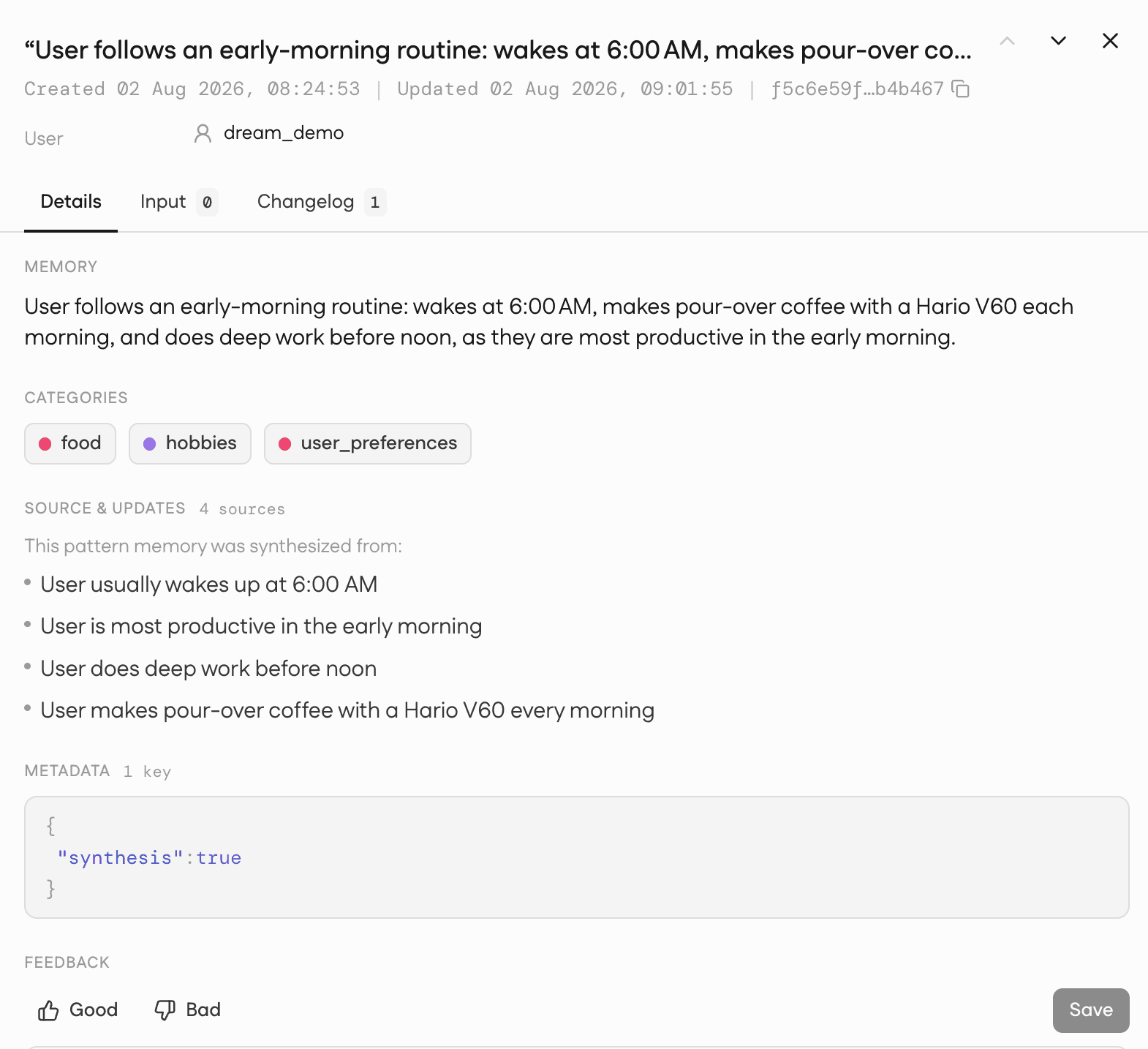
Synthesis: Dream distilled the recurring signal into higher-order facts like for our athlete, grip endurance is the ceiling, the engine (ski and row) is a strength, and the athlete finishes strong. None of that was written in any one memory, but with synthesis, the coach could prescribe a grip-focused block with confidence to the athlete.
Here is a quick example of pattern synthesized by Dream:
Conclusion
The key takeaway from this is to add memories the way you already do, turn on synthesize for the patterns, let Dream supersede and merge in the background, then analyse as per your use case. Supersede retires outdated facts, Merge folds duplicates, and Synthesis distills recurring signal into pattern memories, all in the background and all non-destructive. Your add, search, and get calls stay the same, and when you want the cleanest snapshot of a user, you ask for it with latest_only. The result is retrieval that reflects who a user is now, not a pile of everything they have ever said, without you building and maintaining a cleanup layer yourself.
—————
Mem0 is an intelligent, open-source memory layer designed for LLMs and AI agents to provide long-term, personalized, and context-aware interactions across sessions.*
Get your free API Key here: app.mem0.ai
Or self-host mem0 from our open-source GitHub repository
—————
Frequently asked questions
Q. Do I need to change my application code to use Dream?
No. Supersede and Merge are always on, and Synthesis is a per-project toggle in the dashboard. Your add, search, and get calls keep the same shape. The only additions are two optional read flags: latest_only for the current truth, and include_merged for the complete record.
Q. Does Dream ever delete my memories?
No. Everything is non-destructive. Superseded memories are kept and still returned in a default read, labelled as history. Merged duplicates are retained and hidden by default, so you pass include_merged to see them. Synthesized patterns are added alongside your existing memories, never in place of them. Every change is reviewable in the dashboard.
Q. How quickly does each action take effect?
Supersede and Merge run as memories are added, so they take effect on the same timescale as a memory becoming searchable. Synthesis is different: it runs as a scheduled background job (about once a day on Enterprise, weekly on Pro) and only for users with at least 20 memories, so new pattern memories can take up to about a day to appear. This keeps Synthesis off your live add and search path.
Q. How do I retrieve only the current facts, without the stale ones?
Pass latest_only=True on your read. It returns active memories only and excludes anything superseded or merged, which is what you usually want when feeding context to a model. By default, superseded memories are included so you keep the full history.
Q. Can I trace a synthesized pattern back to its source, and will enabling Synthesis reprocess my old memories?
Each pattern memory links back to the exact memories it was distilled from, so an insight is always traceable to its evidence. Enabling Synthesis sets a forward boundary: only memories created after you turn it on are eligible, so it does not bulk-reprocess your entire history on day one.
GET TLDR from:

Summarize
Website/Footer

Summarize
Website/Footer

Summarize
Website/Footer

Summarize
Website/Footer


