

·
10 min read

On this page
Quick Takeaways
For a wellness companion, the value of Mem0 isn’t smarter replies; it’s that the relationship accumulates across sessions instead of resetting to “How are you feeling today?” every visit.
user_idcarries the entire persistence model. Everything written under auser_idcomes back on every future request with no session state to manage, so bind it to a stable auth identifier, since a rotated token or changed email silently starts the user over.Use
infer=Falsefor short check-ins. Mem0’s default extraction is tuned for longer conversations and often stores nothing from a one-line check-in, so storing the raw exchange keeps brief voice input reliable while vector search still retrieves it.Pair
searchwith aget_allfallback. Freshly added memories take a few seconds to hit the index, so falling back toget_allwhensearchreturns empty, keeps the companion in context without real added latency.Crisis, medication, and self-harm language should be caught on the raw transcript before it reaches the LLM or Mem0, and routed to real support resources rather than just dropped. So, we need to filter sensitive content at the input layer.
Most AI companion apps share a quiet failure mode that only surfaces after a user’s second or third visit. The first session feels genuinely good; the model is empathetic, attentive, and responsive. Then the user comes back the next day, and the app reintroduces itself. The context from yesterday is gone: the names they mentioned, the patterns they shared, the progress they described.
For a wellness companion specifically, this is not a minor UX gap. There is a meaningful difference between a companion that asks “How are you feeling today?” and one that says “You mentioned your presentation was Thursday — how did it go?” The second response is only possible if the system remembers across sessions, not just within one.
The demo above shows a working implementation: a voice wellness companion that accepts audio check-ins, transcribes them, generates contextual responses using memories from prior sessions, and reads those responses back aloud. The architecture is straightforward once the memory layer is in place. The memory layer is what this article is about.
The stack
The full application is built from five components. Mem0 does the work that makes cross-session behavior possible; everything else is either a commodity API or an open-source library.
Component | Role | Notes |
|---|---|---|
Mem0 Platform | Cross-session memory storage and retrieval | Hosted, per-user isolation via |
Azure OpenAI (GPT-4o mini) | Companion response generation | Context injected from Mem0 on each request |
faster-whisper | Speech-to-text | Runs on CPU; base model, ~1s for short audio |
edge-tts | Text-to-speech | Microsoft Neural voices, no API key required |
Streamlit | UI | Tab layout with check-in, timeline, and memory inspector |
⭐️You can check out the complete code on GitHub.
The memory layer
Mem0 gives each user an isolated memory store keyed by user_id. Memories written under user_id="alice" persist in Mem0’s platform until explicitly deleted, and are available on every subsequent request that uses that same identifier. The application holds no state; it asks Mem0 what it knows about the user, and Mem0 answers.
The wrapper class is small. The three methods that matter are add, search, and get_all. Let’s break down the code and understand each component:
companion/memory.py
⚡ Three methods. That’s the entire memory layer.
add(),search(),get_all()- and your companion remembers every user, forever. Get your free API key →
The filters syntax is how Mem0 Platform scopes queries to a specific user. Passing user_id as a top-level keyword argument (the older API style) raises an error ValueError in current versions; filters must be passed as a dictionary.
The _normalize method handles Mem0’s paginated response envelope. The Platform API wraps list responses in {"count": N, "results": [...]}. Without unwrapping this, you’d iterate over the dictionary keys instead of the memories, which is a bug that surfaces as the memory inspector showing entries named “count”, “next”, and “previous” rather than actual stored facts.
Cross-session persistence
The user_id field is the entire cross-session mechanism. Mem0 stores memories permanently under that identifier, and every call to get_all or search with the same user_id retrieves them, regardless of when they were written or which browser session created them.
The application holds no session state. It asks Mem0 what it knows about the user. That question has the same answer whether it is the second check-in of the day or the first check-in three weeks later.
The demo in the video above demonstrates this directly. Tab 1 completes a check-in and writes memories. Tab 2 loads the app fresh with the same user_id. No sync, no state management, no cookie.
🧠 This is what separates a companion from a chatbot. Context window = this session only. Mem0 = every session, every user, forever. Start building free →
In production, bind user_id to your auth system’s persistent user identifier. It must be consistent across sessions. A typo, a changed email, a UUID that gets regenerated on logout, any of these silently creates a second memory store for the same person, and the companion reverts to first-session behavior.
Making responses contextual
The companion’s behavior is shaped entirely by what it knows. When Mem0 returns no memories (first session), the system prompt stays open and introductory. When memories exist, the prompt shifts from introductory to observational.
companion/checkin.py — building the prompt
The final instruction in the memories-present prompt matters beyond its length. Without explicit guidance, language models tend toward unconditional validation in wellness contexts, like “That sounds really difficult, I’m here for you,” which is technically correct but therapeutically hollow. The instruction to notice patterns and name tensions moves the companion toward the behavior that makes it useful over time. After several check-ins where a user mentions sleep, the companion should surface that pattern, not treat each mention as if it appeared for the first time.
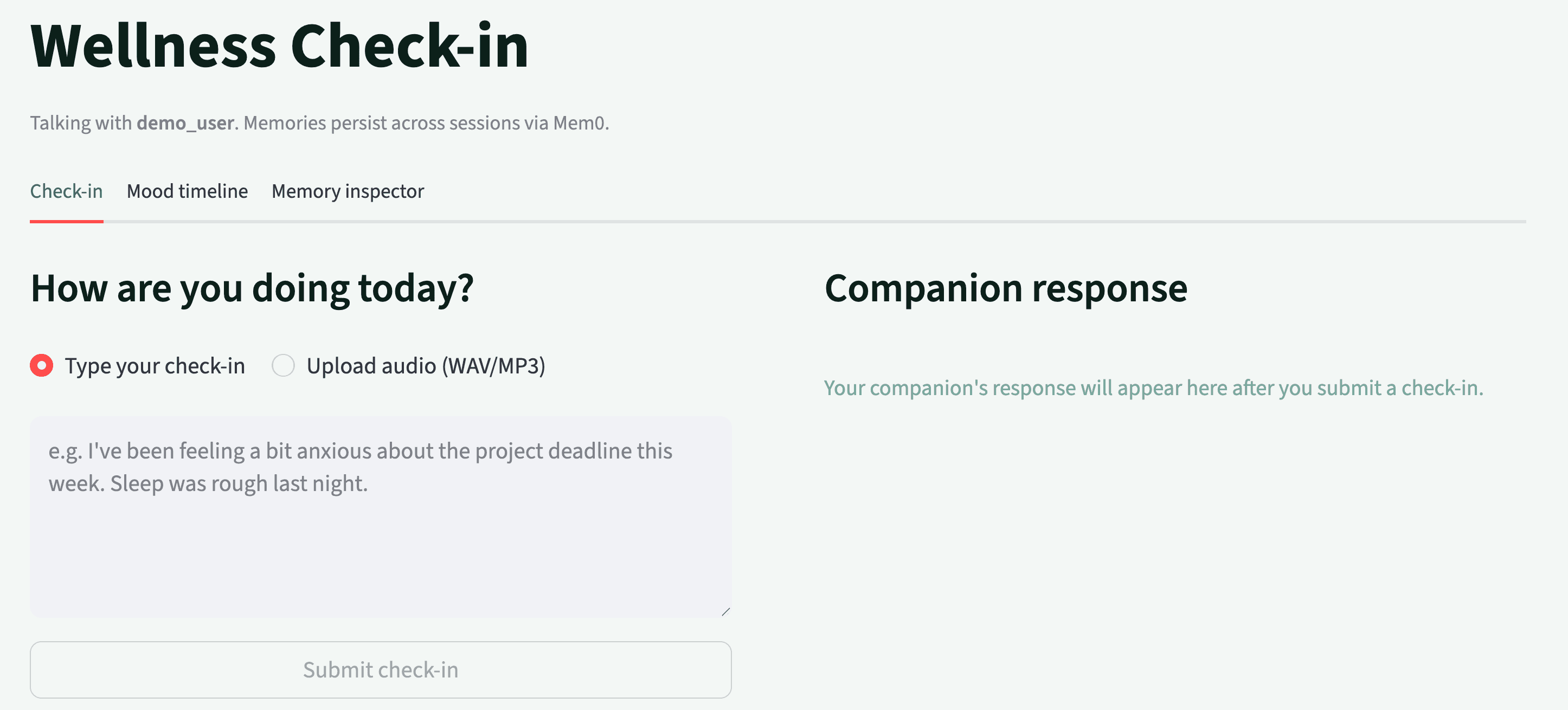
The full check-in function tries semantic search first, then falls back to get_all if search returns empty. Newly added memories can take a few seconds to become searchable via the index, and the fallback ensures the companion has context even during that brief window.
companion/checkin.py — run_checkin
Voice input and output
The voice layer uses two libraries that require no additional API keys. Faster-whisper runs OpenAI’s Whisper model via CTranslate2, which makes it usable on a CPU without a GPU requirement. The base model transcribes a typical wellness check-in in under a second on modern hardware.
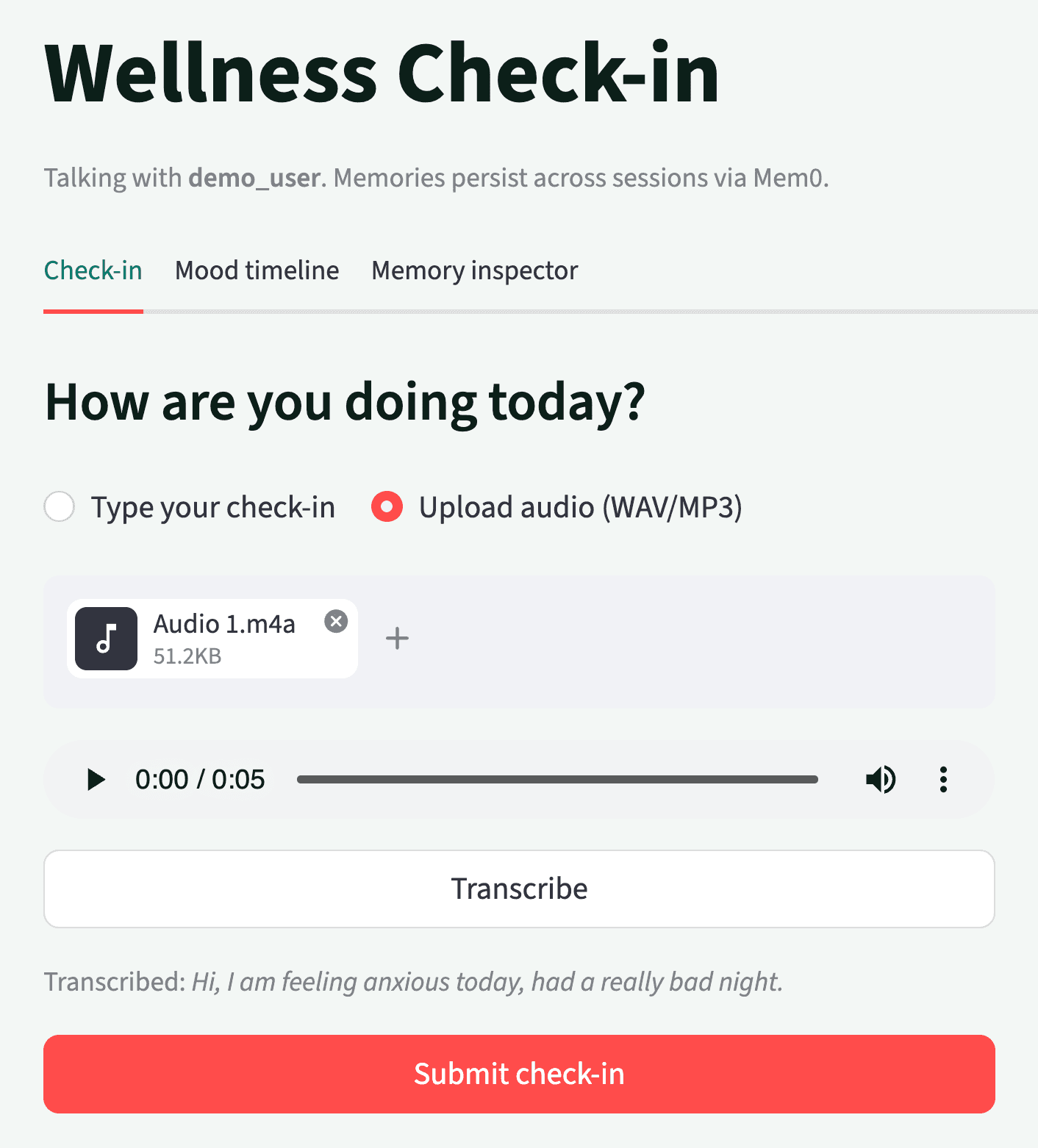
companion/voice.py — transcription
Text-to-speech uses edge-tts, which wraps Microsoft’s Azure Cognitive Services Neural voices. Four voices are available in the companion, including Jenny, Aria, Sara, and Guy, each suited to the warm, conversational tone a wellness context calls for. The synthesis is asynchronous and streams audio chunks directly, avoiding the need to buffer the full response before playback begins.
companion/voice.py — synthesis
This code snippet turns a string of text into spoken audio (MP3 bytes) using Microsoft Edge’s neural voices via the `edge_tts` library. This is the “voice” of the companion: whatever the assistant decides to say, this module renders it as audio that the caller can play or save.
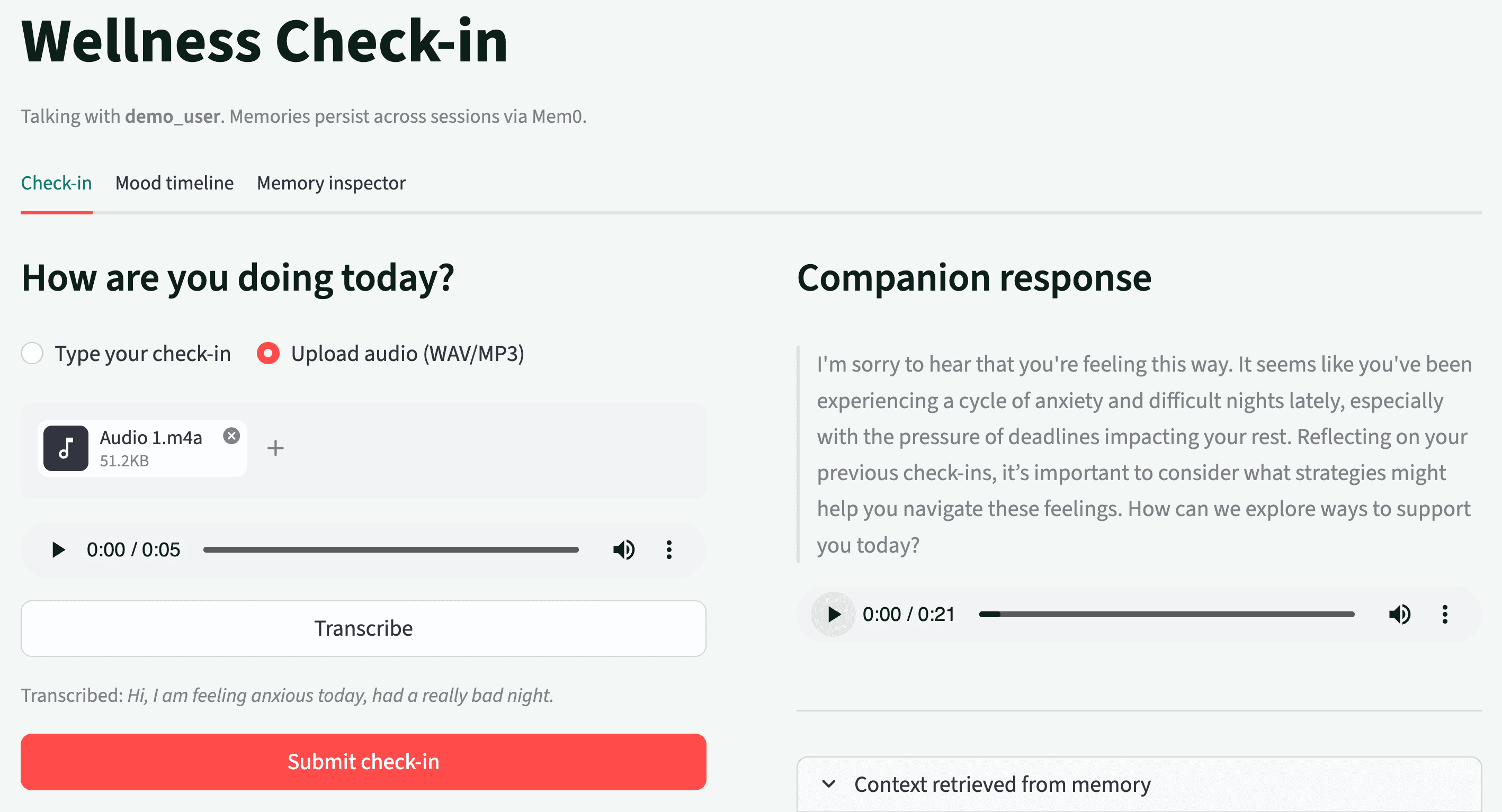
The core idea in three beats: _synthesize does the real work, but is async because edge_tts streams its output; tts is the friendly synchronous door most of your code will use; and VOICE_OPTIONS is just a label-to-ID lookup so a UI can offer voice choices without hardcoding IDs everywhere.
⭐️You can check out the complete code on GitHub.
What we learned building this
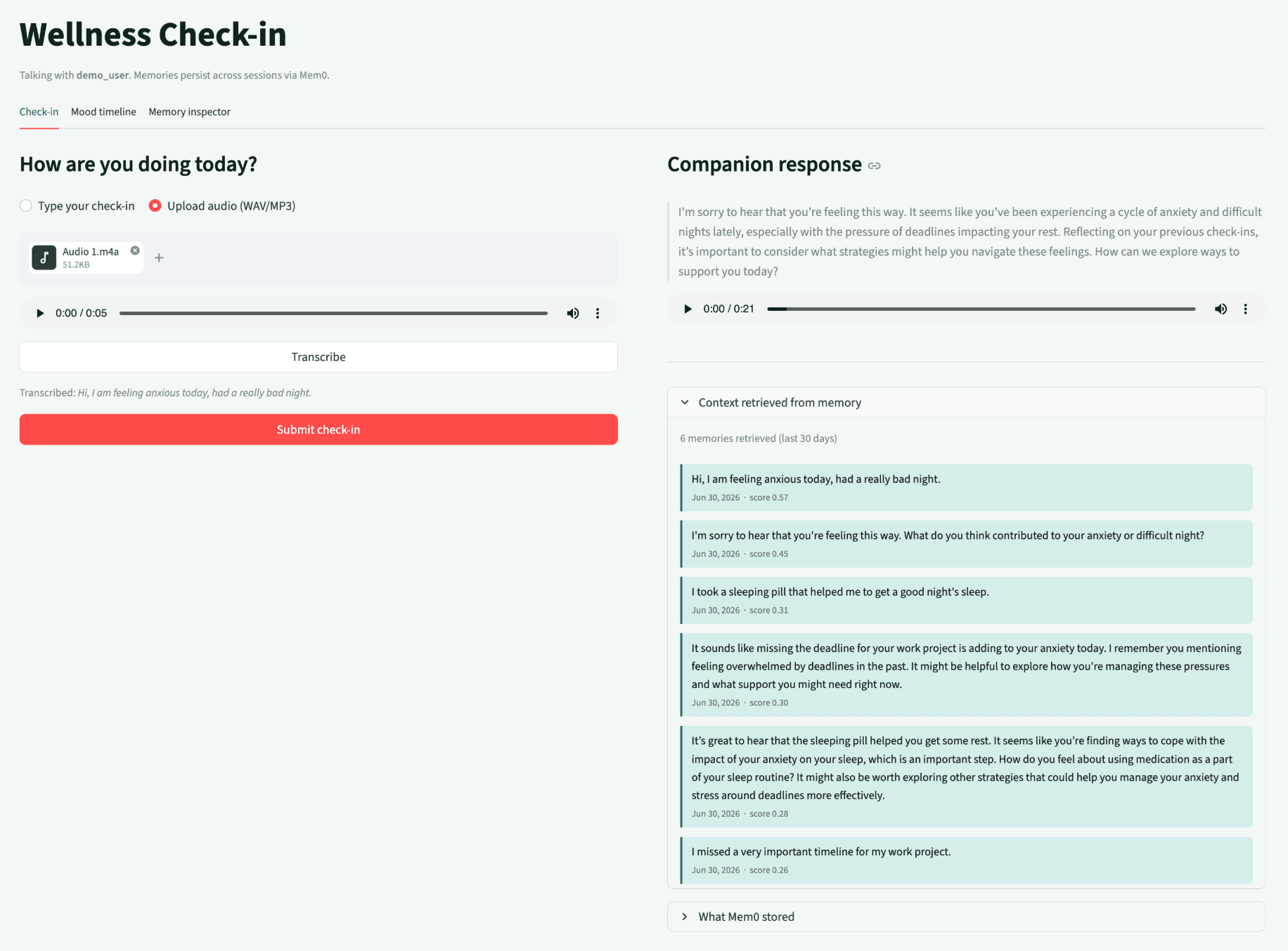
A few things in this build were not obvious from the documentation, and are worth knowing before you start.
By default, Mem0 runs an LLM over the conversation to extract structured facts before storing them. This is powerful when conversations are long and rich, but for brief wellness check-ins that include one or two sentences, the extraction model sometimes decides there is nothing memorable enough to store, and the add call returns a pending event that resolves to zero memories. Using
infer=Falsebypasses this: the raw conversation is stored directly, and Mem0’s vector search still retrieves it semantically. For production use with longer sessions, revisitinfer=True. The extracted memories are more structured and take less storage.The
user_idfield is load-bearing. Every memory operation in this application depends on a consistentuser_idvalue. A mismatch between the ID used at write time and the ID used at read time silently creates a second, empty memory store.Filter syntax changed in Mem0 v2. The current Mem0 Platform SDK requires
filters={"user_id": "..."}for bothsearchandget_all. Passinguser_idas a top-level keyword argument raises aValueError. Note: Check the version you have installed and update any existing code that uses the older style.A wellness companion will eventually receive messages that mention crisis, medication, or self-harm. These should be caught at the input layer before reaching the LLM, before reaching Mem0, and responded to with a referral to real support resources. This app uses a regex filter on the transcript as soon as it is transcribed.
—
Try It Yourself - 5 Minutes to Cross-Session Memory
The full source is in the demo repository. You need two things: a free Mem0 API key and an Azure OpenAI resource with GPT-4o mini, or you can use an OpenAI API key directly.
Step 1: Get your free Mem0 API key at app.mem0.ai - no credit card, free tier included.
Step 2: Set up Azure OpenAI with a GPT-4o mini deployment or get an OpenAI API Key.
Step 3: cp .env.example .env and fill in your keys.
Step 4: pip install -r requirements.txt && streamlit run app.py
Open the app in two browser tabs with the same User ID. The companion in Tab 2 already knows what happened in Tab 1.
—
More on Agent Memory

How to Read Memory Benchmarks
How to read AI memory benchmarks: what LoCoMo, LongMemEval, BEAM, and agentic tests measure, where scores go wrong, and how to find the correct benchmark for your use case.
20 min read

The Problem After Retrieval: Why Agents Misuse the Memories They're Given
Five papers show LLM agents often misuse the memories they retrieve. What the research says, how much to trust it, and what builders can do.
13 min read

What Is Memory Staleness in AI? Causes, Risks & Solutions
Understand memory staleness in AI agents, why outdated information leads to errors, and the best techniques to maintain accurate long-term memory.
9 min read





Aashi Dutt
She is a senior technical content writer at Mem0. She covers agent memory architecture and the engineering decisions behind building agents that actually remember. She experiments with new features and turns research into posts developers can put straight to use.
Start building with memory
Free tier, no card