

·
15 min read

On this page
Claude Code is better for developers who prefer a terminal-first, highly autonomous coding workflow. Cursor is better for developers who want an AI-native IDE with an integrated agent experience and the ability to switch between models. On a real, identical coding task we ran through both, they produced functionally equivalent results, so the honest answer is that the gap is about workflow fit, not raw capability.
If you like quick reads, then this comparison table is for you:
Claude Code | Cursor | |
|---|---|---|
Best for | Terminal-first development | AI-native IDE |
Interface | CLI, with VS Code and JetBrains companions | Full IDE (a VS Code fork) |
Agentic coding | Yes, plans and executes autonomously | Yes, via Composer/Agent mode |
Codebase understanding | Live agentic search and a persistent | Precomputed semantic embeddings index |
Multi-file editing | Yes, applied directly to disk | Yes, shown as an in-editor diff |
Model flexibility | Claude models only | Claude, GPT, Gemini, Grok |
MCP | Yes, native support | Yes, native support and a server marketplace |
Best suited to | CLI/git-heavy workflows, autonomous runs | Visual editing, model-switching, rapid prototyping |
But if you would like to dig deeper to understand and compare these coding agents in depth, then follow along.
What Is Claude Code?
Claude Code is Anthropic's agentic coding tool, built to live in your terminal. You describe a task in natural language, and it reads your codebase, plans the work, edits files, runs shell commands, and executes tests, largely on its own. It's aimed at developers comfortable working close to git and the shell.
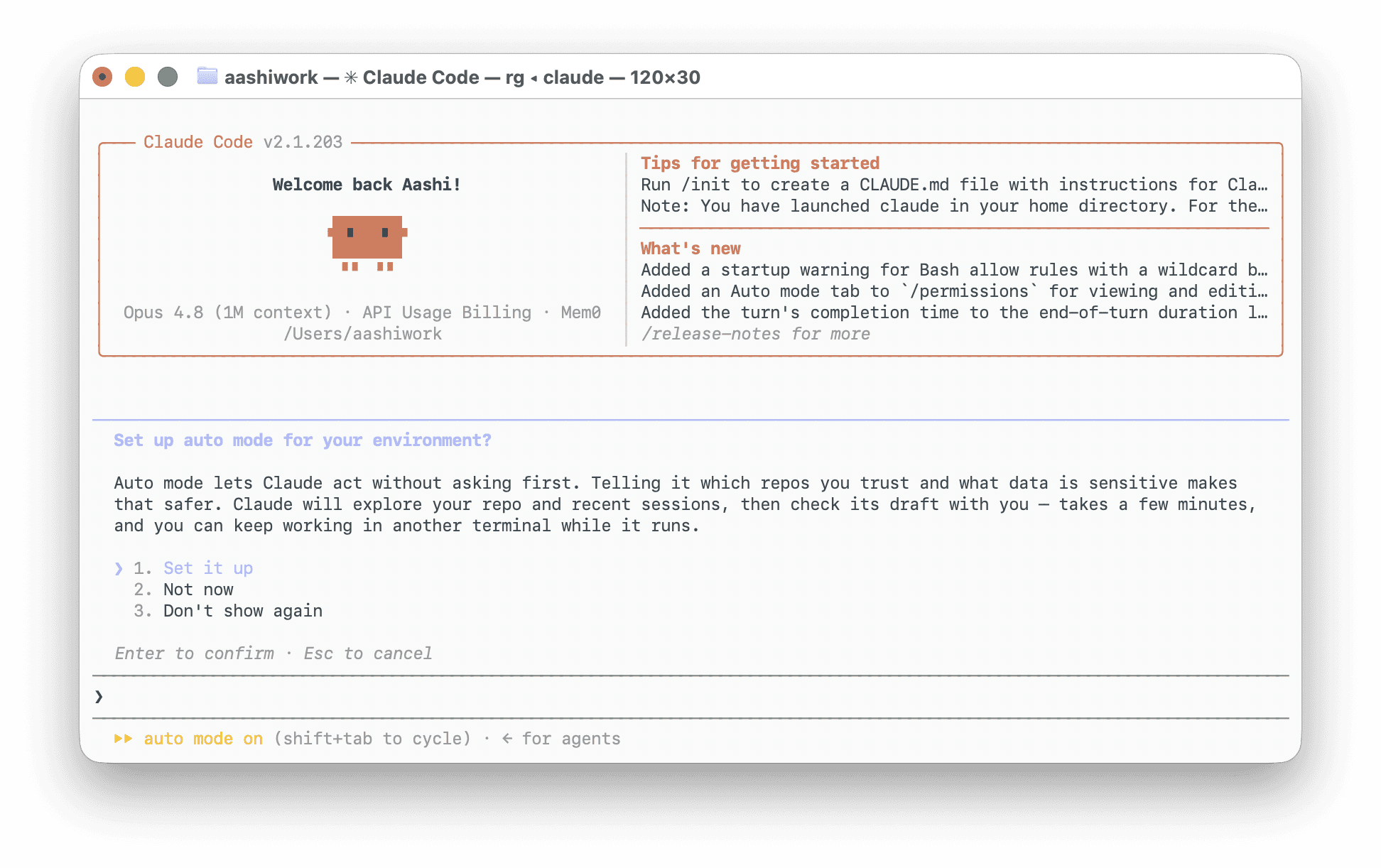
Key Features of Claude Code
Terminal-based, agentic coding
Live codebase understanding via agentic search, plus a persistent
CLAUDE.mdproject context fileMulti-file changes applied directly to disk
Autonomous, multi-step task execution
Native git workflow support
Native MCP integrations
Runs tests and debugging loops itself
Pros and Cons of Claude Code
Pros
Deep, autonomous multi-step execution without hand-holding
Native git and shell integration, useful for real dev workflows (branches, commits, CI)
CLAUDE.mdgives it durable, reusable project context across sessionsWorks the same way whether you're in a terminal, VS Code, or JetBrains
Cons
No built-in visual diff or IDE chrome; the terminal is the primary surface
Locked to Claude models, no cross-vendor model picker
Less approachable for developers who think visually rather than in commands
What Is Cursor?
Cursor is an AI-native code editor, a fork of VS Code with an agent built directly into the interface. You write and review code in a familiar editor layout, with an agent panel (Composer 2.5 default model) that can plan tasks, edit across files, and run terminal commands, showing every change as a reviewable diff before it lands. It supports multiple model providers, so you can switch between Claude, GPT, Gemini, Grok, etc depending on the task.
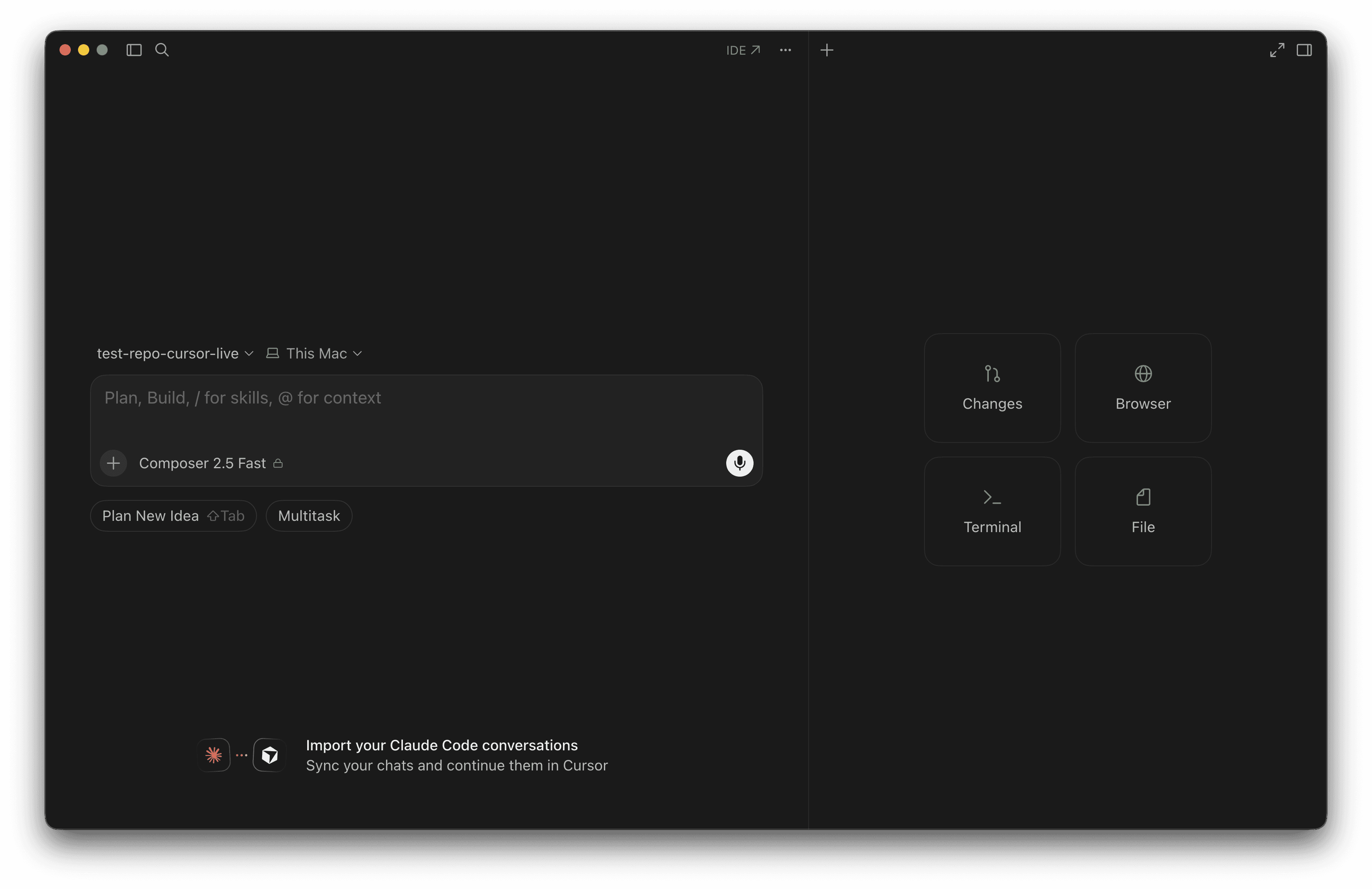
Key Features of Cursor
Full AI-native IDE, not a CLI add-on
Agent mode for autonomous multi-file work
Precomputed semantic codebase indexing
Multi-file editing shown as in-editor diffs
Model selection across Claude, GPT, Gemini, and Grok
Cloud and background agent workflows on Team plans
Native MCP support and a built-in server marketplace
Pros and Cons of Cursor
Pros
Visual, reviewable diffs before changes are applied
Cross-vendor model flexibility in one editor
Familiar VS Code-based interface, low switching cost for existing VS Code users
Codebase indexing scales well for pure semantic search across large repos
Cons
Requires the editor; there's no lightweight CLI-only mode for pure terminal workflows
The embeddings index needs to sync and can lag right after large changes
Extra usage tiers (Pro, Pro+, Ultra) add a bit of pricing complexity to reason about
Claude Code vs Cursor: What's the Difference?
The biggest difference isn't the underlying AI model. It's how you interact with the coding agent. Claude Code is built around a terminal-first workflow, while Cursor integrates agentic capabilities directly into an AI-native code editor.
Parameter | Claude Code | Cursor |
|---|---|---|
Primary workflow | Terminal | IDE |
Interaction | CLI and chat | Editor + chat/agent |
Code editing | Agent-driven, applied to disk | Editor + agent, shown as a diff |
Terminal | Native | Integrated |
Model choice | Claude ecosystem only | Multiple providers |
Visual development | Limited | Strong |
CLI workflows | Excellent | Good |
IDE workflows | Requires a separate editor (or the companion extension) | Excellent |
Claude Code vs Cursor for Coding
We didn't want to just describe this from documentation, so we ran an identical, real coding task through both tools on the same starting repo. We took an example of a small Flask URL-shortener with one seeded bug, one missing endpoint, and one piece of duplicated logic to refactor. Here is the prompt we shared with both Claude and Cursor:
It hardly took a minute for both to realise the bug and run the tests. Here are the results:
Code Generation
Both tools were asked to add a DELETE /urls/<code> endpoint with tests, from the same short natural-language spec. Both generated a working route, a matching store-layer function, and correct tests on the first attempt, no follow-up needed. Cursor's generated test included one extra assertion (checking that the delete response body was empty) that Claude Code's did not.
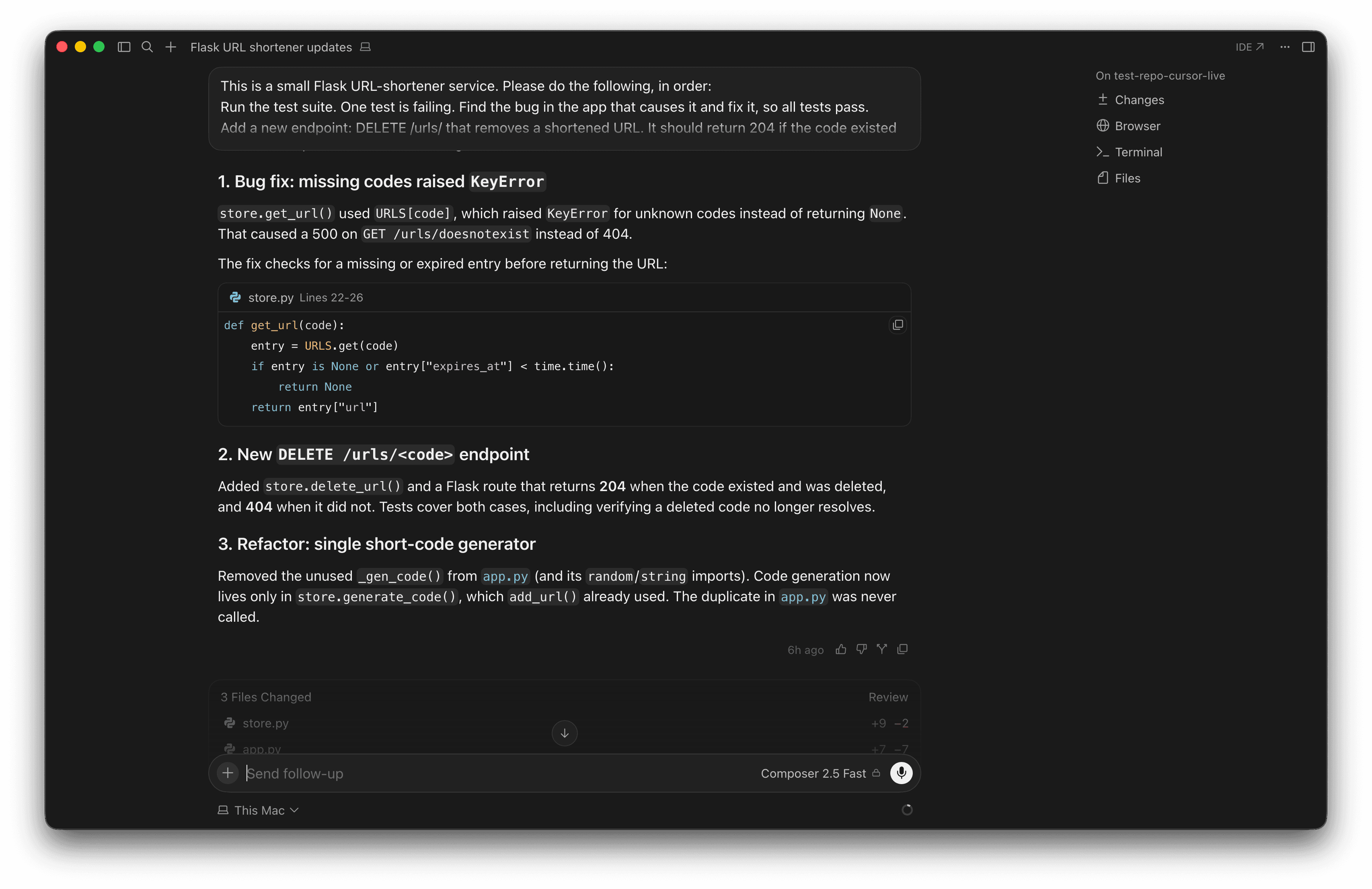
Fig: Cursor’s approach
Debugging
The seeded bug was a raw dict lookup (URLS[code]) that raised a KeyError instead of returning 404 for a missing code. Both tools correctly diagnosed the bug from the failing test's traceback and fixed it using the same approach: a safe .get() lookup. Claude Code split the fix into two conditions; Cursor combined them into one.
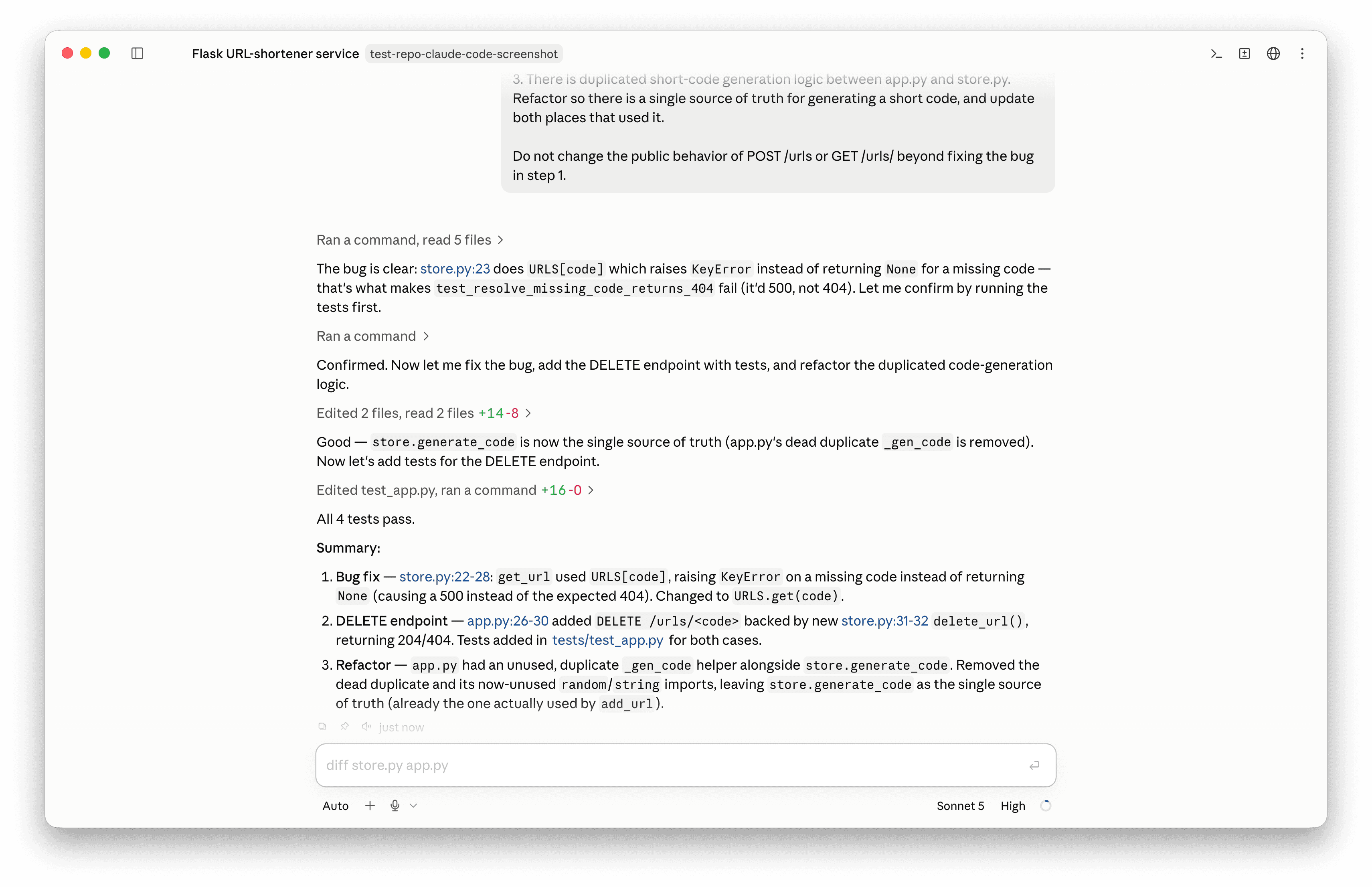
Fig: Claude Code’s approach
Refactoring
Finally, both tools were asked to remove a duplicated short-code generator that existed in two files. Both correctly identified the unused duplicate, removed it along with its now-unused imports, and left the single real implementation as the only source of truth. The good news is that neither broke any existing behavior.
Claude Code took 10 tool calls end-to-end (3 reads, 4 edits, 3 test runs) with zero failed iterations. Cursor's Composer (2.5 Fast) finished in a single turn from prompt to result and ran the tests itself. Both landed on 4/4 tests passing with no human intervention.
Claude Code vs Cursor for Large Codebases
Large repositories require more than code generation. An effective coding agent needs to locate relevant files, understand dependencies, maintain context, and make coordinated changes without breaking unrelated functionality. Both tools are designed for codebase-level tasks, but they get there differently.
Claude Code: It understands your repo through live agentic search (reading, grepping, and tracing files as needed for the current task) and a
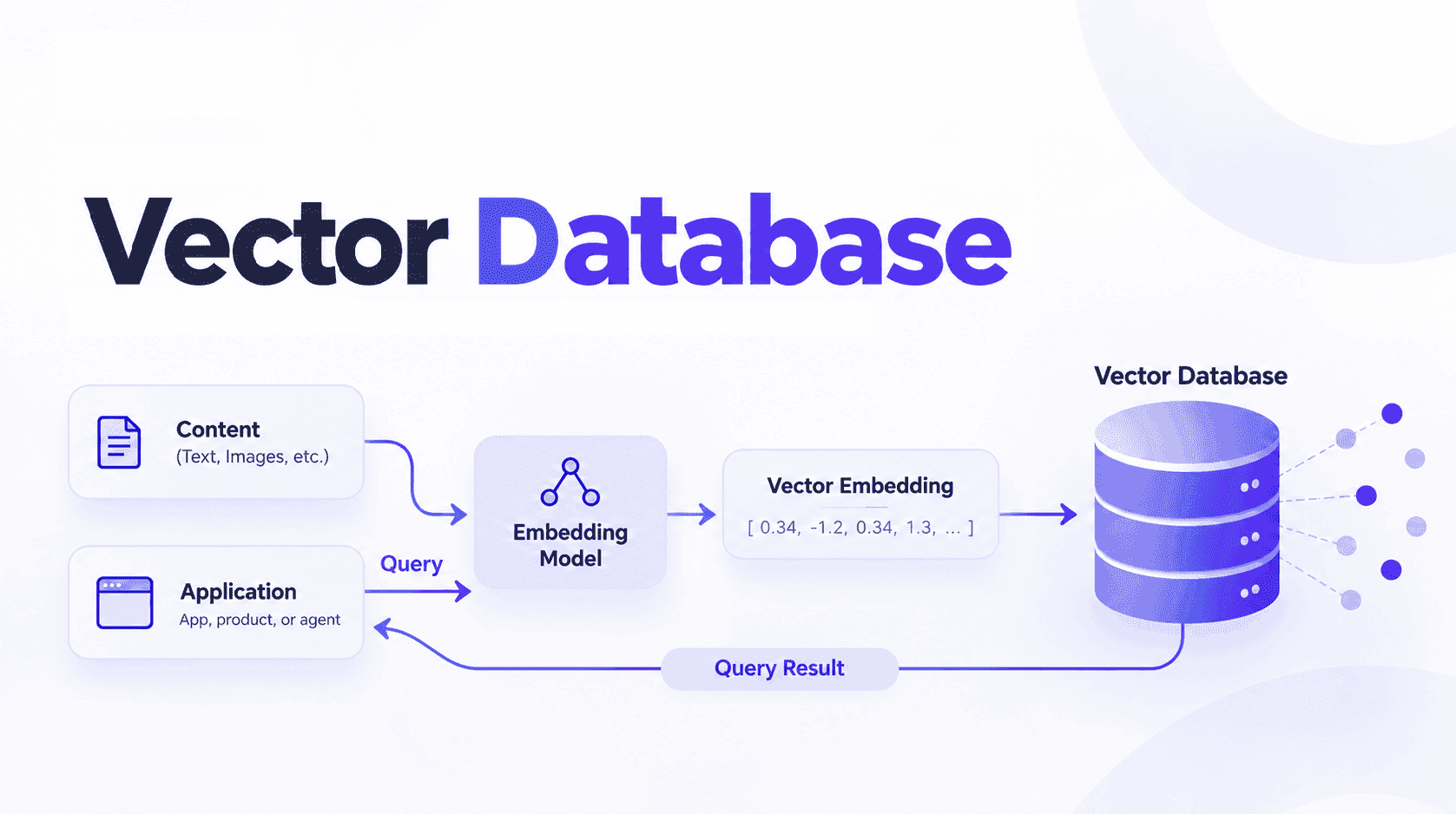
CLAUDE.mdfile it reads at the start of every session for durable project conventions. There's no separate index to keep in sync.Cursor: It precomputes a semantic embeddings index of your codebase (using a Merkle tree to detect changed files and a vector database for fast lookup), so retrieval is fast even across a very large repo, at the cost of the index needing to resync after big changes.
Winner: It truly depends on the failure mode you'd rather avoid. Cursor's precomputed index is faster for pure "find code that matches this idea" retrieval at scale. Claude Code's live search never goes stale, since it isn't reading from a cache, but it re-traverses more on each task.
Claude Code vs Cursor for Agentic Coding
Both tools run the same basic loop:
Prompt → Planning → Tool calls → Code changes → Testing → Iteration
Claude Code's loop runs natively in the terminal: the prompt is a shell command, tool calls are reads/edits/shell executions, code changes land directly on disk, and it runs your test suite itself before reporting back. Cursor's loop runs inside Composer: the prompt goes into the agent panel, tool calls include reads/edits/terminal commands, and code changes surface as an editor diff you can review before or after they're applied.
Claude Code | Cursor | |
|---|---|---|
Autonomy | High, multi-step without prompting | High, multi-step without prompting |
Planning | Breaks tasks into steps before acting | Breaks tasks into steps before acting |
Tool usage | File I/O, shell, git | File I/O, terminal, MCP tools |
Terminal execution | Native | Integrated, via the editor's terminal |
Human approval | Asks before risky actions by default | Diff-based review by default |
Long-running tasks | Native background/session support | Background and cloud agents on Team plans |
In our test, both had the better agentic workflow for the task at hand: Claude Code finished in one continuous session with zero failed iterations, and Cursor finished in a single turn while running its own tests. Neither needed a correction. The meaningful difference isn't autonomy; it's whether you want to watch that autonomy happen as a terminal log or as an editor diff.
Claude Code vs Cursor: Context and Memory
Both tools need to know two different things: what's true about this codebase right now, and what's worth remembering the next time you ask for help.
Both draw on the same broad set of inputs: project structure, source files, documentation, coding conventions, previous decisions, dependencies, git history, and your own instructions. Claude Code centralizes a lot of this in CLAUDE.md, a file it reads at the start of every session and treats as part of its system prompt. Cursor spreads it across its embeddings index and its own rules files.
The distinction worth keeping straight is context versus memory. Context gives an agent information for the current task. Memory allows relevant information to persist across interactions or tasks, closer to how a colleague remembers a decision from last week without you repeating it. CLAUDE.md is a static, human-maintained approximation of memory: durable, but it doesn't update itself from what the agent learns on the job. That gap, an agent that has context for right now but no memory of what it learned yesterday, is exactly what a dedicated memory layer is for; see Add Persistent Memory to Claude Code with Mem0 if you want your coding agent to carry more than a static file's worth of history between sessions.
Claude Code vs Cursor: MCP and Integrations
The Model Context Protocol (MCP) is the shared standard that lets either tool call out to external systems, GitHub, databases, documentation, and internal APIs without a custom integration for each one.
Claude Code connects to MCP servers directly from the CLI and can receive pushed events from a server (CI results, monitoring alerts) if the server opts in via a feature currently in research preview. Cursor supports MCP in both the editor and its CLI, with one-click "Add to Cursor" install links on a server's own docs page, a Settings UI for adding servers manually, and a separate community directory (cursor.directory) for discovering more, rather than hand-writing mcp.json entries yourself for everything.
Integrations matter most when the task genuinely needs live, external state, a real ticket number, a real deploy status, a real schema, not when the agent could just as easily infer the answer from your code. Wiring up an MCP server for something the model can already read from your repo is overhead without payoff.
You can check out Mem0’s integrations pages for Claude Code and Cursor to learn more.
Claude Code vs Cursor: Pricing
Both companies have moved to a mix of subscription tiers and usage limits, rather than flat, unlimited pricing, so what you pay depends on how much agent time you use, not just which plan you pick. The figures below are taken directly from each company's official pricing page.
Claude Code | Cursor | |
|---|---|---|
Free option | No subscription needed to use Claude Code itself; pay-per-token via an Anthropic API key works with no monthly fee (the Free chat plan alone does not include Claude Code) | Hobby (free), limited Agent requests |
Individual plan | Pro: $17/mo (annual) or $20/mo (monthly), includes Claude Code | Individual: $20/mo, with Pro, Pro+, Ultra tiers |
Higher usage tier | Max 5x/20x: from $100/mo, higher usage and priority access | Pro+: 3x Pro's agent limits; Ultra: 20x |
Team plan | Team: $20-25/seat/mo, SSO and central billing | Teams: $40/user/mo, with a Premium tier at 5x standard limits |
Usage limits | Usage-based beyond plan allowance; Max tiers raise the ceiling | Usage-based Agent requests; higher tiers raise the ceiling |
API/usage costs | Enterprise self-serve: seat price plus API-rate usage | Enterprise: custom, pooled usage available |
Both charge more as your agent usage grows, so the sticker price on either plan is a floor, not the full cost of heavy daily use.
One thing worth being precise about: Claude Code isn't a separate product with its own price tag. Anthropic bundles CLI access into its standard subscriptions (Pro, Max, and Team), and the Pro+/Ultra naming and 3x/20x usage multipliers above belong to Cursor's tiering, not Claude's, whose equivalent higher-usage tiers are Max 5x and Max 20x. If you'd rather not subscribe at all, Claude Code also runs on a plain pay-per-token Anthropic API key, billed by usage with no monthly fee.
Claude Code vs Cursor: Which Is Better for Different Developers?
If this question still haunts you, then this table is for you:
Developer type | Better fit | Why |
|---|---|---|
Beginners | Cursor | A visual editor with reviewable diffs is a gentler introduction than a terminal-first agent, especially if you're not yet fluent in git and the shell. |
Experienced developers | Either, depending on workflow | Claude Code fits developers who already live in the terminal and want the agent to just act. Cursor fits developers who want to stay in an editor and review before committing. |
Terminal users | Claude Code | It's native to the surface you already use, with no editor required. |
VS Code users | Cursor | It's a VS Code fork, so existing extensions, keybindings, and muscle memory carry over directly. |
Autonomous coding | Roughly even | Both planned, executed, and self-tested without intervention on our task; the difference is where you watch it happen, not how much oversight it needs. |
Large codebases | Depends on the tradeoff | Cursor's precomputed index gives fast semantic search at scale; Claude Code's live search |
Teams | Depends on what you need | Both Team plans include SSO and central billing. Cursor's Teams plan, at $40/user/month, adds collaboration-specific features: a team marketplace, agentic code review (Bugbot), shared cloud agents with team context, and usage analytics. Claude Code's Team plan, at $20-25/seat/month, is closer to the individual product plus billing, SSO, and admin, without those extras. |
Rapid prototyping | Cursor | The visual feedback loop, model switching, and in-editor diffs make it faster to try something, see it, and change direction. |
Claude Code vs Cursor: Which One Should You Choose?
Let's help you choose your ideal agent:
Choose Claude Code if:
You prefer the terminal over an editor
You work heavily with git and shell workflows
You want autonomous coding runs without watching a diff panel
You frequently work on complex, multi-step codebase tasks
Choose Cursor if:
You prefer working inside a full IDE
You want an integrated, visual coding experience with reviewable diffs
You frequently switch between models depending on the task
You want the agent built into the same window as your code
Claude Code vs Cursor: Final Verdict
Not universally, but Claude Code is the stronger choice for terminal-first and highly autonomous workflows, while Cursor is the better fit for developers who want an AI-native IDE with visual review and model flexibility. On the one task we tested directly, the two produced equivalent, correct results by different paths.
The best tool ultimately depends on your development environment, coding style, project complexity, desired level of autonomy, and budget, not on which one is objectively "smarter."
Frequently Asked Questions
Q. What is the difference between Claude Code and Cursor?
Claude Code is a terminal-first agentic CLI tool with companion IDE extensions. Cursor is a full AI-native IDE built as a VS Code fork with an agent built into the editor.
Q. Which is better for coding, Claude Code or Cursor?
On the identical task we tested (bug fix, new endpoint, refactor), both produced correct, functionally equivalent results with no failed iterations. The difference is workflow, not code quality.
Q. Which is better for large codebases?
It depends on the tradeoff you want: Cursor's precomputed semantic index for fast search at scale, or Claude Code's live agentic search and CLAUDE.md file for context that never goes stale.
Q. Which is cheaper, Claude Code or Cursor?
Claude Code's entry paid tier (Pro, $17/month annual) is cheaper than Cursor's Individual plan ($20/month), though both scale up with usage tiers beyond that.
Q. Can Claude Code and Cursor replace GitHub Copilot?
Both go further than Copilot's autocomplete model: they plan multi-step tasks, edit across files, and run tests autonomously rather than just suggesting the next line. Whether either "replaces" Copilot depends on whether you want an autocomplete companion or a task-executing agent.
More on Coding Agents

Kimi K3 tutorial: build a vision coding agent with persistent memory
Kimi K3 has a 1M-token context window but no memory across sessions. We tested it with Mem0 and cut design regressions from 60% to 0%.
10 min read

Coding Agents Explained: What They Are and How They Differ from AI Assistants
Learn what coding agents are, how they work, and how they differ from AI assistants, chatbots, and autocomplete tools.
29 min read

OpenAI Codex vs Claude Code: Which AI Coding Agent Wins in 2026?
Codex leans toward parallel execution, isolated worktrees, cloud delegation, and reviewable task runs. Claude Code is terminal oriented and more engaging in long interactive sessions, and agent-to-agent coordination. OpenAI’s GPT-6 Astra and Anthropic’s Fable 5.1 have enhanced capabilities, but the harness determines how that intelligence is used. For serious repository work, the better choice is the one that performs more reliably on your codebase, constraints, and working style.
23 min read



Aashi Dutt
She is a senior technical content writer at Mem0. She covers agent memory architecture and the engineering decisions behind building agents that actually remember. She experiments with new features and turns research into posts developers can put straight to use.
Start building with memory
Free tier, no card