

·
4 min read
Quick Takeaways
Find Mem0 in the Connectors Directory, and click Connect. It takes 2 minutes with no terminal and no config file required!
A preference stated once gets retrieved unprompted in a completely separate chat, with zero shared vocabulary between the two prompts.
Recall isn’t guaranteed on every query. Claude decides, per turn, under Auto tool access, whether a memory lookup is worth making.
⚡ Try this yourself. Connect Mem0 from Claude’s Connectors Directory and run the same two-chat test below.
Claude is Anthropic’s AI assistant, used for coding, research, writing, and everyday conversation. On its own, each chat starts fresh. Nothing carries over from one conversation to the next unless you’re relying on Claude’s own built-in memory inside claude.ai, which is scoped to that one product.
On the other hand, Mem0 is a persistent memory layer for AI agents and assistants. It extracts facts from a conversation, stores them, retrieves the relevant ones later, and updates or deletes them as things change. It isn’t tied to just one app: the same memory is reachable from Claude, Cursor, or any other MCP-compatible client.
The Mem0 Claude connector is now listed in Anthropic’s Connectors Directory, which links the two. Claude gets a memory store it can read from and write to mid-conversation, and Mem0’s memory becomes usable directly inside a normal chat, no SDK required.
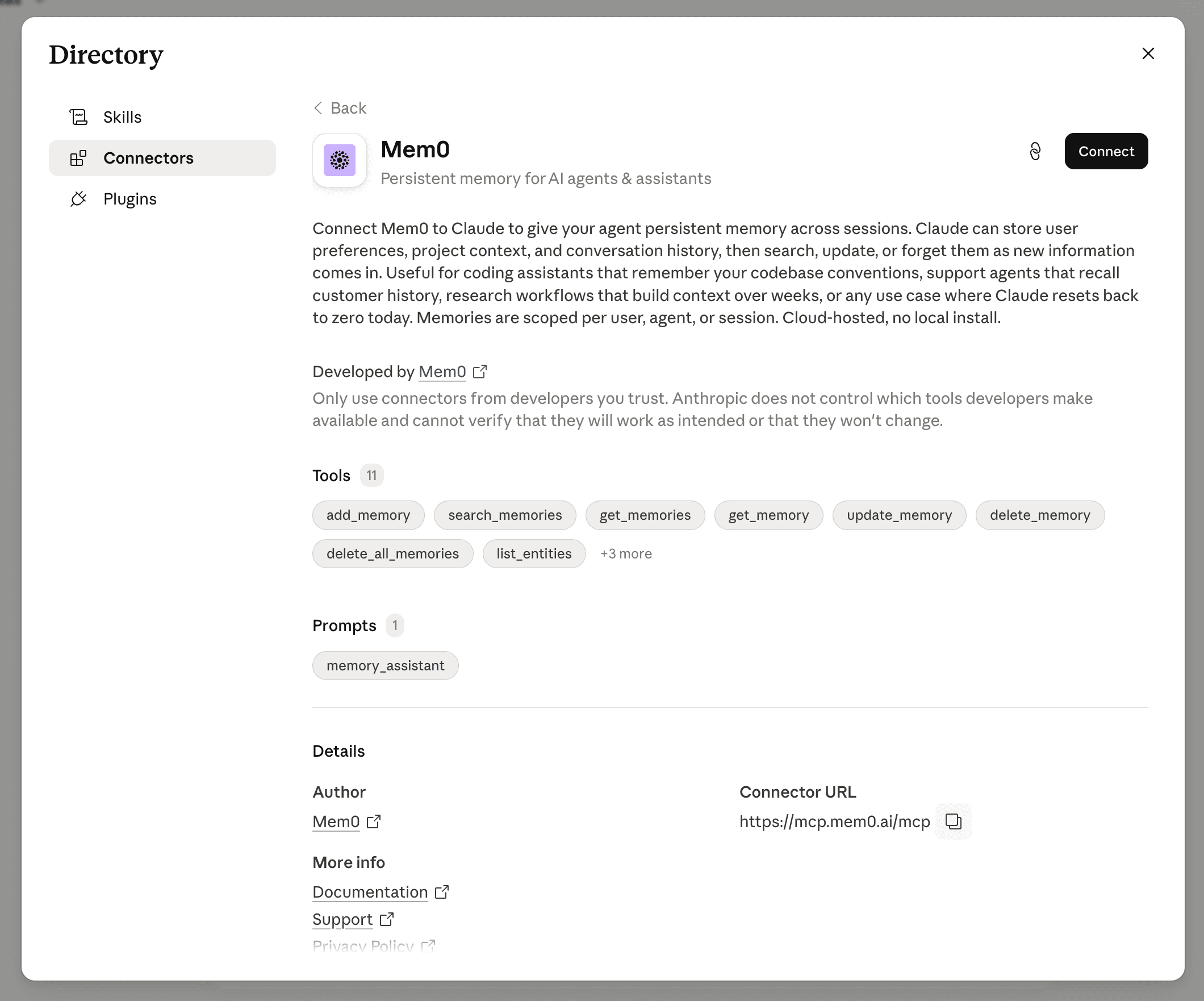
Fig: Mem0 Claude connector listed in Anthropic’s Connectors Directory
A connector claiming persistent memory is easy to pitch and hard to verify from the outside. So, we did a two-chat test of the Mem0 Claude connector, where you mention a preference once in one chat. Open a new chat. Ask something adjacent, but never repeat the preference, and see whether Claude applies it anyway.
Test at a glance
Setup: Connecting Claude and Mem0
The connector needs to be authorized once before running the actual test, entirely inside Claude and one browser tab, no terminal, no config file. Here’s that setup, step by step:
Step 1: Click the + icon next to the message box, select Add connector.
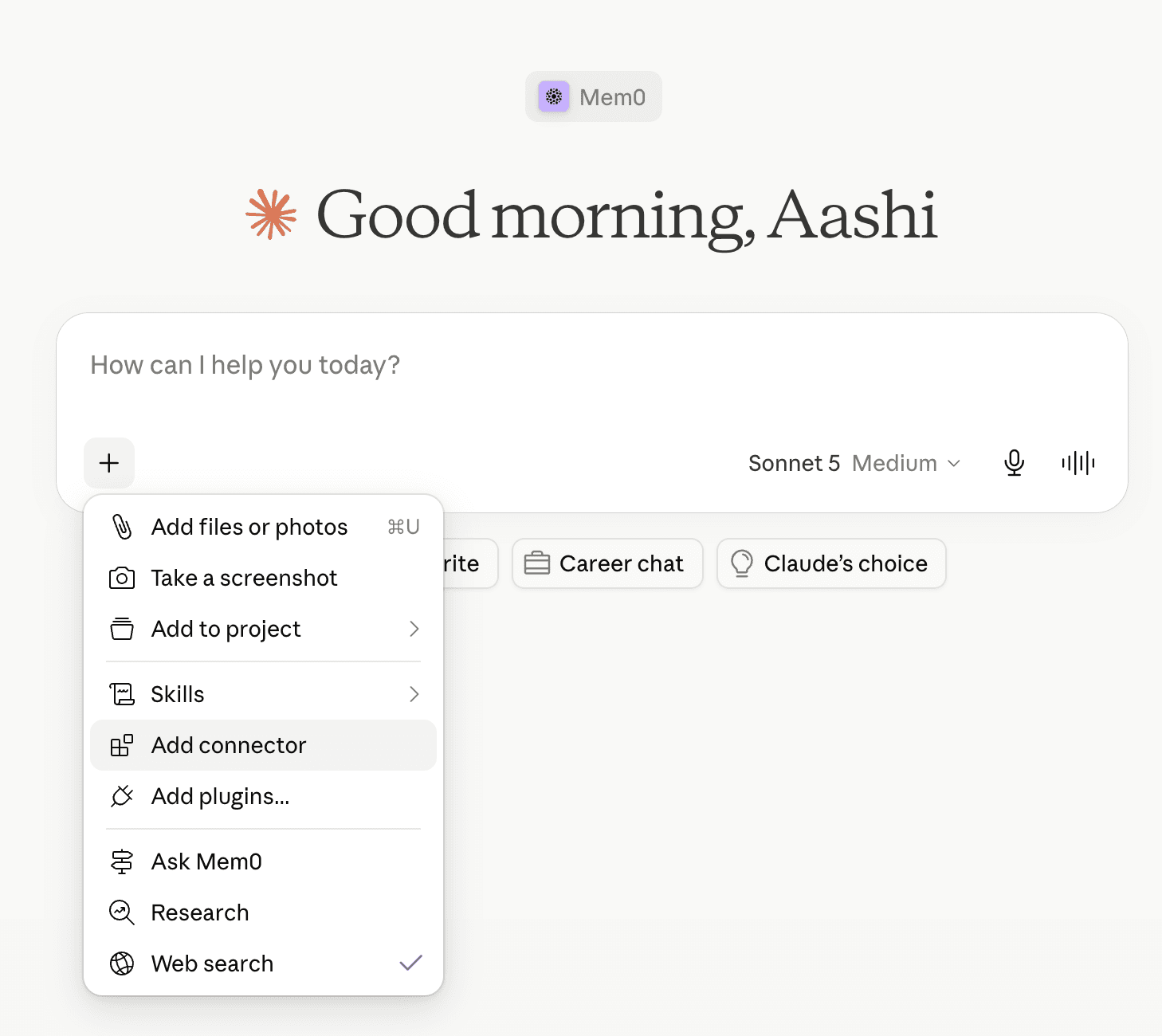
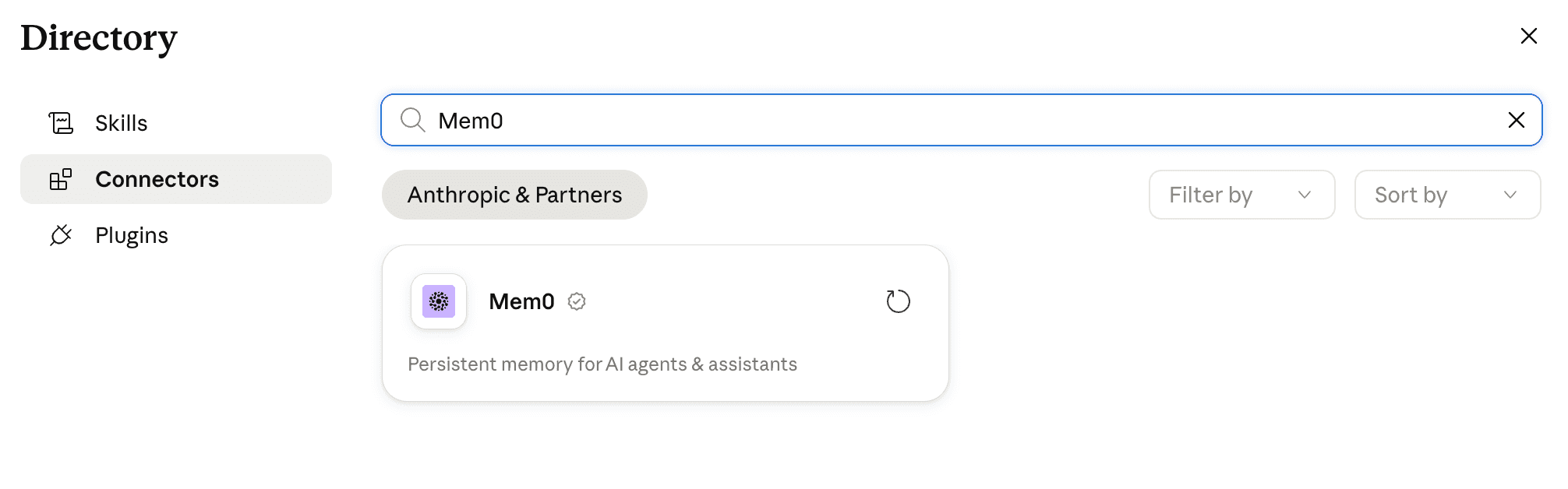
Step 2: Find Mem0 in the Directory and open it.
Step 3: Click Connect, then authorize in the browser tab that opens.
Step 4: Sign in to the Mem0 platform using your email or GitHub account, pick an organization/ project, and click Connect to Mem0. Mem0 generates an API key automatically; nothing to copy or paste. Claude chat window confirms Connected to Mem0.
Step 5: Run a sanity check within a new Claude chat.
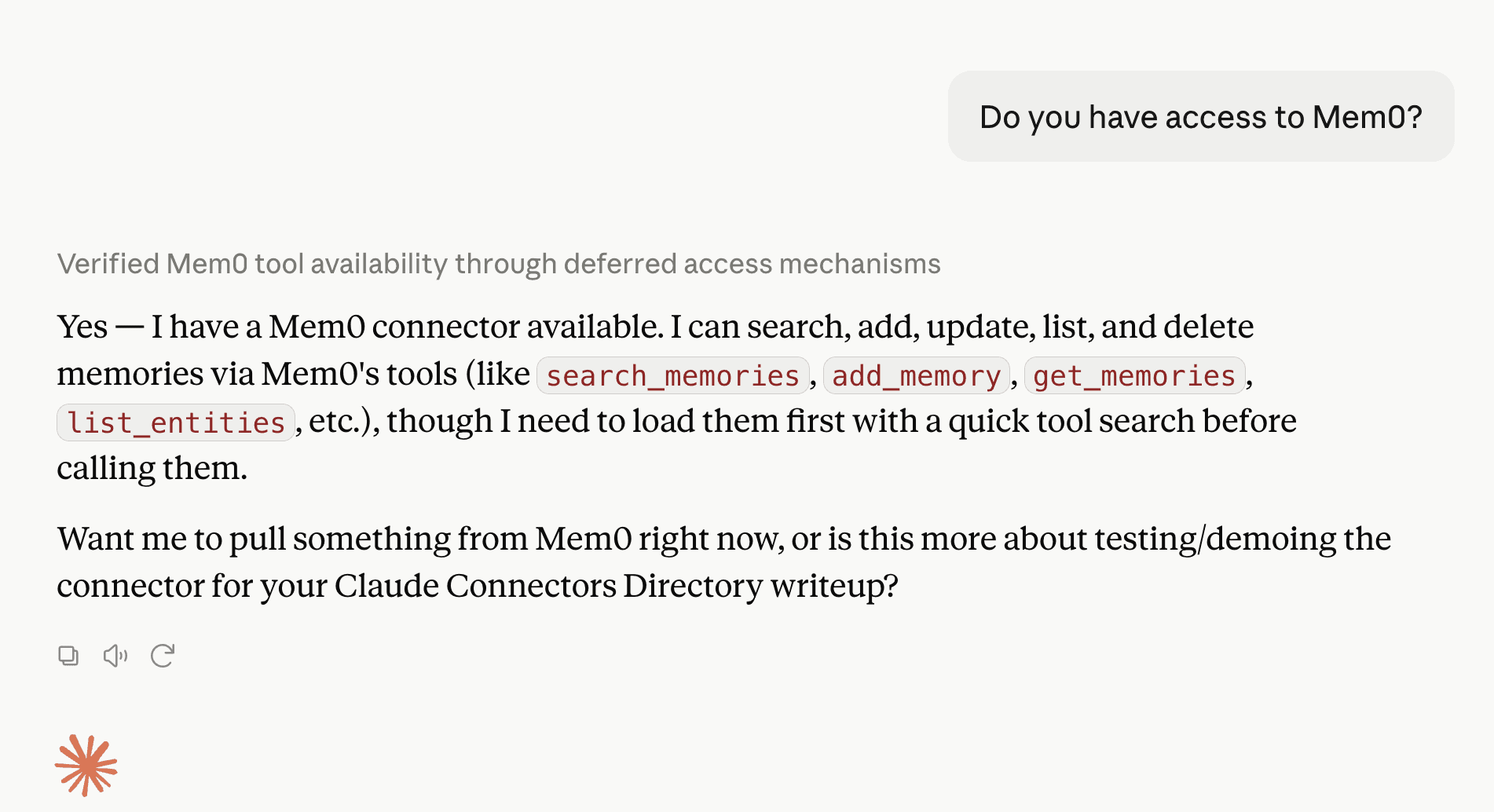
Once Claude confirms the connector is available, you’re ready to test it.
Chat 1: Stating a preference naturally
Let’s plan a 4-day San Francisco trip with Claude and add some details about your preferences and the places you want to visit.
Note: When Claude asks permission before writing, “Claude wants to use Add memory from Mem0”, Click Always allow.

Now, let’s iterate and swap in a Napa day trip. Then, mid-conversation, mention that “I’m a vegetarian, keep that in mind for wherever we eat.”
Note: With Mem0 active in this chat, Claude saves the fact that you’re vegetarian.

The preference was mentioned once, never repeated, never flagged with “remember this.”
Chat 2: Testing recall with zero hints
Now for the real test: open a new chat and see whether Claude actually remembers what we told it, without any hints this time.
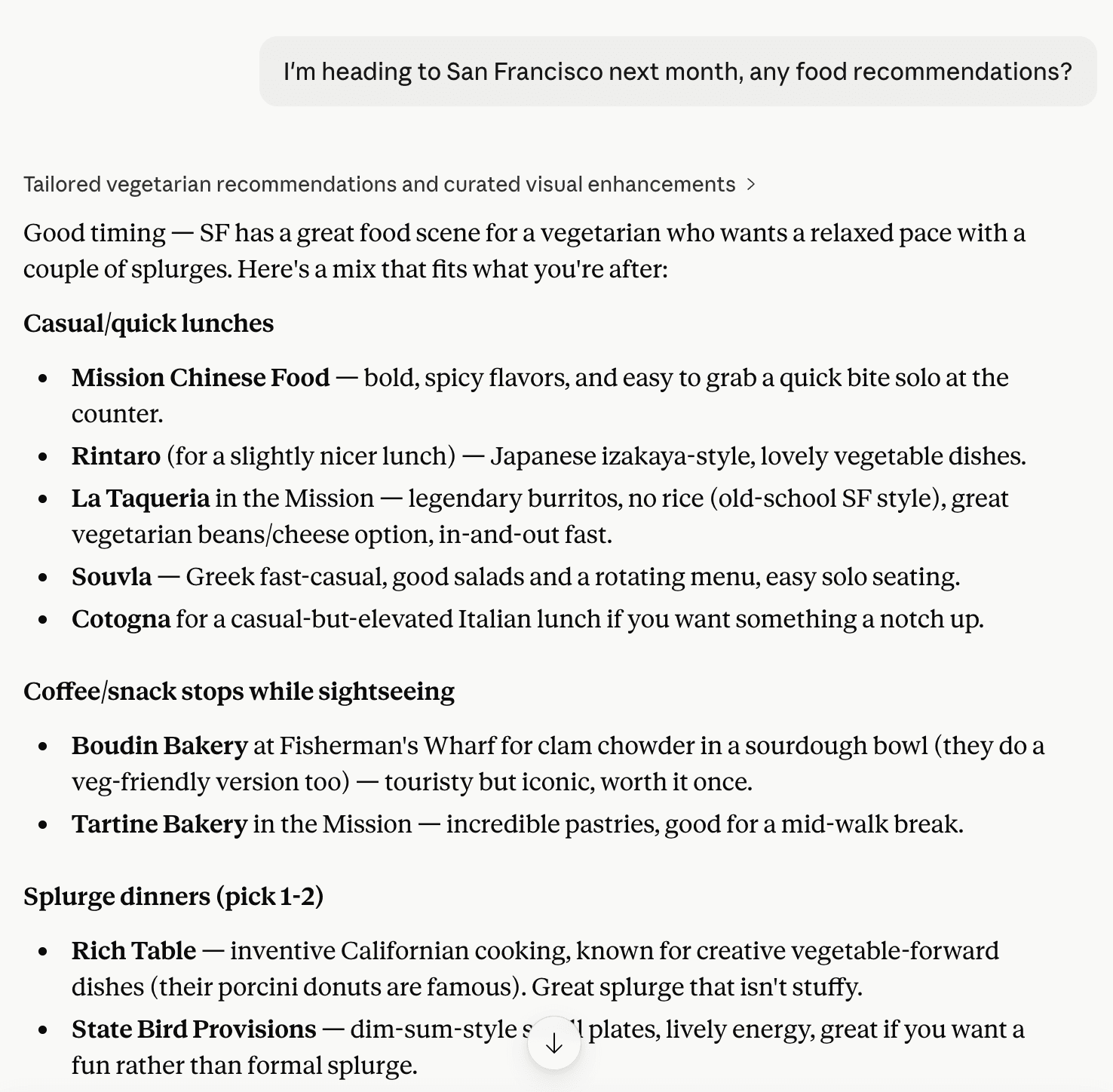
Claude tags the response “Tailored vegetarian recommendations” and opens with: “SF has a great food scene for a vegetarian who wants a relaxed pace with a couple of splurges.” Every pick that follows is vegetarian-aware, split into casual lunches and splurge-worthy dinners, matching preferences stated in a completely different conversation.
Run it yourself
01 Connect Mem0 from the Connectors Directory (steps above)
02 Confirm access explicitly before testing anything: “Do you have access to Mem0?”
03 State one specific, checkable preference in passing, during a real conversation, without flagging it.
04 Open a new chat and ask something adjacent that shares zero vocabulary with the original preference
Further Reading
More on LLMs & Models

Perplexity Pricing 2026: Pro, Max, Computer & API Costs
Compare Perplexity Free, Pro, Max, and Enterprise prices in 2026. Understand Computer credits, API charges, and which plan fits your usage and budget.
10 min read
Gemini API Pricing 2026: Models, Tokens, and Costs
Compare Gemini API prices by model, learn how caching and Batch affect costs, and calculate the cost of 1,000 requests or a monthly chatbot workload.
12 min read

OpenAI API Pricing (Oct 2026): Models, Token Costs, How to Save
Compare OpenAI API pricing including model rates, token costs, caching, and Batch discounts, with practical cost examples.
17 min read



Aashi Dutt
She is a senior technical content writer at Mem0. She covers agent memory architecture and the engineering decisions behind building agents that actually remember. She experiments with new features and turns research into posts developers can put straight to use.
Start building with memory
Free tier, no card