
/
/
/
Agent Memory Staleness: How Recency-Aware Ranking Fixes Retrieval Drift

·
16 min read

On this page
TL;DR
Long-running agents drift. They surface what the user said three months ago instead of what they said yesterday and your retrieval layer has no way to know the difference. Mem0 Memory Decay fixes this with a per-project recency re-rank: recent memories get up to 1.5× boost, idle ones drift to a 0.3× floor. Your API calls don't change.
In A/B testing on identical data, decay moved the correct memory to rank 1 in 3 of 4 cases and widened score separation from a 0.0001 margin to a 0.15+ gap.
Already using Mem0? Enable Memory Decay on your project now →
Not on Mem0 yet? Start free →
Let’s picture this scenario: Your agent starts sharp, and by week three, something feels off. It surfaces an old project the user moved on from in March. It repeats a preference you updated last month. It answers with information that is no longer relevant. The memory still exists in the store. It's not forgetting. It’s retrieval staleness, and it is one of the most common reasons long-running agents quietly degrade over time.
Mem0 shipped Memory Decay as a direct answer to this. Recently accessed memories get a soft boost, idle ones get gently dampened, and nothing gets deleted or filtered out. In this post, we’ll answer a key operational question:
Should I “turn on” Memory Decay for my workload, and how would I know if it is working?
This guide is the practitioner companion for teams already past the demo stage. The short answer is yes, if your agent has a real distinction between current and historical context. The longer answer is more interesting.
Agent Memory Staleness: Why Long-Running Agents Drift and How to Fix It?
The core issue is that semantic similarity is time-blind. When an agent searches memory, it embeds the query, compares against stored memory vectors, and ranks by similarity. That works fine until two memories say nearly the same thing. At that point, cosine similarity cannot judge freshness. It does not know which memory was used yesterday and which sat untouched for six months.
This is fine for small stores and brittle at scale. As history accumulates, the retrieval pool gets crowded. Facts pulled into context are not wrong in isolation; they are just no longer the best facts for the current query.
In my last post on testing AI agent memory, I named one version of this failure called retrieval drift. The Memsim probe asks a precise question. Does a stable, durable fact remain retrievable as a synthetic 80-turn trajectory grows? The fact did not change. The memory system did not forget it. Accumulated history created enough top-k competition that the fact became harder to surface. That is the failure mode that matters in production, and it is invisible to one-off testing.
The production version is the Day 30 problem, reported by one developer running a 24/7 agent for 60+ days. Long-lived agents start strong and become less reliable as stale facts pollute retrieval. Treat any single anecdote cautiously. The shape of the failure is familiar to anyone who has moved a memory-augmented agent from demo data to real accumulated history.
Note: Dynamic forgetting handles low-relevance entries, but staleness is a distinct problem. A highly-retrieved memory about a user's employer stays highly relevant right up until it isn't, at which point it becomes confidently wrong rather than just outdated. Detecting when high-relevance memories become stale is an open research problem.
Memory Decay is the answer to the low-relevance side. The high-relevance side needs different tooling, covered in the next section.
What is Mem0 Memory Decay?
Memory Decay is a per-project toggle that automatically biases search rankings toward recently used memories. Every memory carries a quiet record of when it was last retrieved. At search time, that history becomes a scaling factor on the relevance score: recent memories get a boost up to 1.5×, idle ones get gently dampened toward 0.3×.
Note: A stale memory is never zeroed out. If it's the strongest semantic match, it can still surface. Memory Decay only changes the ordering among candidates.
Behaviors worth knowing before you flip the toggle:
Opt-in per project(off by default): Search behavior stays bit-identical until you turn it on.
Applies to v3 search only: This matters if you are still on an older API version.
Public API shape does not change: Your
addandsearchcalls stay exactly the same.20 access timestamps tracked per memory: This keeps reinforcement bounded.
Public score clamped to [0, 1]: Internal scoring can exceed 1, but the returned value stays in range, so downstream code keeps working.
Fire-and-forget reinforcement: This runs on a bounded executor. Search latency is unchanged.
Legacy memories use
updated_atas a fallback for the first touch: They get a fair starting point and accumulate access history naturally.
The pipeline also widens the candidate pool to top_k × 3 (floor of 50) before applying the scaling factor. This gives the factor room to reorder before truncation.
Edge Case: Threshold filtering happens before decay scaling, so a candidate that cleared your requested threshold can come back with a final score below it after being dampened. This is intentional. If your code assumes every returned result satisfies
score >= threshold, filter client-side after the Mem0 call.
Beyond what it does, it is worth being clear about what it does not replace:
Memory extraction: Your
addpath still decides what gets stored.Consolidation and contradiction handling: Conflicting facts still need timestamp-aware resolution.
Underlying relevance score: Decay multiplies on top of it, not instead of it.
The improvement over naive timestamp math is worth emphasizing. Calendar age is a weak proxy for usefulness. Repeated retrieval is a stronger one. A memory that keeps being selected is not just new; it is operationally useful. That behavioral signal is what Memory Decay captures.
When to turn “ON” Mem0 Memory Decay?
Turn on Memory Decay when your workload has:
Durable memory across sessions
Recurring access patterns
A real distinction between the current and historical context
The clearest fits are coding agents, personal assistants, and support bots. The pattern is the same in each case: history matters, but the present should stay near the top.
💡 Building one of these? Memory Decay is a one-toggle enable on any Mem0 project. Start free and enable it in your project settings - no code changes required.
Coding agents with project switching
A developer who switches between projects still needs the agent to remember older repositories. The active sprint should outrank last quarter's side project on a similarity search. Without a recency signal, both compete on semantic similarity alone. With decay enabled, active-sprint memories get reinforced when retrieved, and idle project context drifts into the dampened band.
Personal assistants with daily routines
A user's daily routines change over time. This month's breakfast order should beat a one-off cafe visit from last year. The same logic applies to commute patterns, meeting preferences, and workouts.
Support bots with long ticket history
A customer with a long ticket history accumulates repeated themes. A new unresolved issue may resemble an old resolved one. Recent interactions should outrank year-old closed cases, while historical context stays available when specifically relevant.
The common pattern: Decay helps when recently accessed memories are more useful than idle ones of similar semantic relevance.
When to leave Mem0 Memory Decay “OFF”?
Ranking changes are product changes. A few workloads are better served by leaving it off.
Workloads dominated by evergreen facts
Some facts remain authoritative until explicitly revoked:
Medical allergies
Legal commitments
Security credentials
Compliance constraints
Accessibility needs
Account ownership
A penicillin allergy stored a year ago is just as valid today. You do not want it drifting downward because the user has not had a reason to bring it up.
Memory Decay won't hide such memories (the 0.3× floor keeps them eligible), but the risk is more subtle. If your agent searches with top_k=5, an old critical fact can fall below the cutoff when fresher, less critical facts compete on similarity.
💡 In real testing with only 8 seeded memories, a penicillin allergy fact ranked first with decay off (0.3179) and dropped out of the top 5 entirely with decay on.
The cause: a trivia article about penicillin discovery had been recently accessed and received a higher scaling factor. The allergy was not deleted. It simply stopped surfacing. That is the top-k truncation problem in practice, not in theory, which happened on 8 memories, not thousands.
Short-lived sessions
If your agent runs for an hour at a time and resets, there's not much staleness pressure to solve. Memory Decay is a feature for long-running stores.
Stacks that already do recency weighting
If your application already multiplies similarity by a recency weight, enabling decay stacks two recency biases. The combined behavior can over-correct and bury useful older facts. Run an A/B with your custom recency weight disabled on the decay side first. Isolate Mem0's contribution before deciding whether to keep both layers.
High-relevance staleness
The most common mistake is using Decay as a contradiction resolution. There are two flavors of stale memory, and Decay only addresses one:
Type | What it looks like | Right tool |
|---|---|---|
Low-relevance staleness | Old facts that are not wrong, just less useful now (the January breakfast order, the abandoned side project) | Mem0 Memory Decay |
High-relevance staleness | Old facts that remain semantically relevant but have become wrong (previous employer, outdated diet, stale address, moved plan tier) | Timestamp-aware resolution at the application layer |
The second flavor needs different tooling because the old memory is not less relevant, it is actively wrong. A soft re-rank cannot reliably fix that. The pattern that works is timestamp-aware resolution, which I covered in my last post on testing memory. Mem0's ADD-only architecture preserves the full sequence of facts. If a user changed from vegetarian to vegan, retrieve relevant memories, sort by created_at, and resolve the current value deliberately.
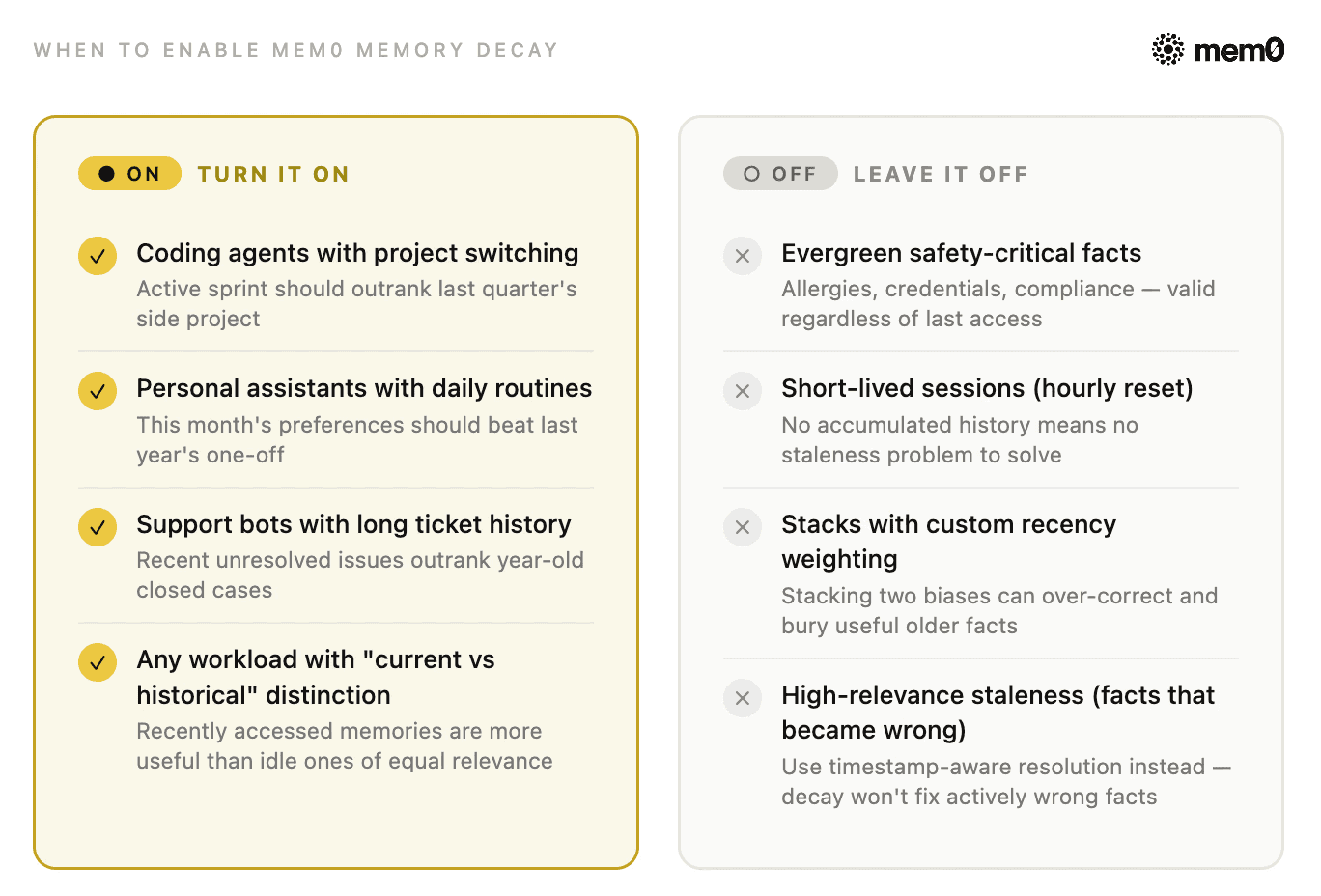
Fig: When to enable Mem0 Memory Decay
💡 Decay is a ranking bias, not truth maintenance. Treat it as the layer that makes the right answer easier to surface, not the layer that guarantees it.
Measuring Mem0 Memory Decay: A/B Testing
The internal scaling factor isn't exposed in the public search response, so you can't log decay_factor and call it a day. You have to compare the behavior between a decay-off and a decay-on project.
Setting up the experiment
Here's the exact setup I used: two separate Mem0 projects, one with decay off and one with decay on, seeded with identical data.
Step 1: Create two projects on the Mem0 dashboard
Sign up on the Mem0 dashboard if you haven't already. Create two new projects and name them memory-decay-test-off and memory-decay-test-on.
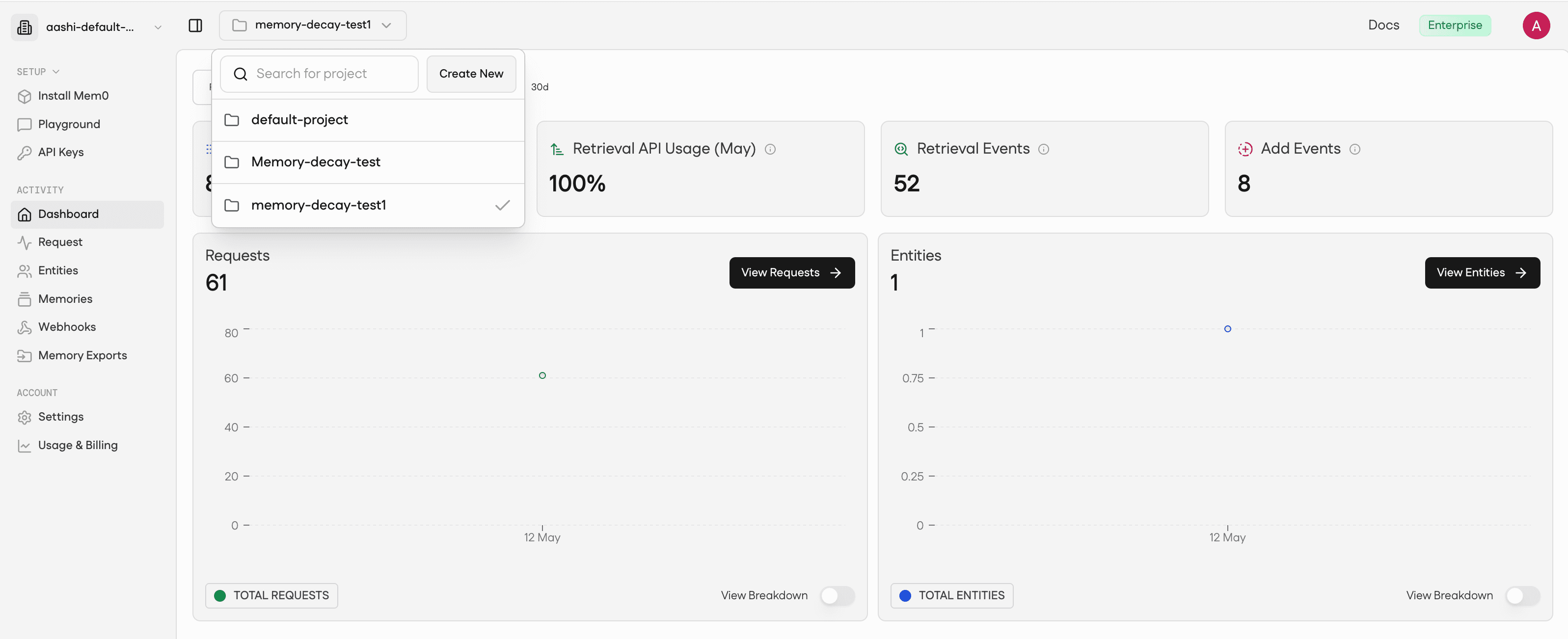
Fig: Mem0 dashboard
Add in details for the project and hit Create Project. Note both project IDs from the project settings page. You'll need them in the next step.
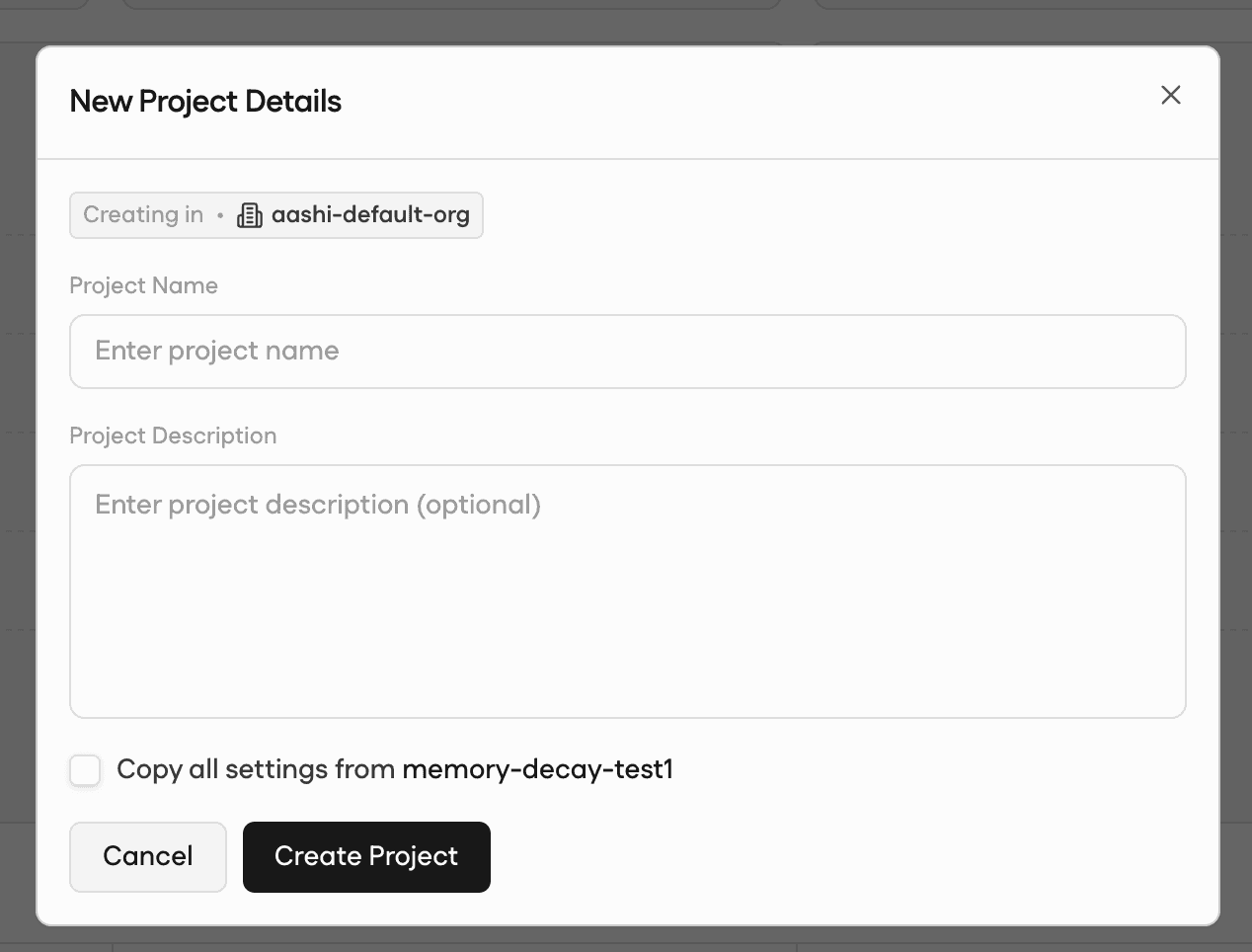
Fig: Create a Mem0 project
Step 2: Set the Decay Toggle
Open each project's Instructions tab. Leave decay off in the first project and switch it on in the second. That's the only difference between the two.
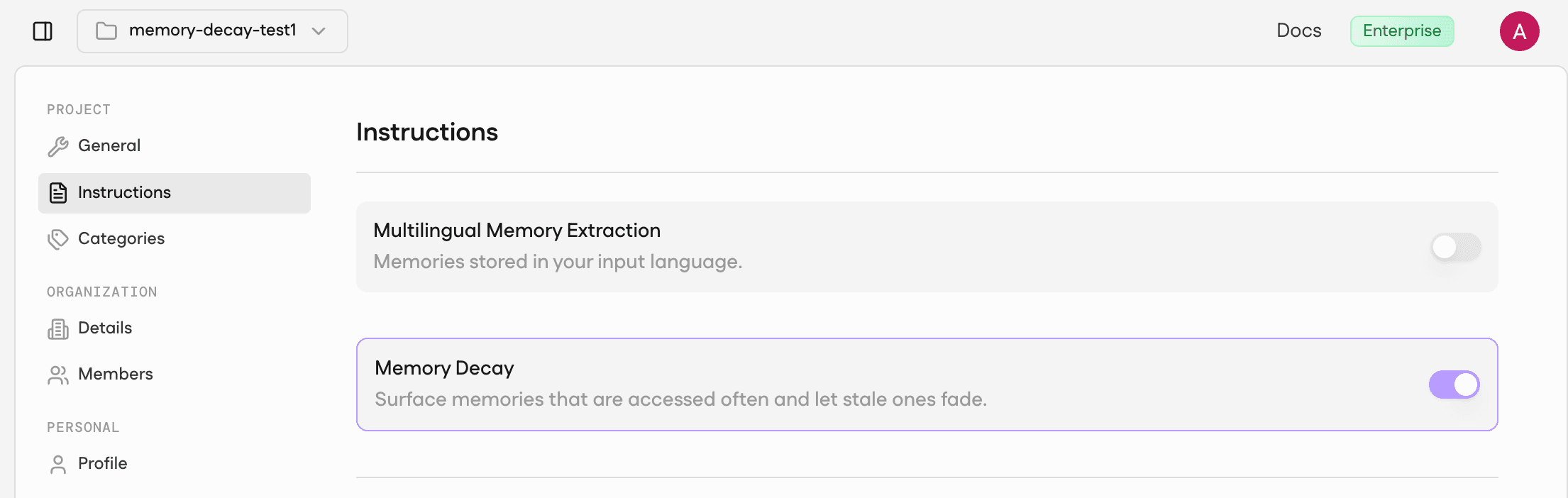
Fig: Set Decay toggle
Note: You can also set this in code if you prefer to skip the dashboard step entirely. The harness handles it automatically.
Step 3: Wire your project IDs into a .env file
Step 4: Run the harness
⭐️ Read the full code here: Memory-Decay-AB-Test
Run it as follows:
That's it. The script seeds identical memories into both projects, runs 12 warm-up queries to build access history on the decay-on side, waits 8 seconds for async reinforcement to settle, then runs your query set against both and outputs a summary table plus CSV/JSON.
The test harness above runs against any Mem0 project. If you're not on Mem0 yet, start free here - create two projects, run the harness, and see the score gap on your own agent's memories.
Results:
Here is what I inferred from the above code outputs:
Query | Expected | Decay off | Decay on | Score delta |
|---|---|---|---|---|
Breakfast preference |
| rank 2 / 0.3136 | rank 1 / 0.4694 | +0.1558 |
Active project |
| rank 2 / 0.2935 | rank 1 / 0.4394 | +0.1459 |
Active Globex ticket |
| rank 1 / 0.3386 | rank 1 / 0.5070 | +0.1684 |
Penicillin allergy |
| rank 1 / 0.3179 | not in top 5 | — |
Here are 3 key findings from the results:
Decay off is a coin flip for fresh-vs-stale pairs: The breakfast query scored the stale memory at 0.3144 and the fresh one at 0.3136, a margin of 0.0008. The support query was tighter: 0.3386 vs 0.3385, a margin of 0.0001. Cosine similarity genuinely can't tell them apart. The agent answers with whichever memory happened to embed slightly closer to the query string, not whichever one is actually current.
Decay on creates real separation: Fresh memories received a ~50% score boost across all three workload cases, landing between 0.44 and 0.51. The stale breakfast memory dropped from 0.3144 (rank 1) to 0.1259 (rank 5), a 60% reduction. The 5× spread shows up in actual numbers, not just the docs.
The allergy warning is not theoretical: With decay off,
allergy_evergreenit ranked first at 0.3179. With decay on and 12 warm-up rounds building access history onallergy_noise_recent(a trivia article about penicillin discovery), The safety-critical allergy fact dropped out of the top 5 entirely. The trivia article ranked first at 0.3920.
These results belong to the experiment I ran on real data with only 8 memories in the store. Memory Decay amplified whichever memory got retrieved most during warm-up. The actual allergy record wasn't deleted. It simply stopped surfacing. With thousands of memories and real user behavior building access history, the effect compounds. If your application passes top-k results directly to the model without a client-side safety filter, the agent answers an allergy question with a trivia fact. No penicillin warning surfaces.
Try It Today!
If you've read this far, you're probably running a long-lived agent that's starting to show the week-three degradation pattern. Here's exactly what to do next.
If you're already on Mem0: go to Settings → your project → enable Memory Decay. It's one toggle. Run a fixed set of 5–10 real queries against a decay-off clone and the decay-on project for 48 hours. Compare top-k diffs on the queries where staleness actually hurts your users, not averages across everything. If the decay-on project surfaces a more current context without burying important older facts, ship it for that cohort.
If you're not on Mem0 yet: The retrieval staleness problem you're hitting is real, and it gets worse as your agent accumulates history. Sign up for Mem0, and you'll have access to Memory Decay, the v3 search pipeline, and the A/B tooling described in this post. The free tier is enough to run the measurement harness I described above.
If your pain is high-relevance staleness (facts that became wrong, not just stale): Memory Decay isn't the right tool. Read my post on timestamp-aware resolution instead. That's where contradiction handling lives.
The coin-flip numbers in this article (0.0001 score margin between the right fact and the wrong one) are from a real test on only 8 memories. Your production store has more. The problem scales. Memory Decay is the fix that doesn't require you to rebuild your retrieval pipeline from scratch.
Enable Memory Decay on your project today!
Frequently Asked Questions
Q. What is Mem0 Memory Decay?
A per-project, opt-in feature that re-ranks search results by access recency. Recent memories get up to 1.5×, idle ones drift toward 0.3×. Your public API calls don't change.
Q. When should I turn Memory Decay on?
For long-running agents where the present should outrank accumulated history: coding agents with project switching, personal assistants with daily routines, support bots with long ticket history. If recently accessed memories are more useful than idle ones of similar semantic relevance, turn it on.
Q. When should I leave Memory Decay off?
For workloads dominated by evergreen safety-critical facts (allergies, credentials, compliance), short-lived sessions that never accumulate history, or stacks that already do recency weighting client-side.
Q. Does Memory Decay solve memory contradictions?
No. Decay handles low-relevance staleness. It doesn't handle facts that became actively wrong (previous employer, outdated diet). Use timestamp-aware resolution at the application layer for that.
Q. How do I measure whether Memory Decay is helping?
Run real_mem0_decay_ab.py --mode two-project with two Mem0 projects on identical data. Measure rank deltas on your real query log, not synthetic probes. The harness automatically outputs a summary table and a CSV.
Sources
Introducing Memory Decay in Mem0, May 8, 2026
Memory Decay docs, Mem0 Platform documentation
How to Test AI Agent Memory with Mem0: A Practical Memory Simulation Guide, May 2, 2026
State of AI Agent Memory 2026, April 1, 2026
The Day 30 Problem: Why Your AI Agent Gets Worse Over Time, April 1, 2026
More on Context Engineering

What Is a Vector Database & How Does It Work? Use Cases and Agent Memory
Learn what vector databases are, how they use embeddings and similarity search for RAG and AI agents, plus where a dedicated memory layer adds value.
25 min read

How to Reduce LLM Token Costs: The Persistent Memory Approach
Most LLM token costs come from re-sending conversation history. Here's how persistent memory cuts that by 60-90% with token counts and working code.
8 min read
Loop Engineering for AI Agents: Memory-First Design
Learn what loop engineering is, token-rich vs token-poor loops, and how Mem0 solves core memory challenges for production AI agents.
10 min read





Aashi Dutt
She is a senior technical content writer at Mem0. She covers agent memory architecture and the engineering decisions behind building agents that actually remember. She experiments with new features and turns research into posts developers can put straight to use.
Start building with memory
Free tier, no card